In machine learning, the quality of your model is fundamentally tied to the quality of your data. For computer vision tasks like image classification, object detection, or segmentation, sourcing the right training data is a critical, often time-consuming first step. This guide is designed to streamline that process by providing a comprehensive, curated catalog of the best image datasets for machine learning. We'll cut through the noise and give you a direct path to the resources you need for your specific project, whether you're a data scientist, a QA engineer, or an AI developer.
This article offers more than just a list of names. For each dataset and platform-including major hubs like Kaggle Datasets and Roboflow Universe, foundational collections like ImageNet and COCO, and specialized repositories like Radiant Earth MLHub-we provide a detailed breakdown. You will find practical information on dataset size, annotation types, licensing, and direct access links. We also analyze the pros and cons of each resource, suggesting specific use cases to help you make an informed decision quickly. Before diving into specific datasets, it's beneficial to understand the fundamental technology. Learn more about how AI image identification works to process visual information.
Our goal is to equip you with the knowledge to not only select an existing dataset but also to understand the nuances of data preparation. We'll touch on essential techniques like data augmentation and preprocessing. Additionally, we will explore a practical workflow for creating your own custom datasets, for instance, by programmatically capturing and cleaning webpage screenshots using tools like ScreenshotEngine. Consider this your definitive resource for finding and effectively using high-quality visual data for any machine learning application.
1. ScreenshotEngine
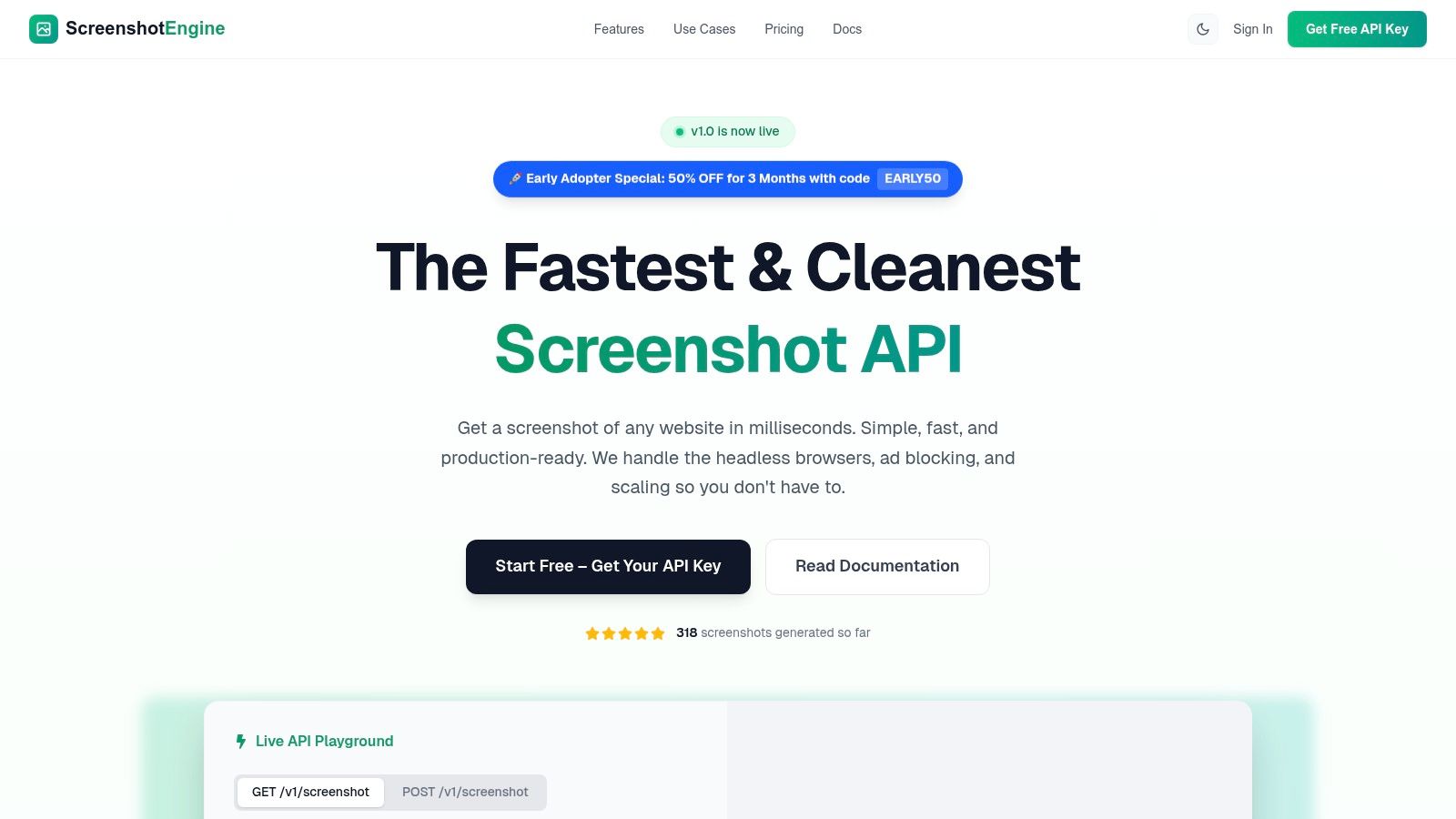
ScreenshotEngine is a developer-centric screenshot API that offers a powerful and streamlined solution for creating custom image datasets for machine learning. It excels at programmatically capturing clean, consistent visual data from the web at scale, removing the significant engineering overhead of managing headless browser infrastructure. Its core strength lies in its speed and reliability, delivering production-ready images in milliseconds through a simple, SDK-friendly API endpoint.
This platform is particularly effective for generating training data because it automatically handles common web annoyances. Its built-in systems block ads, cookie banners, and other popups, ensuring the resulting images are uncluttered and standardized. This feature alone saves considerable time in pre-processing and data cleaning, making it a standout choice for teams that need high-quality visual inputs without manual intervention.
Key Features for Data Collection
- Element-Level Capture: Go beyond full-page screenshots by using CSS selectors to isolate specific elements like graphs, product images, or user interface components. This is invaluable for creating focused datasets for component classification or visual regression testing.
- Automated Cleaning: The API's ability to automatically remove visual noise ensures that your training data is consistent and relevant, improving model accuracy and reducing manual cleanup efforts.
- Flexible Output & Control: Capture in multiple formats (PNG, JPEG, WebP), render pages in native dark mode, and even capture smooth-scrolling video for dynamic content analysis.
- Developer-First Experience: ScreenshotEngine provides a live API playground for instant parameter testing, clear documentation, and language-specific SDK snippets (Node, Python, C#) to accelerate integration.
Use Case: Building a UI Component Dataset
Imagine you need to train a model to identify and classify different types of web components (e.g., buttons, forms, navigation bars). With ScreenshotEngine, you can write a script to crawl a list of URLs and use specific CSS selectors (button, .nav, form) to capture thousands of isolated examples. The API's speed and automated cleaning make this a highly efficient method for generating a large, labeled dataset. For additional capabilities in capturing visual data, you might explore tools like a dedicated Website Screenshot Generator to complement your workflow.
Pricing and Access
ScreenshotEngine operates on a transparent, usage-based pricing model. It includes a generous free tier that does not require a credit card, allowing developers to fully test the API's capabilities. Paid plans scale affordably, and an early-adopter promotion offers a significant discount, making it an accessible option for both individual projects and enterprise-level data collection pipelines. For a deeper dive into how it stacks up against other services, you can explore this comparison of screenshot APIs.
| Feature | Details |
|---|---|
| Primary Use | Programmatic capture of web pages and elements for data collection. |
| Key Advantage | Blindingly fast, queue-less rendering with automatic ad/banner removal. |
| Capture Modes | Full-page, specific element (via CSS selector), dark mode, scrolling video. |
| Output Formats | PNG, JPEG, WebP. |
| Access | REST API with a free tier and scalable paid plans. |
Website: https://www.screenshotengine.com
2. Kaggle Datasets
Kaggle is more than just a repository; it's a dynamic community-driven platform where data scientists and ML engineers converge. It hosts thousands of diverse image datasets for machine learning, spanning specialized domains from medical imaging and satellite photography to retail products and optical character recognition (OCR). The platform's main draw is its integrated environment where users can not only download data but also immediately start working with it in hosted notebooks (kernels).
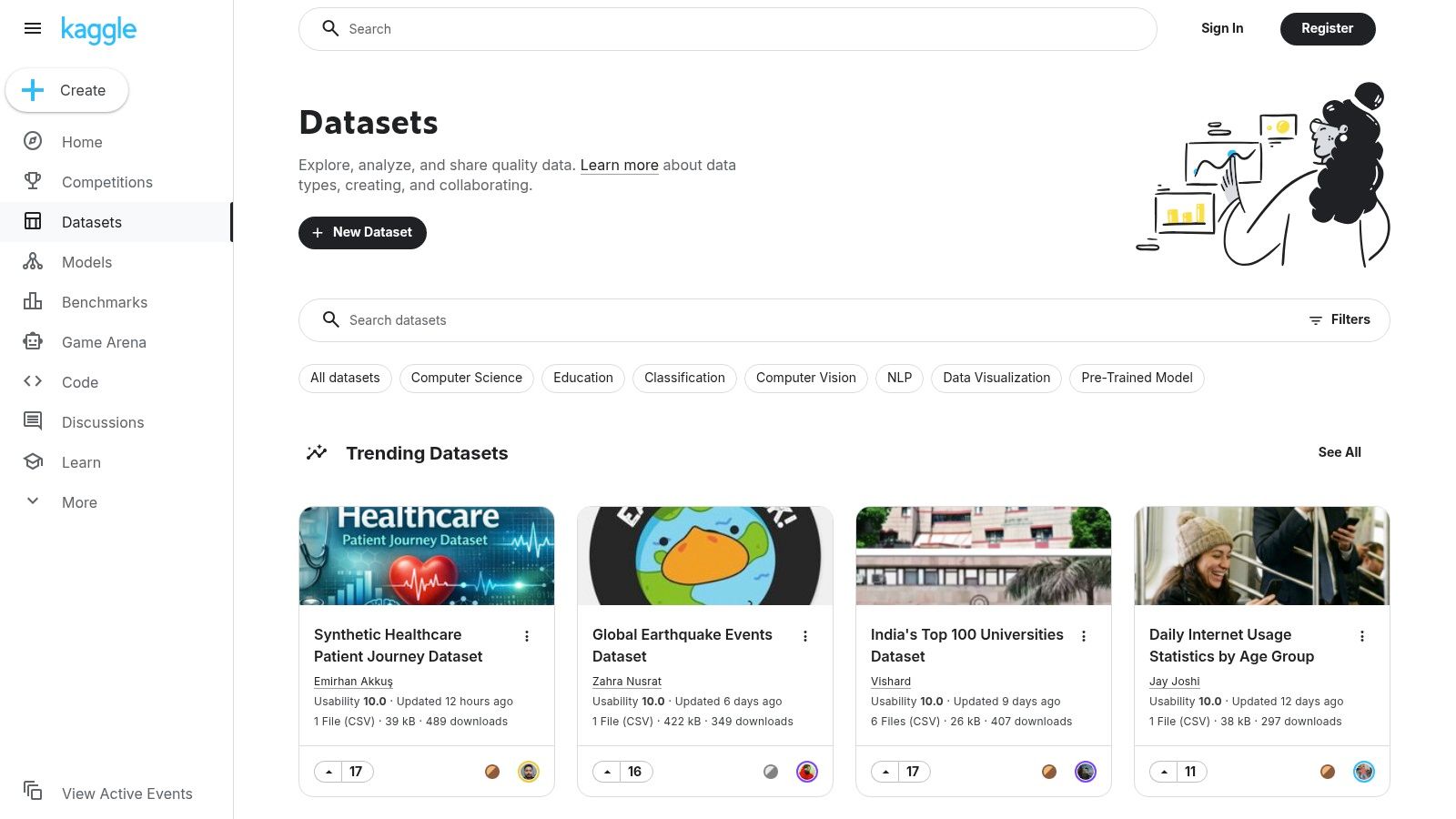
This seamless workflow allows for rapid prototyping and benchmarking, often within the context of competitions that push the boundaries of model performance. Access is free with a simple account sign-up, and datasets can be downloaded directly or accessed programmatically via the Kaggle API for streamlined integration into local development environments. This setup is excellent for both beginners seeking hands-on experience and experts looking for new challenges or specific data collections.
Key Features and Considerations
The platform’s strength lies in its incredible variety and the active community that provides ratings, discussions, and public notebooks for most datasets. However, this community-driven approach also means quality and annotation consistency can vary significantly. It is crucial to check the license for each specific dataset, as they range from permissive open-source licenses to those with strict non-commercial use clauses.
- Pros:
- Vast Diversity: A massive collection covering nearly any computer vision task.
- Integrated Notebooks: Explore and model data directly in the browser.
- Active Community: Benefit from public code, discussions, and dataset ratings.
- Cons:
- Inconsistent Quality: Curation and annotation standards vary by publisher.
- Variable Licensing: Requires careful checking before commercial use.
For projects requiring highly specific visual data not found on platforms like Kaggle, you might need to create your own dataset. One efficient method involves programmatic data collection, and you can learn more about how to capture website visuals at scale by reading about automated website screenshot generation.
Website: https://www.kaggle.com/datasets
3. Hugging Face Datasets Hub
Hugging Face has become a central hub for the machine learning community, and its Datasets Hub is a testament to its developer-first philosophy. It provides a massive collection of image datasets for machine learning, with a strong emphasis on seamless integration into training pipelines via its popular datasets library. The platform is designed for programmatic access, allowing developers to load, process, and stream even terabyte-scale datasets with just a few lines of Python code.
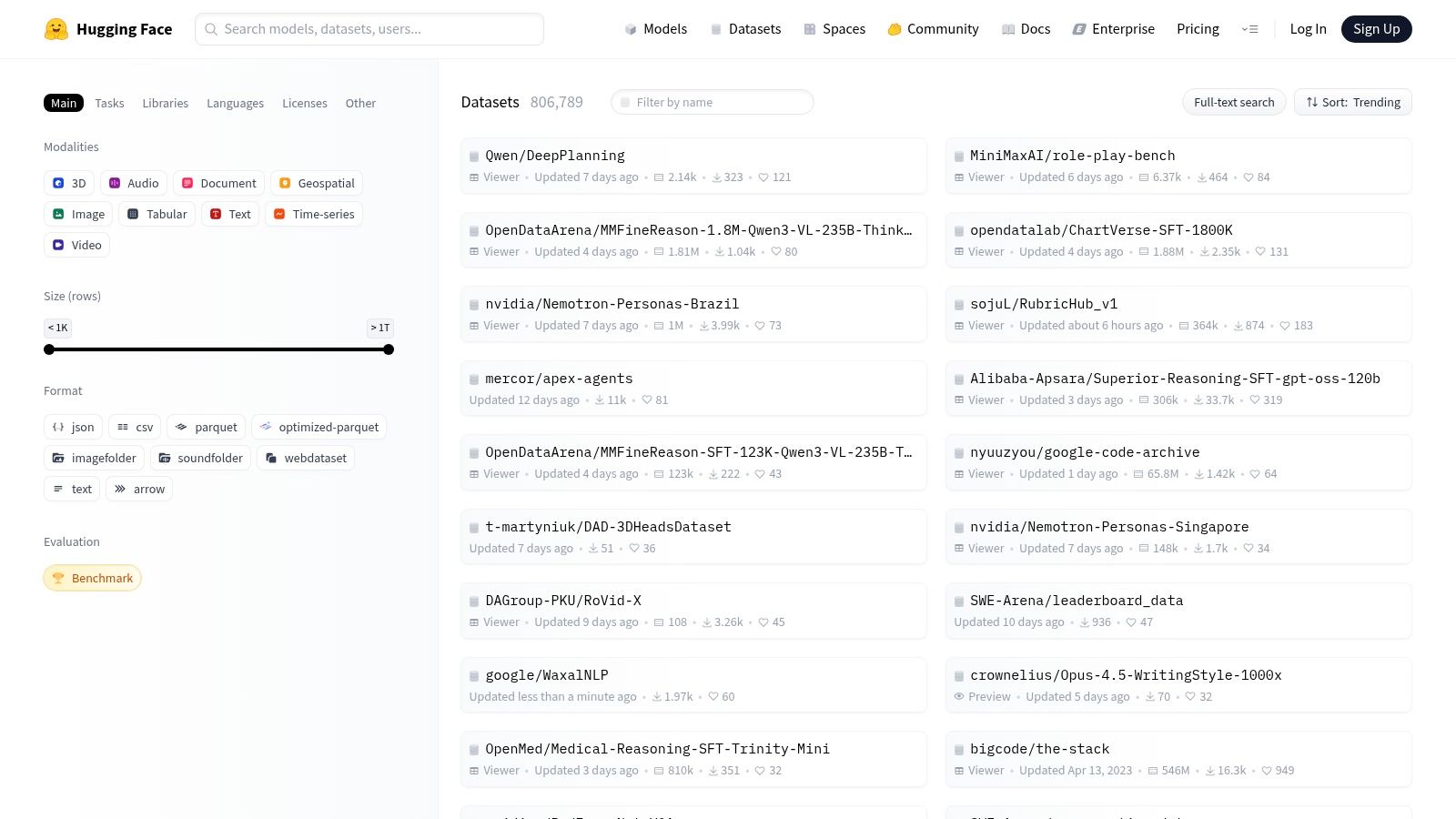
This tight coupling between data and tooling simplifies experimentation and reproducibility, making it a favorite for researchers and engineers working on vision and multimodal models. Access to most datasets is free and public, though some require users to accept terms or request access (gated datasets). The integrated dataset viewer and auto-generated code snippets for loading data significantly lower the barrier to entry, enabling users to quickly explore and utilize the available resources.
Key Features and Considerations
The platform's core strength is its powerful Python library and Git-based versioning, which provide a robust framework for data management and collaboration. It offers a standardized interface for accessing diverse datasets, whether they contain images, text, or audio. However, like other community hubs, dataset quality and licensing can vary widely. It is essential to review the dataset card for details on curation, splits, and usage permissions before integrating it into a project.
- Pros:
- Strong Developer Ergonomics: Tight integration with the Python
datasetslibrary for fast iteration. - Curated Vision Datasets: Many actively maintained datasets suitable for various computer vision tasks.
- Clear Documentation: Excellent guides for handling image data and sharing custom datasets.
- Strong Developer Ergonomics: Tight integration with the Python
- Cons:
- Gated Access: Some large or sensitive datasets require authentication and may have quotas.
- Variable Quality: As a community hub, data quality and licensing require careful diligence.
Website: https://huggingface.co/datasets
4. Roboflow Universe
Roboflow Universe is a community-driven hub specifically designed for computer vision practitioners. It hosts over 200,000 diverse image datasets for machine learning, with a strong focus on object detection, segmentation, and classification tasks. Its key differentiator is the seamless integration between data discovery, preprocessing, and model training. Users can not only find datasets but also explore annotations in-browser, fork projects into their own workspaces, and export them in numerous formats ready for training.
This platform streamlines the often-tedious process of data preparation. With built-in tools for augmentation and one-click exports to popular formats like COCO JSON and YOLO TXT, it significantly reduces the time from data acquisition to model development. Access to public datasets is free with an account, and the platform provides ready-to-use code snippets for easy downloading into notebooks like Google Colab. This makes it an excellent resource for both rapid prototyping and building robust, production-ready computer vision models.
Key Features and Considerations
The platform’s greatest strength is its tight focus on computer vision workflows, providing tools that directly address common pain points in data preparation and format conversion. Many datasets also come with pre-trained models, allowing users to benchmark performance or get a head start on their projects. However, since it is a community-driven repository, the licensing for each dataset varies and must be checked carefully for commercial applications. The platform operates on a freemium model, with certain features like private projects and larger exports reserved for paid plans.
- Pros:
- CV-Specific Workflows: Integrated tools and one-click exports to common formats (YOLO, COCO).
- Pre-Trained Models: Many datasets include baseline models for immediate use and testing.
- Easy Integration: Provides ready-to-use code for programmatic dataset access.
- Cons:
- Variable Licensing: Requires careful review of each dataset’s permissions for commercial use.
- Freemium Model: Advanced features and large-scale use may require a paid subscription.
Website: https://universe.roboflow.com/
5. COCO (Common Objects in Context)
COCO, which stands for Common Objects in Context, is a foundational large-scale object detection, segmentation, and captioning dataset. It has become the gold standard for benchmarking model performance, featuring over 330,000 images with complex scenes of everyday objects. The dataset's rich annotations go beyond simple bounding boxes, providing instance-level segmentation masks, keypoints for pose estimation, and five human-written captions per image.
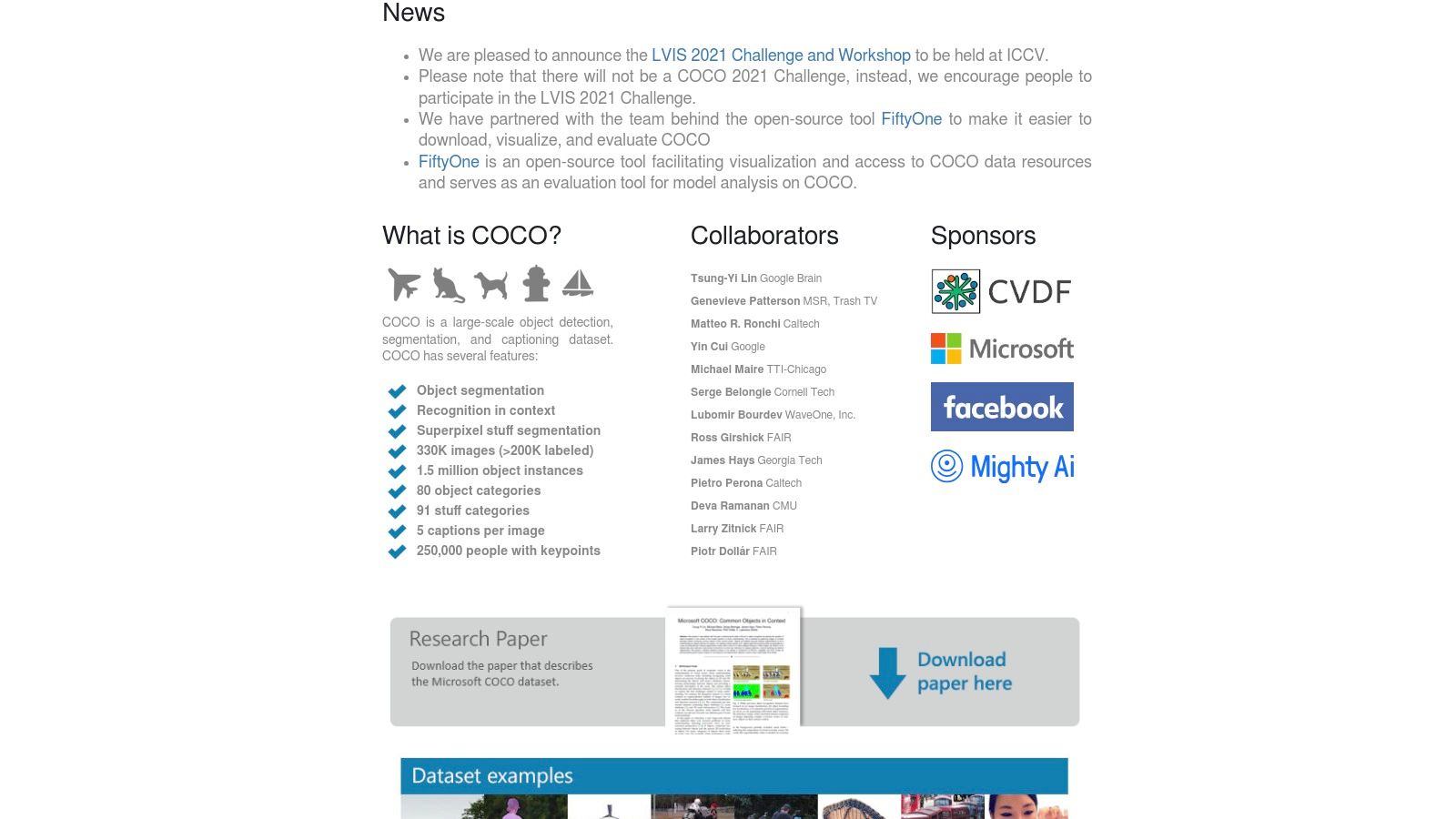
This level of detail makes COCO one of the most versatile image datasets for machine learning, suitable for training sophisticated models that can understand not just what an object is, but also its exact outline and position. The data is freely available for research purposes under a Creative Commons license. Its widespread adoption means official tooling (APIs for Python and Matlab), extensive community tutorials, and pre-trained models are readily available, significantly lowering the barrier to entry for complex computer vision tasks.
Key Features and Considerations
The primary strength of COCO lies in its high-quality, dense annotations and its established role as a universal benchmark. The evaluation metrics and established data splits are integrated into virtually all major machine learning frameworks, making it simple to compare new models against state-of-the-art results. However, its focus on 80 common object categories means it is less suitable for highly specialized or domain-specific applications, like medical imaging or industrial defect detection. Researchers should also note that the annotations for the official test sets are not publicly released to maintain the integrity of the benchmark challenge.
- Pros:
- High-Quality Labels: Rich annotations including segmentation masks and keypoints.
- Industry Benchmark: Widely adopted for model evaluation with established metrics.
- Ubiquitous Support: Excellent tooling and integration in popular ML libraries.
- Cons:
- General-Purpose Focus: Not ideal for niche or domain-specific visual tasks.
- Hidden Test Labels: Annotations for some test splits are withheld for competitions.
Website: https://cocodataset.org/
6. ImageNet
ImageNet is a cornerstone resource in the history of computer vision and remains one of the most influential image datasets for machine learning. Organized according to the WordNet hierarchy, it contains millions of labeled images across thousands of object categories (synsets). It is most famous for the ImageNet Large Scale Visual Recognition Challenge (ILSVRC), a subset of 1.2 million images across 1,000 classes that became the de facto benchmark for image classification and a primary source for pretraining deep learning models.
The dataset's primary impact lies in its role in transfer learning, where models pretrained on ImageNet learn robust feature representations applicable to a wide range of other vision tasks. Access is granted for non-commercial research purposes upon creating an account and agreeing to the terms of use. The process involves a request that requires approval, acknowledging that the images themselves are owned by third parties and subject to their original licenses.
Key Features and Considerations
ImageNet's strength is its scale, hierarchical structure, and its foundational role in deep learning literature, making it an essential tool for benchmarking and research. However, its use is strictly limited to non-commercial applications. Researchers must be diligent in navigating the access requirements and understanding the licensing limitations of the underlying images, as ImageNet does not own the copyright to the photos it indexes.
- Pros:
- The Standard for Pretraining: The gold standard for developing foundational models and transfer learning.
- Massive Scale: Millions of images provide a rich basis for learning general visual features.
- Extensive Support: Vast body of literature, established benchmarks, and community tooling.
- Cons:
- Research Use Only: Strict non-commercial use restrictions.
- Complex Access: Requires an application and approval process.
- Third-Party Image Licenses: Users are responsible for adhering to the original copyright of each image.
Website: https://www.image-net.org/
7. Open Images Dataset (Google)
Developed by Google, the Open Images Dataset is a colossal collection containing approximately 9 million images annotated with exceptional detail. It stands out due to the sheer scale and richness of its annotations, which include image-level labels, object bounding boxes, instance segmentation masks, and visual relationships. This multi-modal annotation makes it one of the most versatile image datasets for machine learning, suitable for training complex models capable of detection, segmentation, and visual relationship understanding simultaneously.
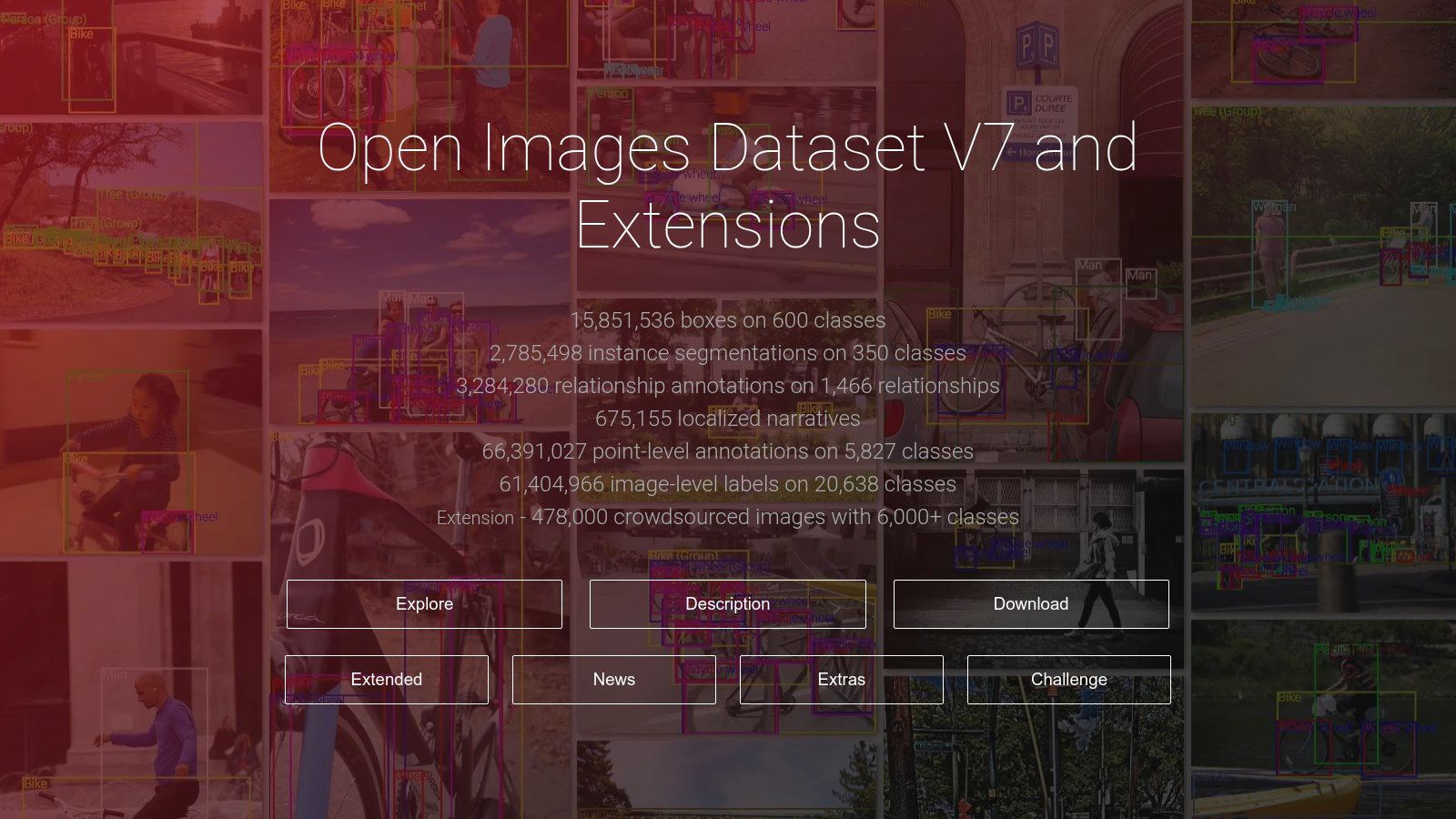
The dataset is freely accessible and is hosted on Google Cloud Storage, with mirrors available on AWS S3, making it reachable for various cloud-based workflows. Given its immense size, the creators provide tools and guidance for downloading specific subsets, which is crucial for researchers focusing on particular object classes without needing to manage the entire multi-terabyte collection. This scalability and professional-grade annotation make it a benchmark for large-scale computer vision research.
Key Features and Considerations
The primary strength of Open Images is its comprehensive and professionally curated annotation set, covering thousands of classes. However, its massive size is a double-edged sword, demanding significant storage capacity and potentially incurring high data transfer costs depending on your access method. Furthermore, while the images are largely sourced from Flickr, they carry a variety of Creative Commons licenses, requiring users to verify the specific license for each image before use, especially in commercial applications.
- Pros:
- Massive Scale: One of the largest publicly available datasets with millions of images.
- Rich Annotations: Includes bounding boxes, instance masks, and relationship labels.
- Well-Supported: Easily accessible via major cloud providers and deep learning libraries.
- Cons:
- Significant Size: Requires substantial storage and can lead to high egress costs.
- Mixed Licensing: Individual image licenses must be checked for commercial projects.
Website: https://storage.googleapis.com/openimages/web/index.html
8. Registry of Open Data on AWS
The Registry of Open Data on AWS is a centralized catalog of public datasets optimized for cloud-based computing. It makes large-scale image datasets for machine learning easily accessible by hosting them on Amazon S3, allowing researchers and developers to analyze the data directly in the cloud without needing to download it. This is particularly beneficial for petabyte-scale collections common in satellite imagery, geospatial analysis, and scientific research, enabling high-throughput processing within the AWS ecosystem.
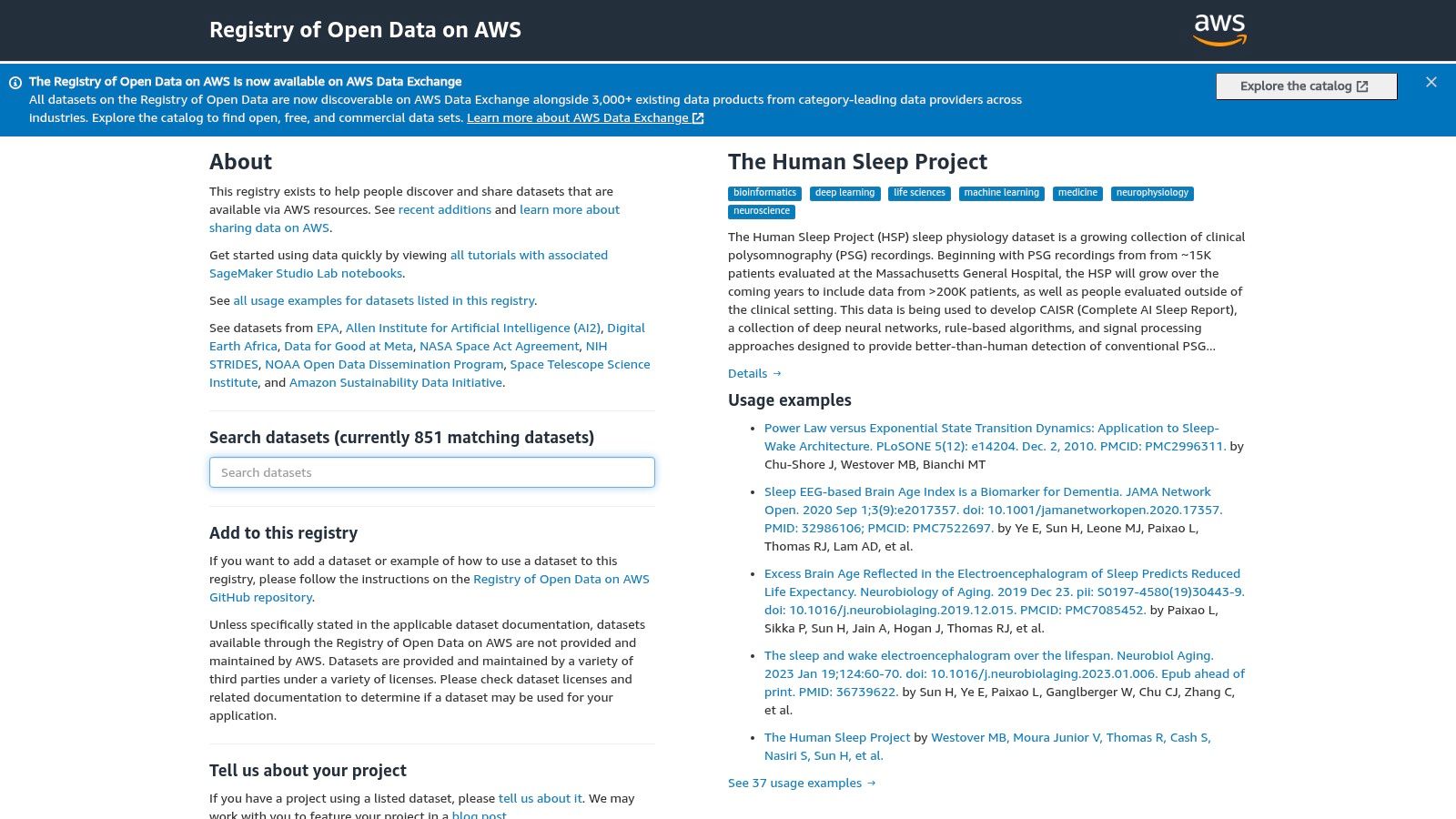
This platform stands out by democratizing access to massive datasets like SpaceNet and Maxar Open Data, which are foundational for Earth observation (EO) and disaster response applications. Access to the S3 buckets is often anonymous and free, though users are responsible for the costs associated with their own compute and storage on AWS. The registry provides detailed documentation, usage examples, and direct S3 URIs, streamlining integration with services like Amazon SageMaker for large-scale model training.
Key Features and Considerations
The primary advantage is the elimination of data transfer bottlenecks. You can spin up powerful computing resources in the same region as the data, leading to significant time savings. However, the collection is heavily skewed towards scientific and geospatial imagery, offering less variety for tasks involving consumer photos or everyday objects. Users should also carefully budget for AWS service usage, as processing large datasets can incur significant costs.
- Pros:
- High-throughput Cloud Access: Ideal for large-scale training without local downloads.
- Hosts Key Geospatial Datasets: Access to unique government and commercial satellite imagery.
- Seamless AWS Integration: Designed to work directly with AWS ML services.
- Cons:
- Niche Focus: Primarily centered on satellite, aerial, and scientific imagery.
- Compute Costs: Users pay for their own AWS compute, storage, and egress fees.
Website: https://registry.opendata.aws/
9. Radiant Earth MLHub
Radiant Earth MLHub is a specialized, open-source platform dedicated to advancing machine learning applications for Earth observation (EO). It provides a central, cloud-native repository for high-quality, labeled geospatial image datasets for machine learning, targeting critical use cases like land-cover classification, crop detection, and disaster response. The hub is built around the SpatioTemporal Asset Catalog (STAC) standard, ensuring all data is easily discoverable and interoperable.
The platform distinguishes itself by offering analysis-ready data specifically curated for ML workflows. Access is facilitated through a simple Python client, which allows data scientists to programmatically fetch and load datasets directly into their modeling environments without manual downloads. This streamlined process is ideal for researchers and organizations working on large-scale environmental monitoring and geospatial intelligence projects, providing the foundational data needed to train robust models.
Key Features and Considerations
The main strength of Radiant Earth MLHub is its strict focus on ML-ready EO data and its commitment to open standards. Datasets come with clear, permissive licenses (often Creative Commons) and comprehensive documentation, removing common barriers to entry. However, the specialized nature of the data means users often need experience with geospatial libraries and concepts to work with it effectively. The sheer size of satellite imagery can also pose significant storage and processing challenges.
- Pros:
- ML-Ready EO Data: Curated and labeled datasets for geospatial ML tasks.
- Standardized Access: Python client and STAC metadata for easy integration.
- Open and Free: Permissive licensing and free access to all datasets.
- Cons:
- Niche Focus: Limited to Earth-observation imagery, not for general computer vision.
- Large Data Sizes: Datasets can be very large, requiring significant computational resources.
- Requires Geospatial Knowledge: Best utilized by those familiar with GIS and remote sensing tools.
Website: https://mlhub.earth/
10. Microsoft Planetary Computer (Data Catalog)
Microsoft's Planetary Computer is a powerful platform dedicated to planetary-scale environmental monitoring and data science. It provides a multi-petabyte catalog of open geospatial image datasets for machine learning, including critical Earth-observation data from sources like Landsat, Sentinel, and the National Agriculture Imagery Program (NAIP). The platform is built on Azure and designed for cloud-native workflows, offering efficient access to analysis-ready data.

Its core value lies in making massive environmental datasets accessible and computable. Instead of requiring users to download terabytes of data, it provides STAC-based APIs and signed URLs that allow ML pipelines to stream data directly from Azure Blob Storage. This architecture is ideal for large-scale tasks such as deforestation tracking, agricultural yield prediction, and climate change modeling, enabling researchers and developers to bring their algorithms to the data. Access to the data is free, though users must provide their own compute resources.
Key Features and Considerations
The platform excels at providing robust, programmatic access to analysis-ready, cloud-optimized geospatial imagery. Its API-first approach and integration with tools like Dask and Xarray streamline the development of scalable ML models. However, its primary strength is also a potential hurdle; it is geared towards users comfortable with cloud computing and programmatic data access. The retirement of its hosted Hub notebook service means users must now integrate the data into their own compute environments, which requires more setup.
- Pros:
- Cloud-Optimized Access: Eliminates the need for massive downloads, enabling scalable analysis.
- Vast Geospatial Catalog: Access to key global Earth-observation datasets.
- API-Driven: Designed to integrate seamlessly with modern cloud ML workflows.
- Cons:
- Bring-Your-Own-Compute: The integrated notebook environment has been retired, requiring users to set up their own infrastructure.
- Potential Data Gaps: Users should always verify data coverage for their specific area and time of interest.
Website: https://planetarycomputer.microsoft.com/
11. Appen — Off-the-Shelf AI Training Datasets
Appen offers a commercial catalog of curated, ready-to-license image datasets for machine learning, designed for enterprise teams that require production-ready data with clear licensing terms. Unlike open repositories, Appen provides off-the-shelf collections that have undergone quality control, making them suitable for training commercial AI models without the legal ambiguities common in public datasets. The catalog features over 290 datasets covering diverse tasks like OCR on product labels, object detection using street-sign photos, and action recognition from point-of-view robotic imagery.
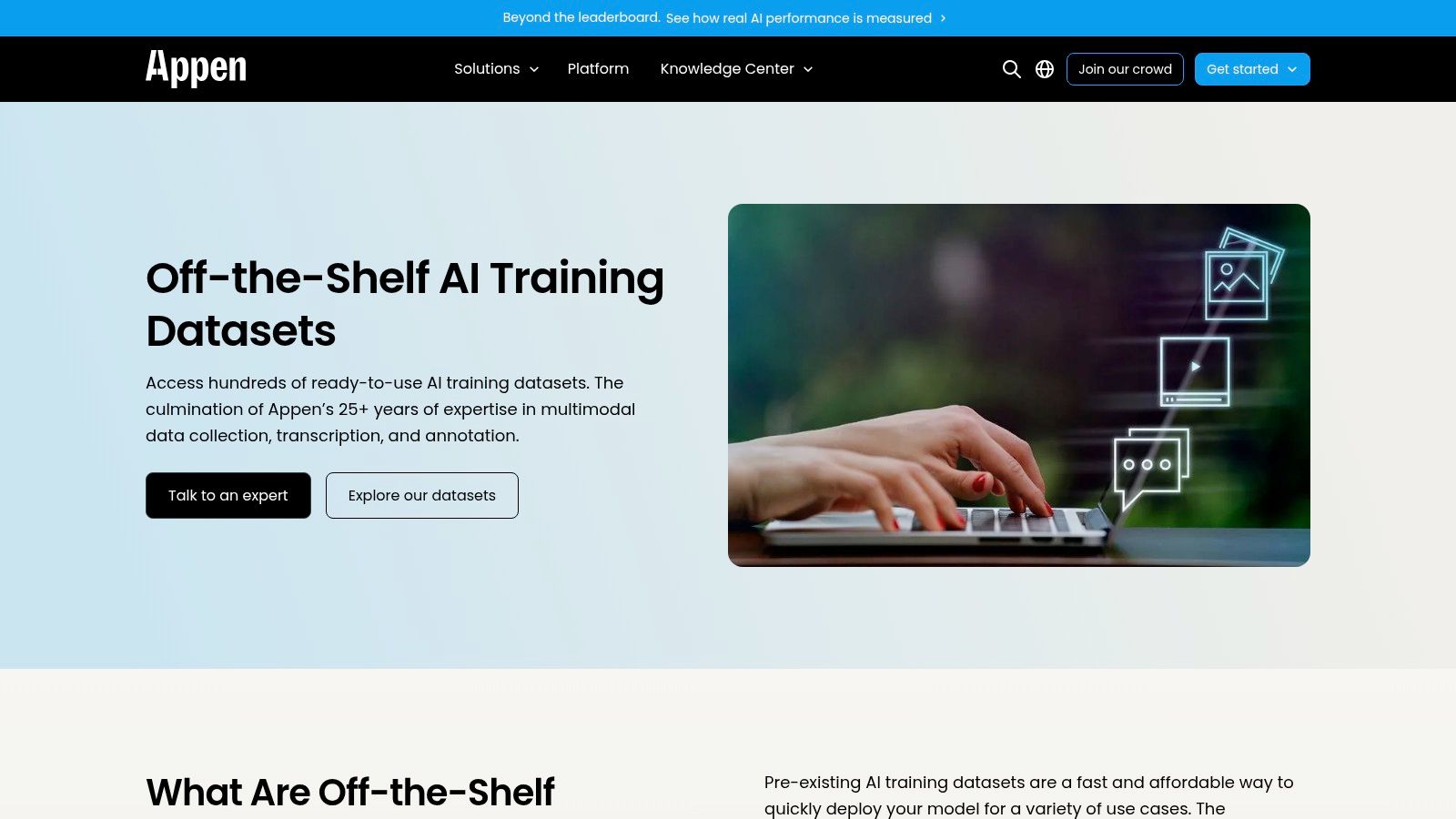
This platform is ideal for organizations looking to accelerate development timelines by purchasing high-quality, pre-annotated data. If their existing catalog does not meet specific project needs, Appen also offers custom data collection and annotation services. Access requires contacting their sales team for quotes, as pricing is not public. This model ensures that businesses receive data tailored to their exact specifications and usage rights, a critical factor for deploying models in production environments.
Key Features and Considerations
The primary advantage of using Appen is the assurance of commercial licensing clarity and enterprise-grade quality control, including detailed metadata. However, this comes at a cost, and the lack of transparent pricing means budget planning requires a direct sales consultation. The catalog descriptions can be brief, often necessitating a request for samples or detailed specifications to evaluate a dataset's suitability before committing to a purchase.
- Pros:
- Commercial Licensing Clarity: Datasets are ready for enterprise use with clear legal terms.
- Guaranteed Quality: Data undergoes quality control and includes detailed metadata.
- Custom Services: Option for bespoke data collection and annotation if needed.
- Cons:
- No Public Pricing: Requires contacting sales for quotes, which can slow down evaluation.
- Brief Descriptions: Initial catalog entries may lack the depth needed for a quick assessment.
For projects involving visual data from social platforms, understanding the complexities of collection is key. You can explore a related topic by reading about how to archive social media content for analysis.
Website: https://www.appen.com/ots-datasets
12. Defined.ai — Datasets Marketplace
Defined.ai operates as a professional marketplace for ethically sourced, high-quality image datasets for machine learning, targeting enterprise and commercial applications. It offers licensable, off-the-shelf datasets across various domains, from consumer imagery to specialized industry-specific collections. The platform's primary value proposition is its focus on providing data with clear, explicit licensing terms, making it a reliable source for organizations building commercial AI models that require legally sound training data.
Unlike open repositories, Defined.ai positions itself as a partner for serious ML development, allowing users to request free samples to evaluate quality and metadata before committing. The marketplace also offers services to tailor or slice extremely large datasets to fit specific project needs, bridging the gap between publicly available data and fully custom data collection efforts. This is ideal for teams needing to augment their training data with diverse, pre-vetted, and commercially viable image collections without navigating ambiguous usage rights.
Key Features and Considerations
The platform emphasizes quality control, ethical sourcing, and detailed metadata, which are critical for building robust and unbiased models. However, this enterprise-grade approach means that access is not immediate; pricing is typically provided via a quote, and the procurement process is more involved than a simple download. This structure is suited for well-funded projects and corporate R&D teams rather than individual hobbyists or academic researchers on a tight budget.
- Pros:
- Explicit Licensing: Clear terms and rights for commercial model training and deployment.
- Enterprise Customization: Options for enterprise contracting and dataset tailoring.
- Ethically Sourced: Focus on data that meets ethical and privacy standards.
- Cons:
- Quote-Based Pricing: Procurement can be a lengthy process requiring direct contact.
- Large-Scale Collections: Some datasets are massive, demanding significant storage and ingestion planning.
Website: https://marketplace.defined.ai/
Comparison of 12 Image Dataset Sources
| Product | Core features | Quality (★) | Pricing & Value (💰) | Target & Unique Selling Points (👥 / ✨) |
|---|---|---|---|---|
| 🏆 ScreenshotEngine | Fast screenshot API, element/full-page capture, ad/cookie blocking, PNG/JPEG/WebP, dark mode, live playground | ★★★★★ | 💰 Free tier (no CC); transparent scaling; Early Adopter 50% off | 👥 Developers, QA, SEO teams — ✨ queue-less rendering, auto-clean images, SDKs |
| Kaggle Datasets | Thousands of image datasets, notebooks, Kaggle API access | ★★★★ | 💰 Free (account required) | 👥 Researchers & prototypers — ✨ large variety, notebook-ready |
| Hugging Face Datasets Hub | datasets lib, dataset viewer, versioning, gated/private access | ★★★★ | 💰 Mostly free; gated/quota for large sets | 👥 ML developers — ✨ Python-first tooling & dataset versioning |
| Roboflow Universe | In-browser explorer, CLIP search, export to COCO/YOLO, fork into workspace | ★★★★ | 💰 Free tier + paid features for private/scale | 👥 CV engineers — ✨ easy prep/export & baseline models |
| COCO (Common Objects in Context) | Rich annotations: boxes, masks, keypoints, captions; official tooling | ★★★★★ | 💰 Free open dataset | 👥 Benchmarks & researchers — ✨ gold-standard labels & metrics |
| ImageNet | Millions of images, WordNet synsets, ILSVRC subset for benchmarks | ★★★★ | 💰 Free for research; access/license restrictions apply | 👥 Pretraining & transfer-learning researchers — ✨ standard for large-scale pretraining |
| Open Images (Google) | ~9M images with labels, boxes, masks, relationships; cloud mirrors | ★★★★ | 💰 Free; large storage/egress costs possible | 👥 Large-scale ML teams — ✨ multi-type annotations & cloud access |
| Registry of Open Data on AWS | Curated S3-hosted datasets, geospatial collections, high-throughput access | ★★★★ | 💰 Open data; users pay AWS compute/storage/egress | 👥 EO/large-scale training — ✨ cloud-native S3 access for bulk workflows |
| Radiant Earth MLHub | ML-ready satellite imagery, STAC metadata, Python client | ★★★ | 💰 Free (EO-focused) | 👥 Earth-observation practitioners — ✨ STAC metadata & labeled EO imagery |
| Microsoft Planetary Computer | STAC catalog, signed-URL access, cloud-native EO assets | ★★★★ | 💰 Free catalog; bring-your-own compute | 👥 EO ML & cloud users — ✨ signed-URL + cloud integration |
| Appen — Off-the-Shelf Datasets | Curated, licensable image/video datasets, annotation services | ★★★★ | 💰 Paid — quote & enterprise pricing | 👥 Enterprise teams — ✨ licensable production-ready datasets & services |
| Defined.ai — Datasets Marketplace | Marketplace for licensable image datasets, samples, customization | ★★★★ | 💰 Paid — quote-based pricing | 👥 Enterprises & product teams — ✨ explicit licensing & dataset customization |
Final Thoughts
Navigating the expansive world of image datasets for machine learning can feel like an overwhelming task, but as we've explored, the landscape is rich with resources tailored to virtually any computer vision project. From foundational, academic benchmarks like ImageNet and COCO to dynamic, community-driven platforms like Kaggle and Hugging Face Datasets, the perfect starting point for your model is likely just a few clicks away. This guide was designed not just to list these resources but to equip you with the strategic framework needed to evaluate, select, and implement them effectively.
The key takeaway is that there is no single "best" dataset. The optimal choice is always context-dependent, hinging entirely on your specific project requirements. A researcher benchmarking a new classification algorithm will have vastly different needs than a startup building a niche object detection model for retail analytics. Success lies in your ability to match the dataset’s characteristics, such as its annotation type, image diversity, and licensing terms, directly to your use case.
Key Principles for Moving Forward
As you embark on your next project, keep these core principles in mind:
- Define Your Problem First: Before you even browse a dataset hub, have a crystal-clear definition of your computer vision task. Is it classification, detection, segmentation, or something else? What are your specific object classes? A precise problem statement is your most powerful filter.
- Prioritize Data Quality and Relevance: A massive dataset is useless if its contents don't align with your real-world deployment environment. It's often better to start with a smaller, highly relevant dataset than a sprawling, generic one. Evaluate image quality, annotation accuracy, and class balance critically.
- Understand the Licensing: Never overlook the license. An academically permissive license like Creative Commons might be perfect for research but completely unviable for a commercial product. Always verify that the dataset's terms of use align with your project's goals to avoid legal complications down the line.
- Plan for the "Last Mile" Problem: Off-the-shelf datasets will rarely cover 100% of your needs, especially for unique or proprietary applications. Acknowledge this from the outset and plan your strategy for bridging the gap. This might involve data augmentation, transfer learning, or, most powerfully, collecting your own custom data.
From Curation to Creation: Your Next Steps
The journey from a promising idea to a high-performing model is paved with data. While curated repositories provide an incredible launchpad, the ability to create your own bespoke image datasets for machine learning is a transformative skill. This is particularly true when your project involves unique visual domains, such as analyzing specific website layouts, tracking digital ad placements, or monitoring user interface changes.
Tools that automate data collection, like programmatically capturing and cleaning screenshots, can dramatically accelerate your development cycle. By building a proprietary dataset, you not only tailor the training data precisely to your problem but also create a valuable, defensible asset that sets your model apart. The future of computer vision innovation lies in this blend of leveraging public resources and pioneering new, custom datasets. Your next breakthrough might not be found in a pre-existing repository; it might be waiting for you to create it.
Ready to build a completely custom visual dataset tailored to your unique web-based project? ScreenshotEngine provides a powerful, developer-friendly API to programmatically capture high-resolution screenshots of any website, giving you the raw material to create high-quality, proprietary image datasets for machine learning. Start building your unique data advantage today by visiting ScreenshotEngine.