
Picking the right screenshot API isn't just a technical task—it's a strategic move that directly affects how fast your team can ship and how reliable your product is. Getting it right with a service like ScreenshotEngine means automating visual tests and getting clean data every time. It’s the difference between having a rock-solid capture system and wrestling with flaky, in-house scripts that break at the worst possible moments.
Why Your Screenshot API Choice Is A Strategic Decision
Choosing a screenshot API is about more than just grabbing a picture of a webpage. You're actually selecting a foundational part of your tech stack. This choice has real consequences for your product's dependability, your team's efficiency, and your ability to grow smoothly. It's a lot like making other strategic choices for core systems, where you have to think through the long-term ripple effects.
Let's think about what this looks like in the real world. Imagine you're launching a new product. The social media previews need to be perfect and ad-free to get people to click. If your screenshot tool fails or leaves a giant cookie banner in the image, you're losing engagement and money. Or consider an AI model that needs thousands of clean website layouts for training. An unreliable, homegrown solution that fails 45% of the time because of browser issues can bring the entire project to a grinding halt.
Moving Beyond In-House Maintenance Headaches
Lots of teams try building their own screenshot tool first, usually with something like Puppeteer or Selenium. It seems like a good idea because you get total control, but it quickly turns into a massive maintenance headache. Suddenly, your developers are spending their time on:
- Infrastructure Management: Spinning up, scaling, and babysitting servers just to run headless browsers.
- Constant Updates: Chasing down new browser versions and dependencies to prevent rendering bugs.
- Error Handling: Writing complex logic to deal with timeouts, network glitches, and all the weird ways websites can break.
- Distraction Blocking: Scripting workarounds to block ads, pop-ups, and cookie banners that mess up the final image.
This kind of maintenance work pulls your best engineers away from what they should be doing: building your core product. A good managed service takes all that complexity off your plate so your team can focus on what actually matters.
The API economy is on track to hit USD 11.71 billion by 2026, and screenshot APIs are a big reason why. In fact, 65% of developers now use them to automate essential visual workflows. The best services can block nearly all on-page distractions and deliver a clean render in milliseconds—a must-have for things like social media previews that get seen billions of times.
By handing this work over to a dedicated service, you’re not just buying a tool. You're investing in your team's focus and your product's stability. If you're curious to learn more about how this model works, it’s worth reading up on the idea of a screenshot as a service.
It’s tempting to dive right into feature comparisons and pricing tables when you start looking for a screenshot API. That’s a classic mistake. Before you even glance at a potential service, you have to get crystal clear on what your project actually needs to accomplish.
Without that foundational understanding, you’re flying blind. You could easily end up overpaying for a bunch of bells and whistles you’ll never use or, even worse, commit to an API that fundamentally can’t handle your core job.
So, start with the "what" and the "why." Are you building a visual regression testing tool where every single pixel matters? Or maybe a SERP tracker that needs to reliably capture thousands of results pages every day, making speed and throughput the top priorities? The requirements for a legal team archiving websites for compliance are worlds apart from a social media scheduler that just needs to generate simple link previews.
Nailing this down first gives you a blueprint. It turns a vague "we need screenshots" into a concrete checklist for making a smart decision.
Nail Down Your Core Technical Requirements
Once you’ve got your main objective defined, it’s time to get into the technical weeds. These details are what you’ll use to filter the good from the bad and the ugly. Don't settle for fuzzy goals like "it needs to be fast" or "the images have to look good." Put numbers and specifics to your requirements to create a real scorecard.
Get your team together and ask these critical questions:
- What’s the expected volume? Are we talking 100 screenshots a day, or 100,000? That answer alone will have a massive impact on cost and the kind of infrastructure you’ll need.
- What output formats are non-negotiable? Do you absolutely need high-fidelity PNGs for design reviews? Or would lightweight WebP files be better for performance and storage costs? Perhaps you require PDFs for archival.
- What kind of captures are essential? Most of the time, will you be capturing the visible screen area (viewport), the entire scrollable page (full-page), or do you need to target a specific HTML element, like a
<div>with a chart inside?
I can't stress this enough: defining these requirements upfront is the single most important part of this entire process. It stops you from getting distracted by flashy features that don't actually solve your problem. It ensures you pick an API that fits your workflow, not the other way around.
The decision tree below can help you visualize whether it makes more sense to build this yourself or go with a managed API, based on what you need.
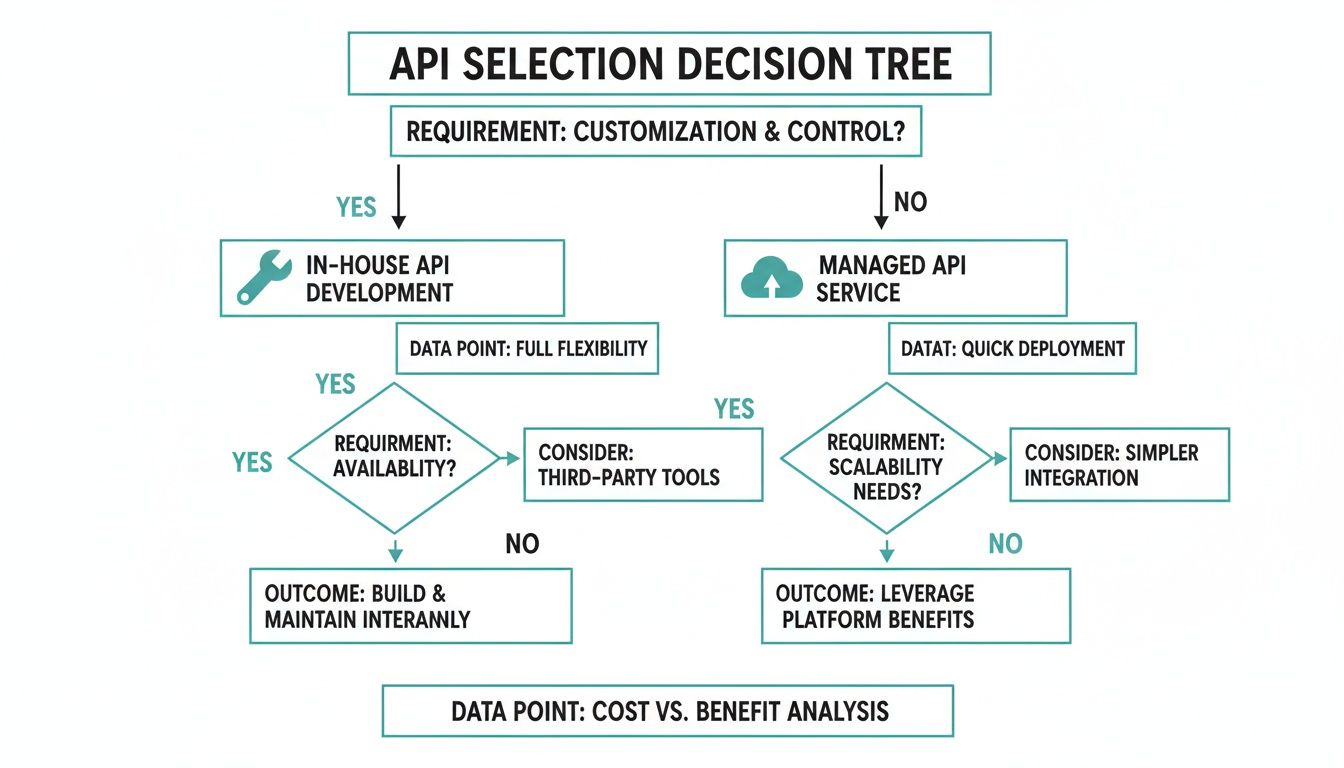
As you can see, while an in-house solution gives you total control, a managed API almost always wins on reliability and scalability—without the maintenance headache.
To help you organize your thoughts, use a checklist like the one below. It’s a simple way to score potential APIs against what truly matters for your project.
Feature Checklist for Screenshot API Evaluation
| Feature Category | Must-Have Requirement | Nice-to-Have Feature | Notes/Priority |
|---|---|---|---|
| Output Formats | e.g., PNG, JPEG | e.g., PDF, WebP | High-res PNG is critical for our QA team. |
| Capture Types | e.g., Full-page, Element | e.g., Custom viewport size | We absolutely need element capture for charts. |
| Performance | e.g., <3s response time | e.g., Geolocation options | Speed is key; anything over 5s is a dealbreaker. |
| Automation | e.g., Ad/cookie blocking | e.g., Dark mode rendering | Must block pop-ups to get clean captures. |
| Integrations | e.g., Official SDK (Node.js) | e.g., Zapier/Make integration | A well-documented Node.js SDK will save us time. |
This table forces you to be honest about what's a dealbreaker versus what's just a bonus. Fill it out before you start your free trials, and you'll be far more focused.
Beyond the Basics: What Else Do You Need?
Now, think about the real-world websites you’ll be capturing. Modern pages are a minefield of pop-ups, banners, and ads that can completely ruin an automated screenshot. Will your captures be littered with cookie consent dialogs or animated advertisements?
This is where you can really see the difference between a basic API and a professional one. The ability to automatically block these nuisances is what delivers a clean, usable image every time. This isn't just a "nice-to-have" feature; for most professional use cases, it's essential. A visual testing tool that constantly flags false positives because an ad changed position is worse than useless.
The top-tier screenshot APIs have matured, with the best providers now handling over 1 billion captures annually. These tools are built for the modern web, supporting complex scenarios like dark mode captures and generating WebP files that are up to 40% smaller—a huge deal when you're operating at scale. In fact, developers who switch to premium APIs often report cutting their infrastructure management work by 80%. They’re no longer fighting with flaky browser farms that can have failure rates as high as 35%. You can dig into the data on the open API market's growth to see these trends for yourself.
With a solid list of requirements in hand, you're finally ready to start evaluating your options. You now have a clear definition of what "best" means for you, turning this from a guessing game into a methodical, structured evaluation.
Evaluating The Features That Truly Matter
Once you've got your requirements list nailed down, it's time to cut through the marketing fluff. Not every feature is a game-changer, and picking the right screenshot API means focusing on what will actually make a difference in your workflow. It's all about separating the genuinely useful from the merely flashy.
A top-tier API does way more than just snap a picture of a website; it acts as a reliable, predictable data source. That means it has to render pages with pixel-perfect accuracy, handle whatever complex JavaScript gets thrown at it, and—most importantly—deliver a clean, consistent image every single time.
The Non-Negotiable Need For Clean Renders
Think about the state of the modern web. It's a minefield of cookie banners, GDPR pop-ups, animated ads, and chat widgets all fighting for screen real estate. If your screenshot API can't automatically sidestep this mess, your captures will be inconsistent at best and useless at worst.
This is a deal-breaker for any kind of automated process. For a visual regression test, a random popup will trigger a false positive, sending a developer down a rabbit hole for no reason. For an AI model scraping training data, an ad banner just poisons the dataset. A professional-grade service has to include robust, built-in blocking for:
- Cookie Banners & GDPR Pop-ups: These are the most common culprits, often hiding the entire page.
- Advertisements: Ads are designed to be random and unpredictable, which is the enemy of automation.
- Chat Widgets & Subscription Modals: These elements can cover key content and shift around without warning.
A screenshot API that can't reliably block these elements isn't a professional tool; it's a liability. You'll end up spending more time building flimsy workarounds than you would have just managing your own headless browser instance.
The best services handle all this with a simple API parameter, like block_ads=true. Honestly, this feature alone is often the main reason teams move from a DIY solution to a managed API. It guarantees the consistency that any reliable automated system is built on.
Output Flexibility Is More Than Just File Type
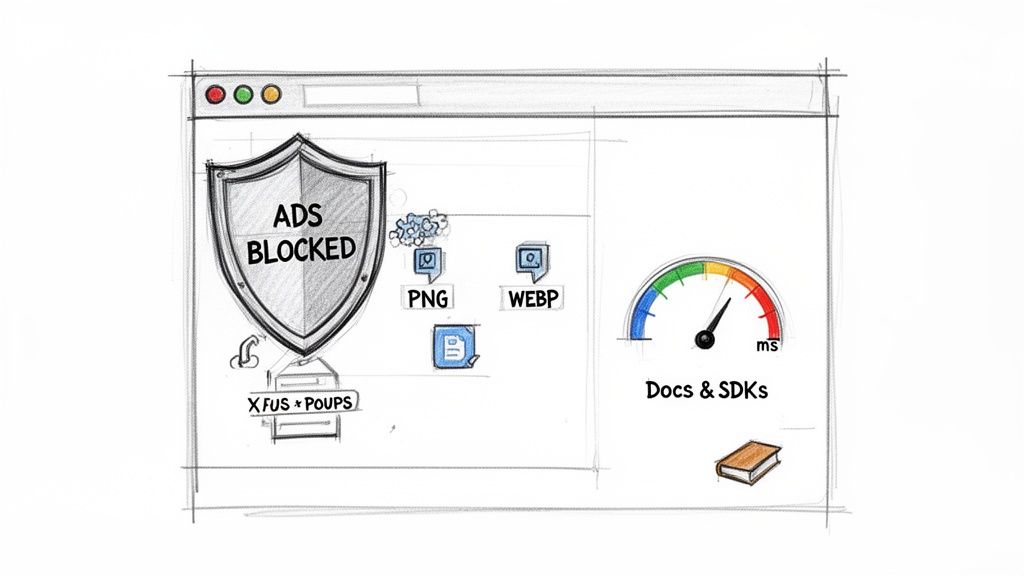
Sure, having options like PNG, JPEG, and WebP is standard, but real flexibility runs much deeper. Your specific use case will determine what part of a page you need, and a good API should let you capture it without a bunch of complicated gymnastics.
The most important capture modes you'll see are:
- Full-Page Capture: This is essential for things like archiving, legal compliance, or just getting the full picture of a landing page. The API needs to be smart enough to deal with lazy-loading images and infinite scroll, or you'll get an incomplete shot.
- Viewport Capture: Perfect for simulating what a user actually sees "above the fold" on a particular device.
- Element Capture: This is a total game-changer. The ability to target a specific CSS selector—like
#main-chartor.product-gallery—lets you zero in on the exact piece of data you need. Imagine grabbing just the stock chart from a finance site or a single product image from an e-commerce page. It’s incredibly powerful.
Services like ScreenshotEngine, for example, make this dead simple by letting you pass a selector right in the API call. That level of precision is invaluable for tasks like feeding clean data to an AI model or monitoring specific UI components over time.
Performance And Reliability Are The Same Thing
When your application depends on an external API, its performance is your performance. Slow response times from your screenshot service create bottlenecks in your own system. Their downtime becomes your downtime. It's that simple.
The API management market is projected to hit USD 22.11 billion by 2031, and in a space this crowded, the top providers set themselves apart with speed and stability. You should be looking for services that guarantee at least 99.9% uptime and can render a screenshot in milliseconds, not seconds. This is what allows QA engineers to run visual regression tests that find UI bugs up to 50% faster. It’s how SEO specialists can track SERPs with confidence, knowing the API automatically blocks 95% of the cookie banners that would otherwise screw up the data. If you want to dig deeper, you can learn more about the API market's growth and see these trends in action.
Here are the metrics I always check:
| Metric | Why It Matters | What to Look For |
|---|---|---|
| Response Time | The total time from request to receiving the image. A slow API will drag your whole app down. | Consistently low latency, ideally under 2-3 seconds even for complex pages. |
| Uptime Guarantee | The percentage of time the service is working. Downtime can completely break your features. | A public status page and a formal Service Level Agreement (SLA) with 99.9% or higher uptime. |
| Global CDN | Using a Content Delivery Network to serve images means faster delivery for users everywhere. | Confirmation that images are cached and served via a major global CDN. |
The Developer Experience Tiebreaker
Finally, let's talk about the developer experience (DX). A powerful API with lousy documentation is just a headache waiting to happen. When you’re making your final choice, look for a service that feels like it was built by developers, for developers.
This means clear, comprehensive docs with code examples you can actually copy and paste for multiple languages. It also means official SDKs (Software Development Kits) for popular stacks like Node.js, Python, or PHP. A good SDK handles the tedious stuff—authentication, parameter formatting, error handling—so you can get the integration done in minutes, not hours.
An interactive API playground is another massive plus. It’s basically a live testing tool on their website where you can tweak parameters like the URL, viewport size, and block settings, and instantly see the resulting screenshot and the API call that generated it. This speeds up prototyping and debugging immensely, letting you perfect your requests before you write a single line of your own code.
Putting APIs To The Test With A Benchmark Plan
Marketing claims are one thing; real-world performance is another. A slick pricing page can promise millisecond response times and flawless rendering, but you can’t really know how an API will perform under pressure until you test it yourself. This is where you move from just looking at features to actually validating them, making sure the service can handle your specific workloads.
A solid benchmark plan isn't about plugging a few random URLs into an API playground. It's about designing a structured series of tests that mirror your actual use cases. This data-driven approach takes the guesswork out of the equation and gives you the hard evidence needed to pick the right screenshot API.
Building Your Test Case Portfolio
First things first, you need to assemble a diverse portfolio of URLs to test against. A common mistake I see developers make is only testing simple, static websites. That tells you very little about how an API handles the messy, complex reality of the modern web.
Your test suite should be more like a gauntlet, designed to push the rendering engine to its limits.
I recommend picking a variety of pages, including:
- A Simple Static Page: This is your baseline. Think of a documentation site or a simple blog post. It establishes the API's best-case scenario for speed and basic rendering.
- A Heavy JavaScript SPA: Grab a complex single-page application, like a project management dashboard or a web app with tons of client-side rendering. This is a great test of how well the API waits for scripts to execute and content to fully load.
- A Media-Rich E-commerce Page: Product pages with high-res images, carousels, and videos are perfect for testing full-page capture and lazy-loading capabilities.
- A Site Known for Disruptions: Find a news site or blog that’s notorious for aggressive pop-ups, cookie banners, and auto-playing video ads. This is the ultimate stress test for the API's ad-blocking features.
This mix of targets ensures you’re evaluating not just raw speed, but also rendering accuracy and how well the automation features actually work.
Defining Your Core Benchmark Metrics
With your URLs ready, it’s time to decide what to measure. The goal is to collect quantifiable data that you can compare head-to-head across different services. Your benchmark script should systematically capture several key metrics for each URL.
Focus on these critical data points:
- Response Time (Latency): Measure the time from the moment you send the API request to the moment you get the final image back. Run each test multiple times to get an average and, just as importantly, to check for consistency. High variability can point to an unstable service.
- Success and Failure Rate: Over a batch of, say, 100 requests, how many succeed and how many fail? A failure rate of even 1% can become a huge problem when you scale up. Make sure to document the types of errors you encounter—are they timeouts, rendering failures, or something else?
- Output Quality and Accuracy: This is more qualitative but absolutely crucial. Does the screenshot look exactly like it does in a real browser? Scrutinize it for missing elements, font rendering issues, or broken layouts.
- Ad/Cookie Blocker Effectiveness: For your "disruptive" test URLs, what percentage of ads and pop-ups were actually blocked? A clean, uncluttered screenshot is often a primary reason for using a managed service in the first place.
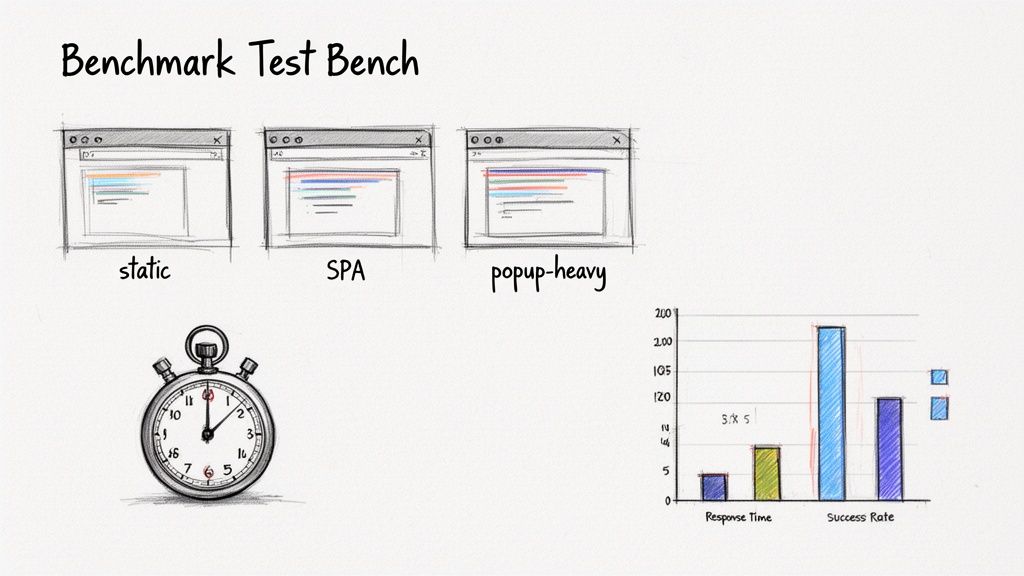
This kind of rigorous, side-by-side comparison is what separates a decent choice from the perfect one for your project.
Pro Tip: Don't just run your tests once. Schedule your benchmark script to run at different times of the day. Performance can fluctuate during peak hours, and testing around the clock will give you a much more realistic picture of the API's day-to-day reliability.
Scripting And Executing The Benchmark
Now it's time to write some code. You can use any language you're comfortable with, from a simple shell script using cURL to a more detailed program in Python or Node.js.
Honestly, the easiest way to get started is often by using an official SDK. For those working with JavaScript, a guide on using a screenshot API with a Node.js SDK can be a fantastic starting point for building out your test script without reinventing the wheel.
Your script should loop through your list of target URLs. For each one, it needs to make a request to the API, log the response time, save the resulting image with a descriptive filename (like api-A_SPA-test_timestamp.png), and record any errors that pop up.
After running your tests against each API you're considering, dump the results into a spreadsheet. This gives you a clear, side-by-side comparison that makes the final decision much, much easier. The data you collect here is the single most reliable predictor of how an API will perform for your application in production.
Analyzing The Business Side: Pricing, Security, And Scale
Alright, we've covered the technical deep dive. But let's be honest, even the most powerful API is a non-starter if the business side doesn't add up. An API that's perfect on paper can become a nightmare if its pricing is unpredictable, its security is lax, or it crumbles the moment your user base starts to grow.
This is where we shift gears from a developer's perspective to a business one. Choosing the right API isn't just a technical decision; it's about finding a reliable partner. A good choice leads to predictable costs and peace of mind. A bad one? Get ready for surprise overage bills and security headaches you didn't sign up for.
Decoding API Pricing Models
At first glance, screenshot API pricing seems simple enough. But the devil is always in the details, and those details can make or break your budget. To forecast your costs accurately, you need to understand the common pricing structures and, more importantly, their hidden traps.
Here’s a quick breakdown of what you'll typically run into:
- Pay-As-You-Go: You're charged a small amount for every single API call. This is fantastic for side projects or features with very low, sporadic traffic. The risk? A sudden spike in usage can lead to an equally sudden spike in your bill.
- Tiered Subscriptions: This is the most common model you'll find. You pay a set monthly fee for a block of API calls, like 10,000 screenshots. The big win here is predictability, which makes budgeting a whole lot easier.
- Freemium: Many providers, including us at ScreenshotEngine, offer a free tier. It gives you a limited number of calls each month, which is perfect for hammering out a proof-of-concept, running tests, or supporting very small projects without any upfront cost.
Look past the big, bold number on the pricing page. A "cheap" plan can get expensive fast with hidden overage fees, extra charges for making multiple requests at once (concurrency), or add-on costs for features you thought were standard, like full-page captures. Always, always read the fine print.
You can often find detailed breakdowns and calculators on a provider's site. For a clear example of transparent, tiered plans, it's worth a look at how ScreenshotEngine's pricing is structured to see how different volumes are handled.
To help you compare, here's a look at the common pricing models and what you need to watch out for.
API Pricing Model Comparison
| Pricing Model | How It Works | Pros | Cons / Hidden Costs |
|---|---|---|---|
| Pay-As-You-Go | Billed per individual API request. | Extremely flexible; only pay for what you use. Ideal for low or unpredictable volume. | Costs can escalate quickly with high usage. Difficult to budget for. |
| Tiered Subscription | A fixed monthly fee for a set number of API calls. | Predictable costs; simplifies budgeting. Often better value at higher volumes. | Overage fees can be steep if you exceed your tier's limit. Unused calls don't roll over. |
| Freemium | A free, limited tier with the option to upgrade to paid plans. | No-risk way to test the API. Perfect for prototypes and small projects. | Limits are often low; may lack advanced features. Can require a credit card upfront. |
| Custom/Enterprise | Tailored pricing for very high-volume needs. | Best possible price per screenshot. Can include SLAs and dedicated support. | Requires direct negotiation. High minimum volume commitment. |
Ultimately, the best model depends entirely on your project's needs. A tiered plan often provides the best balance of predictability and value for a growing application.
Security And Compliance Essentials
Let's talk trust. Every time you send a URL to a third-party service, you're placing trust in their infrastructure and security practices. Even if you aren't sending sensitive user data, a provider's security posture is a direct reflection of their overall reliability and professionalism.
Here are the non-negotiables to look for:
- API Key Management: Does the service issue secure, unique API keys? More importantly, can you easily revoke and rotate those keys from a dashboard if one is ever compromised? This is basic, but critical.
- Data Handling Policies: Dig into their privacy policy. Do they store the screenshots you generate? If so, for how long and why? A trustworthy provider will have a clear policy stating they don't permanently store your images or the URLs you request.
- Encrypted Connections: All API communication must happen over HTTPS. This encrypts the data between your application and their servers. If a provider doesn't enforce this, walk away immediately. It's a fundamental security standard.
If you want to get a better sense of what goes into a well-architected service, it’s worth understanding the principles of building a secure, scalable API. It gives you a great frame of reference for what to expect from a quality provider.
Ensuring The API Can Scale With You
Finally, think about where your application will be in a year. Or two. The API you choose today needs to handle your traffic even if it grows 10x or 100x. Scalability isn’t just about processing more requests; it’s about maintaining speed and reliability as your volume skyrockets.
A truly scalable API is built on globally distributed infrastructure, which means low latency for your users no matter where they are. Look for high rate limits and enterprise-grade plans that can chew through millions of requests a month without even flinching.
A great sign of a provider's confidence in their own infrastructure is a public status page. It signals transparency and a commitment to uptime, which is exactly what you want in a long-term partner.
Got Questions About Screenshot APIs? We've Got Answers
Even with the best evaluation plan, a few common questions always come up when you're on the hunt for the right screenshot API. Getting straight answers can save you a ton of headaches down the line and make your final decision much easier. Let’s dig into what developers usually ask.
Screenshot API vs. My Own Puppeteer Setup — What's The Real Difference?
On the surface, running your own setup with a library like Puppeteer or Selenium seems like a great idea because it gives you total control. But that control comes at a steep cost: operational overhead.
When you go the DIY route, you're suddenly on the hook for everything. You have to manage browser instances, patch them for security vulnerabilities, make sure your infrastructure can handle spikes in traffic, and eat all the associated server costs. This approach almost always leads to brittle scripts that shatter the moment a website redesigns its layout or rolls out a new type of ad.
A dedicated screenshot API, like ScreenshotEngine, takes all that complexity off your plate. You get a reliable, scalable service that manages the entire headless browser infrastructure for you. These services are built for one purpose, so they're highly optimized for speed and reliability. Plus, they come with essential features baked right in, like ad and cookie blocking, which can save your team countless hours of development and maintenance. It lets you focus on building your product, not becoming a full-time browser janitor.
How Big Of A Deal Is Blocking Ads and Cookie Banners?
For pretty much any professional use case, it’s a massive deal. Ads, cookie consent pop-ups, chat widgets, and "subscribe to our newsletter" banners introduce randomness and inconsistency into your captures. For any kind of automation, that's a killer.
- Visual Regression Testing: These random elements are notorious for causing false positives, making your tests flaky and driving your developers crazy.
- SERP Tracking or Archiving: Banners and pop-ups can physically cover up the content you’re trying to save, polluting your data and making it worthless.
- Social Media Previews: Generating clean OG images or collecting visual data for an AI model? A giant cookie banner just ruined your shot.
An API with powerful, automatic blocking isn't a "nice-to-have"—it's a fundamental requirement for any serious project. It's the only way to ensure you get clean, predictable, and consistent visual data every single time.
How Can I Get An Accurate Cost Estimate For A Screenshot API?
First things first, figure out what you actually need. Start by estimating the total number of screenshots you'll need each month. Don't forget to think about peak usage. Do you have a big reporting job that runs at the end of every week? That kind of high concurrency can impact pricing.
Next, look for APIs with clear, transparent pricing tiers. A good sign is a provider that offers a free plan (like the one from ScreenshotEngine) so you can run some real-world tests without pulling out a credit card.
When comparing paid plans, do the math to find the true cost per screenshot at your expected volume. Keep an eye out for hidden fees. Some providers charge extra for higher concurrency, more bandwidth, or for features you thought were included. The best way to get a clear picture is to model your costs for a few different scenarios—low, average, and high traffic—to see exactly how the price will scale as you grow.
What Should I Look For in API Docs and Developer Support?
Great documentation is non-negotiable. It needs to be well-written, easy to search, and packed with practical code examples in different languages that you can copy, paste, and adapt. An interactive API playground on the provider's website is a huge plus; it lets you tweak parameters and see the results instantly, which makes the initial integration a breeze.
Look for official SDKs for your team's programming language. They make life much easier by handling things like authentication and request formatting behind the scenes.
On the support side, a public status page is a fantastic indicator of transparency, as it lets you check on service health yourself. Finally, see what kind of support channels they offer (email, help desk) and what their typical response times are. Don't think of great support as an optional extra—it’s a core feature of the service you're paying for.
Ready to stop wrestling with headless browsers and get clean, reliable screenshots in milliseconds? ScreenshotEngine provides a developer-first API with automatic ad blocking, flexible capture options, and transparent pricing. Start for free and make your first API call in under a minute.