
When it comes to web scraping, there's a right way and a wrong way to do things. The best practices boil down to three key ideas: play by the website's rules, build smart scrapers that act like people, and make sure the data you collect is actually accurate and usable. That means your first stop should always be the robots.txt file, followed by using good-faith techniques like rate limiting and proxy rotation, and finally, validating every piece of data you pull.
The Playbook for Ethical and Effective Web Scraping
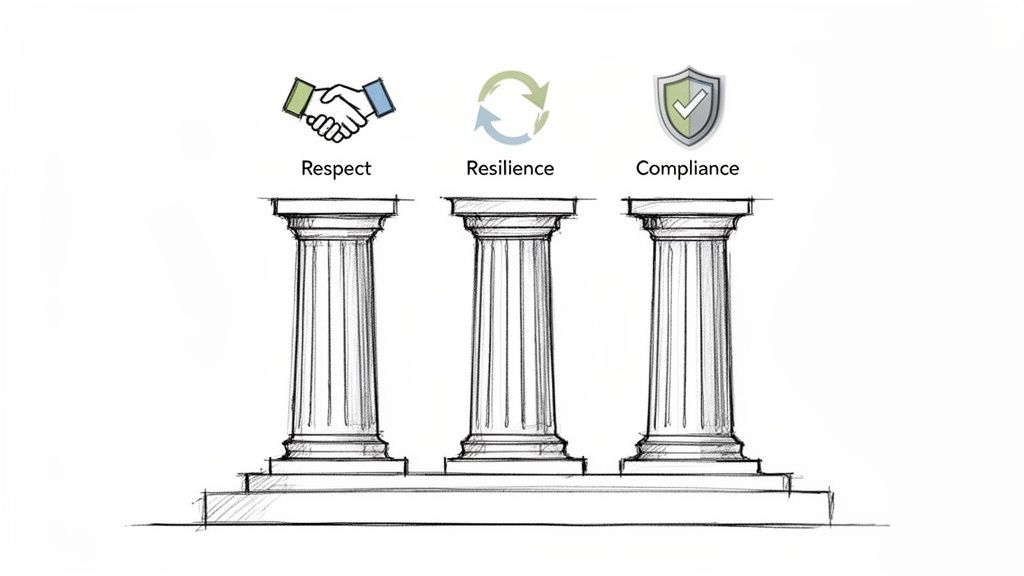
Anyone can pull data from a website once. The real challenge is doing it reliably and ethically without getting your IP address banned. Successful web scraping is less about brute-force coding and more about a strategic approach built on three pillars: respect for website owners, resilience against anti-bot systems, and a commitment to data quality.
Think about it—a "smash and grab" approach might get you a small data set today, but it's a surefire way to get blocked tomorrow. A thoughtful, professional strategy, on the other hand, ensures you can keep accessing valuable information for the long haul. This guide is your playbook for mastering modern web scraping.
Core Principles for Success
To build a solid foundation, every scraping project needs to stand on a few key pillars. These principles aren't just suggestions; they're what separate amateur scripts from professional-grade data operations.
- Be a Good Web Citizen: Before you write a single line of code, act like a polite guest. Check the website's
robots.txtfile to see what they allow and review their Terms of Service. It’s the first and most important step. - Build Resilient Scrapers: Your bots need to be tough and smart. That means designing them to handle errors gracefully, using proxies to manage your digital footprint, and rotating user agents to avoid easy detection.
- Ensure Data Quality: Raw HTML is messy. Your job isn't finished until that data is clean, validated, and structured. This is what turns a pile of code into a valuable asset.
This isn't just a niche skill anymore. The web scraping market is on track to hit $2.49 billion by 2032. At the same time, with nearly 50% of all internet traffic now coming from bots, websites are deploying much stricter defenses. As a result, a staggering 86.0% of companies boosted their compliance spending in 2024 just to navigate these tricky waters.
At its core, ethical web scraping is about balance. You need to gather the data your project requires while minimizing your footprint and respecting the digital property of others. This balance is the key to sustainable data acquisition.
Understanding how modern platforms are built with dedicated lead scraping features really highlights how important these best practices are in the real world. By sticking to these guidelines, you'll be able to build scrapers that are not just powerful, but also efficient and responsible.
For a quick reference, here’s a high-level look at the core principles in action.
Core Web Scraping Best Practices at a Glance
| Principle | Core Action | Why It Matters |
|---|---|---|
| Respect the Rules | Always check robots.txt and Terms of Service before scraping. |
It’s the foundation of ethical scraping and keeps you out of legal trouble. |
| Crawl Politely | Implement rate limiting and sensible delays between requests. | Prevents overwhelming the server, which avoids getting blocked and is simply good manners. |
| Mimic Human Behavior | Use rotating proxies and realistic User-Agent headers. |
Makes your scraper less distinguishable from a regular user, reducing the risk of detection. |
| Handle Errors Gracefully | Build robust retry logic for network errors and temporary blocks. | Ensures your scraper doesn't crash and can recover from common issues, improving reliability. |
| Validate Your Data | Implement checks to ensure the data is accurate, complete, and in the right format. | Garbage in, garbage out. Clean data is the only data that has value. |
Keeping these simple but powerful ideas in mind will set you up for success from the very beginning of any data scraping project.
How to Be a Good Guest on the Web
Before you write a single line of code, the most important rule of web scraping is simple: understand the rules of the road. You’re essentially a guest in someone else's digital home. A good guest doesn’t just barge in and start moving the furniture around; they respect the host’s house rules. This isn't just about being ethical—it’s about making sure you can get the data you need today, tomorrow, and next year.
Your first stop should always be the robots.txt file. You'll find this simple text file at the root of a domain (like example.com/robots.txt), and it's the website's public welcome mat and rulebook for bots. It clearly lays out which parts of the site are off-limits and which are fair game. Ignoring it is the digital equivalent of hopping a fence with a "No Trespassing" sign on it.
For any serious data gathering project, respecting robots.txt is non-negotiable. It’s the clearest way to show you’re a responsible web citizen from the get-go.
Reading the Digital Rulebook
After checking robots.txt, your next step is to glance over the website's Terms of Service (ToS). I know, they're dense, but a quick search for words like "scrape," "crawl," or "automated access" will usually tell you what you need to know. Violating the ToS can lead to more than just a blocked IP address; it can land you in legal hot water.
It's crucial to get a handle on the legal side of things. Taking some time to explore the question of whether is scraping websites illegal will give you a much clearer picture of the boundaries. Laying this groundwork helps you sidestep expensive mistakes and builds your project on a solid ethical foundation.
The most effective scrapers are the ones nobody knows are there. They operate quietly, respectfully, and within the established rules, ensuring they can return for more data tomorrow.
The Art of Polite Crawling
So, you've done your homework and confirmed you're allowed to scrape. Great. Now it's time to do it politely. This really boils down to minimizing your impact on the website's server. Every server has its limits, and hammering it with a firehose of requests can slow it down for real people—or even crash it entirely.
This is where polite crawling comes in. It’s all about three key actions:
- Set Reasonable Request Rates: Don't just slam the server as fast as your script can run. A simple delay of 1-3 seconds between requests makes a world of difference. It dramatically lowers the server load and makes your scraper far less likely to be flagged as hostile.
- Scrape During Off-Peak Hours: If you can, run your scrapers late at night or early in the morning, based on the server's time zone. Website traffic is almost always lower then, so your activity won't get in anyone's way.
- Identify Yourself Clearly: Use a custom User-Agent string in your request headers. A good User-Agent identifies your bot and gives the site owner a way to contact you, like a URL to a project page or an email. It shows transparency and gives them a way to reach you if something’s wrong.
For example, a solid User-Agent looks something like this: MyCoolScraper/1.0 (+http://mycoolproject.com/bot-info). It’s infinitely better than trying to disguise your scraper as a web browser, which just looks deceptive. By crawling politely, you stop being a disruptive intruder and become a considerate visitor instead.
Building Resilient Scrapers That Avoid Blocks
Ever wonder why some of your scrapers get shut down almost instantly while others run for weeks without a hiccup? The secret isn’t just about clever code—it’s about blending in. To avoid getting blocked, a scraper has to stop acting like a robot and start behaving more like a person browsing the web.
This means you have to think beyond simple GET requests. Modern websites are armed with a whole suite of defenses to spot automated traffic. They look at everything from your IP address to the tiniest details of your browser setup. Honestly, building a resilient scraper today is an exercise in digital camouflage.
Your Digital Disguise: User-Agents
One of the first, and simplest, checks a website runs is on your User-Agent string. Think of it as your browser's ID card. It's just a small piece of text that tells the server what browser and operating system you're on. If your script shows up with a default Python or, worse, a missing User-Agent, you’ve just waved a giant red flag.
A good starting point is to keep a list of common, real-world User-Agent strings. Rotate through them with each request. This simple trick makes your traffic look like it’s coming from a mix of legitimate browsers and devices, not a single, relentless bot.
The goal is not to be invisible, but to be uninteresting. A well-designed scraper generates traffic that is so similar to a human's that it doesn't trigger automated alarms, allowing it to gather data without interruption.
The Power of Proxies and IP Rotation
Hitting a website with hundreds of requests from a single IP address is the fastest way I know to get banned. It’s a dead giveaway. Once a site's anti-bot system sees that much activity from one place, it’s game over for that IP. This is where proxy servers become absolutely essential.
A proxy server is basically a middleman. It routes your request through a different IP address, so the website sees the proxy's IP, not yours. By using a large pool of high-quality, rotating proxies, you can spread your requests across tons of different IPs, making it look like your traffic is coming from many different people.
You've got a few flavors of proxies to choose from:
- Residential Proxies: These are IP addresses that belong to real homes, assigned by Internet Service Providers (ISPs). They're the gold standard because they look completely legitimate.
- Datacenter Proxies: These IPs come from servers in data centers. They're fast and cheap, but they're also much easier for websites to spot and block in bulk.
- Mobile Proxies: These route your traffic through mobile carrier networks, which is perfect if you're trying to scrape the mobile version of a site or an app.
The right choice depends on your target and your budget, but IP rotation is non-negotiable for any serious scraping project. For example, if you need to see how search results change from city to city, you absolutely need a solid proxy strategy to track local SERPs effectively without getting flagged.
Evading Sophisticated Fingerprinting
These days, anti-bot systems are way more advanced than just checking IPs and User-Agents. They use a technique called browser fingerprinting, where they analyze dozens of subtle details to create a unique signature of your browser and device.
They're looking at everything: your screen resolution, the fonts you have installed, the specific order of your HTTP headers, and even tiny quirks in how your browser renders JavaScript. If these details don't line up with the User-Agent you’re sending, or if they stay perfectly identical across thousands of requests, it’s an obvious sign of automation.
To stay under the radar, your scraper needs to mimic human variability. Here’s a quick overview of some common anti-blocking techniques that directly address this.
Anti-Blocking Techniques Comparison
| Technique | Primary Purpose | Complexity | When to Use |
|---|---|---|---|
| User-Agent Rotation | Masquerade as different browsers and devices. | Low | Always. This is a baseline requirement. |
| IP Rotation (Proxies) | Distribute requests across many IPs to avoid rate limits. | Medium | For any scraping job beyond a few hundred pages. |
| Header Randomization | Match other HTTP headers (e.g., Accept-Language) to the User-Agent. |
Medium | When targeting sites with moderate bot detection. |
| Headless Browsers | Execute JavaScript and mimic a full browser environment. | High | Essential for JS-heavy sites or those with advanced fingerprinting. |
| Cookie & Session Management | Maintain a consistent user session across multiple requests. | Medium | For sites that require logins or have complex user flows. |
As you can see, the complexity grows with the sophistication of the website's defenses. A simple blog might only require User-Agent rotation, while an e-commerce giant will demand a full suite of these techniques.
This all ties back to the core principles of being a good web citizen. If you start with a foundation of respect, you’re already halfway there.
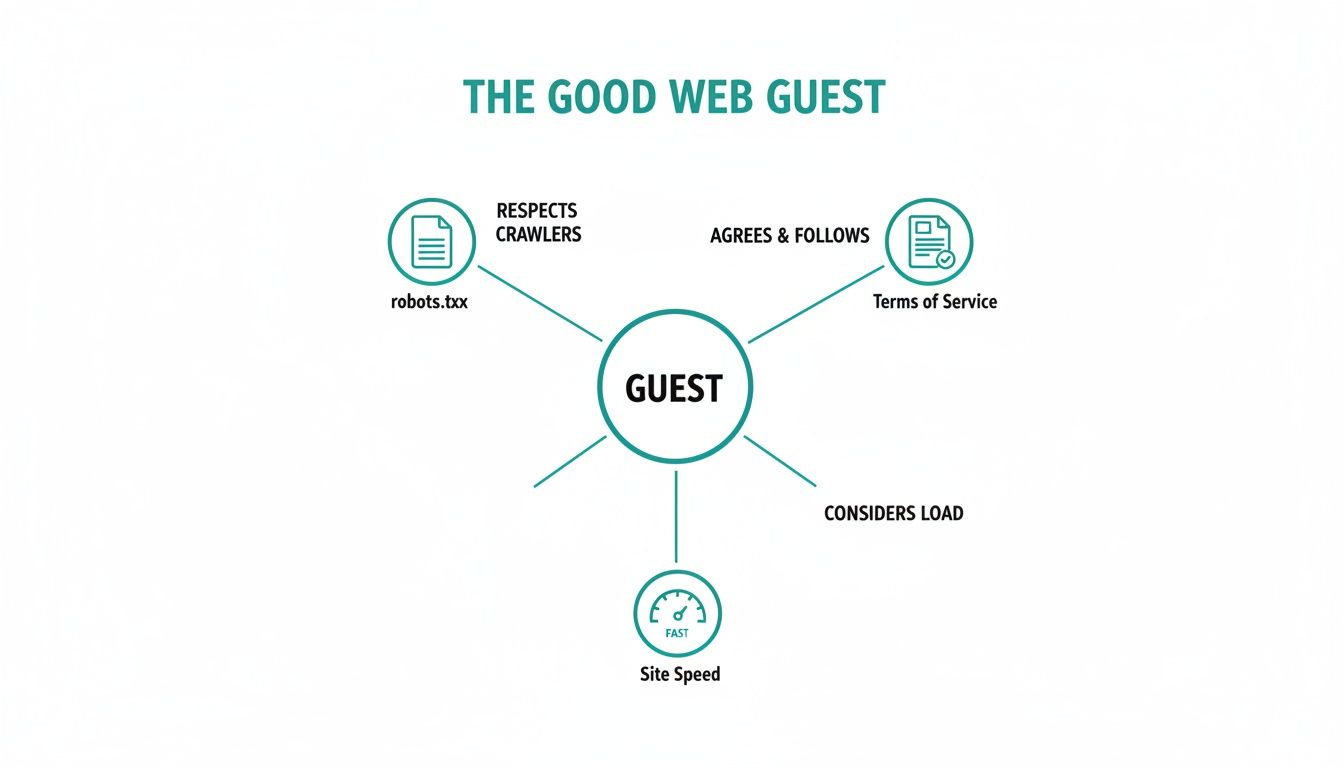
This diagram says it all. Responsible scraping begins with respecting the rules of the road—reading the robots.txt file, understanding the terms of service, and throttling your request rate so you don't overwhelm the server. When you combine these ethical practices with the technical camouflage we've talked about, you'll be able to build scrapers that are not only resilient but also responsible.
Scraping Data from Dynamic JavaScript Websites
Many modern websites are like icebergs. When your scraper makes a simple HTTP request, it only sees the tip—a bare-bones HTML structure. All the good stuff, the actual data you're after, is hidden beneath the surface, loaded dynamically by JavaScript. Basic scrapers often come back empty-handed.
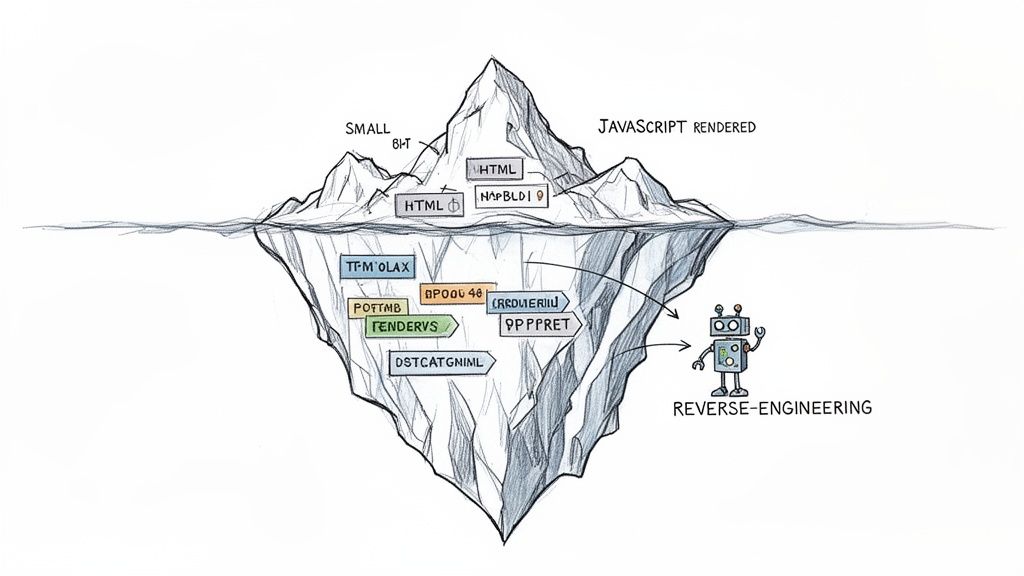
This is the new normal for sites built with frameworks like React, Angular, or Vue. They don't ship all the content at once. Instead, they send a shell of a page and use JavaScript to fetch data from APIs and build the page right in the user's browser. A standard scraper that just reads the initial HTML source completely misses this action.
To get the data, you have to upgrade your tactics. This means either teaching your scraper to behave like a real browser or finding a clever shortcut to grab the data directly from the source.
The Browser Automation Approach
One of the most reliable ways to handle dynamic sites is to use a headless browser. Think of it as a real browser, like Chrome or Firefox, but running silently in the background without a user interface. Tools like Selenium, Puppeteer, and Playwright let you write scripts that control these browsers.
Your script can command the browser to:
- Go to a specific URL.
- Wait for the JavaScript to execute and the page to finish loading.
- Wait for a particular element, like a product grid or data table, to show up.
- Grab the fully rendered HTML and start parsing.
This method is incredibly effective because it perfectly mimics what a human user sees, guaranteeing you get the complete, final content. The trade-off? It’s a resource hog. Headless browsers demand a lot of CPU and memory, which can make scraping at scale slow and expensive. You can find in-depth comparisons that break down the differences between popular tools, like this one on Playwright vs. Puppeteer, to see which fits your project best.
Reverse-Engineering Hidden APIs
A faster, more elegant solution—if you're up for some detective work—is to bypass the browser rendering entirely. If the website's JavaScript is pulling data from somewhere, your job is to find that source. This usually means digging into the site's private APIs.
Fire up your browser's developer tools and open the "Network" tab. As you browse the website, watch for XHR or Fetch requests that return data in a clean, structured format like JSON. These are the API calls the website is making behind the scenes to get its content.
Once you've pinpointed the right API endpoint, you can often hit it directly with your scraper. This is a massive shortcut—it’s lightning-fast and gives you perfectly structured data without ever having to load a webpage.
The catch is that this approach requires more upfront effort. You'll need to figure out which headers, cookies, or authentication tokens are necessary to make a valid API request. Plus, since these APIs are private, they can change without any warning, which could instantly break your scraper.
The Visual Data Capture Alternative
There's a third way that sidesteps HTML parsing altogether and focuses on what the user sees. This is a fantastic option for tasks like tracking price changes, monitoring website layouts, or archiving pages for compliance records. Instead of fighting with JavaScript, you just take a picture.
Using a screenshot API, you can programmatically capture a high-fidelity image of the fully rendered page. The service handles launching a managed headless browser, navigating to the URL, and snapping a perfect picture of the content.
This approach offers a few powerful advantages:
- Simplicity: It’s dead simple. You make one API call with a URL and get back an image. All the headaches of browser automation, waiting for elements, and dismissing pop-ups are handled for you.
- Reliability: It captures precisely what a user would see, which is ideal for visual regression testing and change monitoring.
- Speed: These dedicated services are built for performance and can render pages much faster than a solution you'd build and host yourself.
By turning a dynamic, ever-changing webpage into a static image, you create an undeniable record of the content at a specific moment. This visual data is invaluable for archival, competitor analysis, or even training machine learning models.
Making Sure Your Scraped Data is Actually Usable
Getting the raw HTML is just the opening act. The real magic—and the real work—is transforming that chaotic mess of code into clean, reliable data you can actually use. If you skip this part, you'll end up with a database full of garbage, and all your scraping efforts will have been for nothing.
The secret is to start with the assumption that things will break. Connections will time out, servers will throw a fit, and websites will temporarily shut the door on you. A truly resilient scraper is built to expect failure and handle it with grace.
Think of it this way: a good scraper doesn't just throw its hands up and quit at the first sign of trouble. It needs to have a smart plan for dealing with the inevitable bumps in the road.
Building Smart Error Handling and Retries
Most of the time, you'll be dealing with temporary network glitches or rate-limiting errors, like the dreaded 429 or 503 HTTP status codes. The best way to handle these is with a strategy called exponential backoff.
It’s a simple but brilliant idea. Instead of hammering the server again and again, your script waits a little longer after each failed attempt. Maybe it waits 2 seconds, then 4, then 8, and so on, up to a reasonable limit. This gives the server a break and allows whatever temporary issue was happening to sort itself out.
Error handling isn’t just about stopping your script from crashing. It’s about building an automated process that can heal itself. A well-built bot recovers from common problems on its own, keeping the data flowing without you having to step in.
Validating and Cleaning the Data You Get
Once you’ve successfully grabbed the data, the next mission-critical step is validation. The old saying, "garbage in, garbage out," is the absolute law here. Before a single byte of data makes it into your database, it has to pass a strict automated inspection.
Your validation script should be a ruthless bouncer, checking every piece of data at the door. Here are the essential checks you should have in place:
- Look for Missing Fields: Is the product name there? What about the price? If a required field is empty, it’s a red flag.
- Check Data Types: Make sure a price is actually a number, a review date is a valid date, and a name is a string.
- Standardize Formats: Consistency is key. Convert all dates to a single format (like ISO 8601), clean up phone numbers, and standardize addresses.
- Spot Outliers: Does something look weird? A product price of $0.01 or an inventory count of -50 should be flagged for review.
Putting these checks in place is your best defense against bad data corrupting your entire dataset. It's also vital to keep an eye out for layout changes on the target website; our guide on how to monitor webpage changes shows you exactly how to do that.
Picking the Right Place to Store Your Data
Finally, you need to decide where all this clean, validated data will live. There's no single "best" answer—it all comes down to your project's size and what you plan to do with the data.
- CSV Files: The go-to for small, one-time jobs or a quick look at the data. They're simple, portable, and play nicely with tools like Excel or the Pandas library.
- JSON/XML: Perfect for data with a nested, tree-like structure. These formats are easy for humans to read and for machines to parse, making them great for API outputs or as an intermediate step.
- SQL Databases (PostgreSQL, MySQL): When you're dealing with structured data that fits neatly into rows and columns, this is your best bet. SQL gives you powerful tools for querying and ensures your data stays consistent, making it ideal for large, ongoing scraping projects.
- NoSQL Databases (MongoDB): If your data is messy, unstructured, or doesn't fit a rigid schema, a NoSQL database is a fantastic choice. It offers the flexibility needed for collecting diverse data at a massive scale.
By combining smart error handling with strict data validation and the right storage solution, you build a dependable data pipeline. You turn the wild, messy web into a valuable, analysis-ready asset.
Scaling Your Scraping Operations for Production
Taking a scraping script from your laptop and turning it into a full-blown production system is a massive jump. It’s less about writing code and more about building a resilient, automated data pipeline. A one-off script can break, and it's no big deal. A production system simply can't afford to.
This means you need to think about architecture differently. Forget running jobs one after another. You need a distributed system. A classic, battle-tested pattern here is the message queue, which acts like a traffic controller for thousands of scraping jobs. It lets you spread the work across many different "workers," which not only speeds things up but also builds fault tolerance right into the system.
Establishing System Observability
Let's be blunt: you can't manage what you can't see. In production-level scraping, observability isn't a "nice-to-have"—it's an absolute necessity. We’re talking about moving far beyond print statements to a structured system for monitoring the health and performance of your entire operation. Flying blind means you'll only find out something is wrong when your database is suddenly empty.
To get there, you need to focus on three key pillars:
- Centralized Logging: All your logs, from every single scraper, need to go to one place. This turns debugging from a needle-in-a-haystack nightmare into a manageable task where you can search and filter errors across the whole system.
- Key Metric Tracking: You need a real-time dashboard tracking the vital signs of your operation. This includes success and failure rates, average response times, and how many CAPTCHAs you're hitting. These numbers are your system's pulse.
- Proactive Alerting: Set up alerts that tell you when something is wrong before it becomes a catastrophe. For instance, if your success rate dips below 90% for more than five minutes, you need an immediate notification, not an email you find hours later.
A production-grade scraping system isn’t just about collecting data; it’s about creating a transparent, self-healing operation. Good observability turns reactive firefighting into proactive problem-solving, which is essential for maintaining data quality and uptime.
Managing Real-World Operational Costs
Running a scraping operation at scale isn’t free. The costs can add up fast, and you have to be ready for them. Budgeting for these operational expenses is critical if you want your project to stay afloat.
Your main cost centers will likely be:
- Infrastructure: The servers, cloud instances, and databases needed to run your scrapers and dashboards.
- Proxies: Good residential or mobile proxies are a significant recurring expense, but they’re often the only way to avoid getting blocked.
- CAPTCHA Solvers: Automated services that solve CAPTCHAs are a must-have for many sites, and they typically charge you for every puzzle solved.
This is where managed services can be a lifesaver. They handle the messy parts—infrastructure, proxy rotation, scaling—so you can focus on what actually matters: analyzing the data you've gathered. Making that shift is a key step in maturing your web scraping practices.
Frequently Asked Questions About Web Scraping
Even with a solid plan, you're bound to run into some specific questions when you start building a scraper. Let's tackle a few of the most common ones that come up, clearing the air on some key concepts.
Is Web Scraping Legal?
This is the big one, and the honest answer is: it depends. Web scraping isn't illegal by default, but it exists in a legal gray area. Generally, you're on safe ground when you're scraping data that's publicly available for anyone to see.
Where you run into trouble is when you start scraping copyrighted content, personal data protected by privacy laws like GDPR, or information that’s behind a login wall. The very first thing you should always do is check the website’s Terms of Service and robots.txt file. These are the site owner's rules of the road—ignoring them is a fast track to getting blocked or, worse, receiving a cease-and-desist letter.
How Can I Scrape Without Getting Blocked?
The secret to staying under the radar is making your scraper act less like a robot and more like a human. An aggressive bot hitting a server with rapid-fire requests is easy to spot and block. Your goal is to blend in.
Here’s how you can build a more stealthy scraper:
- Slow Down: Don't hammer the server. Add a few seconds of delay between your requests to mimic a person browsing. This is polite and effective.
- Rotate Your IP Address: Using a good proxy service lets you send requests from many different IP addresses. This makes it much harder for a site to pin down your activity and issue a block.
- Change Your Disguise: Switch up your User-Agent string with each request. This makes it look like the traffic is coming from different browsers and devices.
- Use a Headless Browser: For modern websites that rely on JavaScript, a headless browser can execute the code and interact with the page just like a real user would, navigating menus and clicking buttons.
Think of it as digital camouflage. The more your scraper’s traffic pattern blends in with normal user activity, the lower your risk of detection and blocking.
What Is the Difference Between Web Scraping and Web Crawling?
People often use these terms interchangeably, but they describe two different jobs. Web crawling is about discovery. It's the process of systematically following links across the web to find and index pages, which is exactly what search engine bots do. The crawler's goal is to map out what's available.
Web scraping, on the other hand, is about extraction. Once a crawler has found a page, the scraper goes in and pulls out specific pieces of information—like product prices, article text, or contact details. You crawl to find the right doors, and you scrape to see what's inside.
Ready to capture pixel-perfect data from any website without the hassle? ScreenshotEngine provides a powerful, developer-first screenshot API that handles all the complexities of rendering, ad-blocking, and scaling for you. Start for free and see how simple visual data capture can be.