
If you want to track local SERPs effectively, you have to get more specific than just city-wide data. We're talking about simulating searches right down to the street address or neighborhood level. The reality is, search results for a query like "restaurants near me" can look completely different from one block to the next.
Why Granular Local SERP Tracking Matters
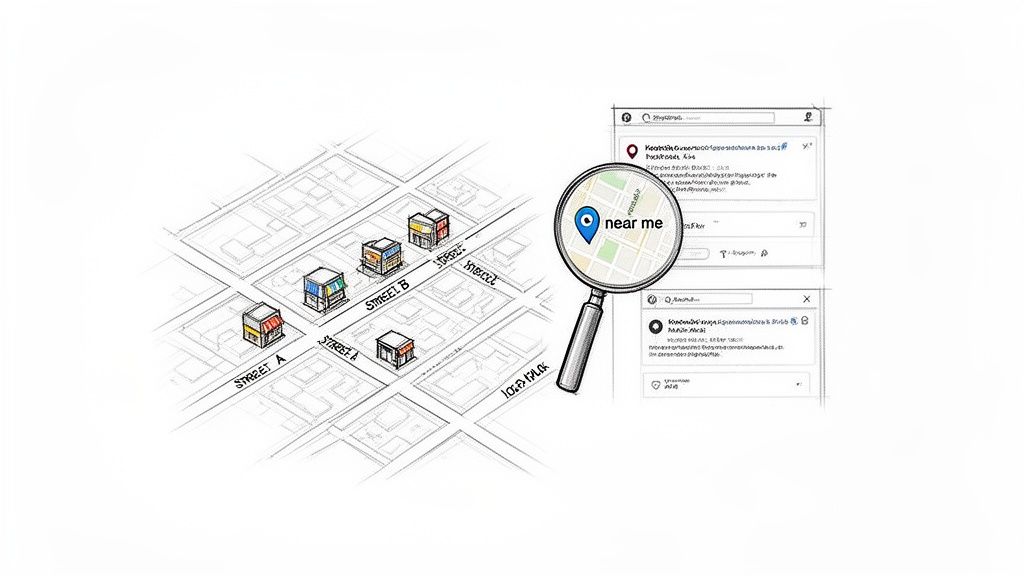
For any business with a physical location, standard SERP tracking just doesn't cut it anymore. Local search is where the real commercial action is, and rankings for the exact same keyword can fluctuate wildly depending on a searcher's precise location. It’s no longer about a single rank for a city; it's about understanding the hyper-local nuances driven by map packs, user proximity, and Google's ever-smarter AI.
This creates a fractured picture of your true online visibility. What you see on your office computer is almost guaranteed to be different from what a potential customer sees just a few miles down the road. This guide is all about tackling that problem head-on. We'll walk through how to build a programmatic system to see precisely what your customers see, giving you a solid foundation for smarter local SEO.
The High Stakes of Local Visibility
The intent behind a local search is incredibly high. If you're not showing up, you're missing out on customers who are ready to pull out their wallets.
The numbers don't lie. A Think with Google report found that 76% of people who use their smartphone to search for something nearby will visit a business within 24 hours. Even better, 28% of those searches result in a sale. With over 1.5 billion 'near me' searches happening every single month, it's crystal clear that local visibility directly fuels revenue.
Moving Beyond Simple Rank Tracking
True local SERP monitoring is so much more than just seeing where you rank for a keyword. You have to analyze the entire results page to get the full story.
- Local Pack Dominance: Are you making it into the coveted 3-pack map results? This is prime real estate at the top of the page that grabs the most attention.
- SERP Feature Competition: How is the page structured? Are knowledge panels, ads, or AI Overviews pushing the organic results further down? The layout is just as important as the rank itself.
- Competitor Movements: Have new competitors started showing up in the results for a specific neighborhood? Granular tracking lets you spot these threats the moment they appear.
To really make sense of your local SERP tracking data, you need to understand the 9 key local SEO ranking factors. This context is crucial for diagnosing why your rankings are changing and deciding what to do about it.
When you build a system that captures this level of detail, you can finally shift from being reactive to being proactive. You’ll have a clear, data-backed view of your performance across every location that matters to your business. If you're new to the concept, you can learn more about what SERP tracking is in our detailed guide here: https://www.screenshotengine.com/blog/what-is-serp-tracking.
Building Your Local SERP Tracking Environment
Setting up a truly accurate local SERP tracker is less about fancy software and more about getting the foundational details right. If you want reliable data, you have to build an environment that perfectly mimics a real user in a specific location. Mess this part up, and every piece of data you collect from here on out will be questionable.
First things first, you have to define your scope with surgical precision. It's not enough to just track "emergency plumber" in Los Angeles. That query is practically useless. You need to track that keyword from a dozen different latitude and longitude points across the city to see how the local pack shifts from one neighborhood to the next.
Device priority is another crucial decision point. Mobile and desktop SERPs can look completely different, especially for local searches. A 2023 analysis found that mobile searches make up nearly 60% of all search traffic, so for most brick-and-mortar businesses, mobile is where the real action is.
Simulating a Genuine Local User
One of the biggest headaches in tracking local SERPs is Google's personalization. The search engine uses your history, device, and location to serve up tailored results. To get clean, objective data, you have to sidestep that personalization and look like a brand-new, anonymous user from your target location, every single time.
The way to do this is by carefully crafting your search URLs. You can add specific parameters to the query that force Google to show results for a particular language and geographic location, basically telling it not to guess where you are.
For instance, a standard search URL is simple, but a prepared one for tracking is much more specific. It might include parameters like:
&hl=ento lock the language to English.&gl=USto specify the country as the United States.&uule=a special parameter that encodes a precise physical location, right down to the street level.
That uule parameter is your secret weapon for hyper-local accuracy. It’s how you tell Google, "Show me exactly what a user standing at this specific spot would see."
By building URLs that control for language, country, and precise coordinates, you remove the variables that lead to skewed, personalized results. This ensures the data you collect is a true representation of the public-facing SERP for that specific location.
As you build out your tracking environment, it's worth thinking about automation and scale. For larger operations, digging into different enterprise rank tracking software platforms can give you the power you need for more comprehensive data capture.
The Critical Role of Proxies
Simulating a location with URL parameters is only half the job. Your request's IP address has to match the location you're trying to track. If your server is in Germany but you’re asking for a SERP from Dallas, Google will either show you generic results or just block the request. This is where proxies become indispensable.
A proxy server is essentially a middleman, masking your IP address with one from its own network. For local SERP tracking, you can't just use any old proxy. You absolutely need proxies that look like they're coming from real, residential internet connections in your target cities.
Choosing the Right Proxy for Local SERP Tracking
Selecting the best proxy type is crucial for simulating local searches accurately and reliably. This table breaks down your options.
| Proxy Type | Best Use Case | Pros | Cons |
|---|---|---|---|
| Residential | High-accuracy local SERP tracking from specific neighborhoods. | Appears as a real home user, very low block rate. | More expensive, can be slower. |
| Mobile | Simulating searches from mobile devices on cellular networks. | Highest level of trust, ideal for mobile-first tracking. | Most expensive, IP rotation can be complex. |
| Datacenter | Bulk scraping or non-localized data collection. | Fast and cheap. | Easily detected and blocked by search engines. |
For any serious attempt at tracking local search results, residential or mobile proxies are non-negotiable. Datacenter proxies are a false economy. They get flagged so quickly that you'll end up with a mountain of CAPTCHAs and polluted data, completely invalidating all your hard work. Finding a reputable provider with a big pool of clean, city-level IPs is one of the smartest investments you can make in this entire process.
Automating SERP and Visual Data Capture
Once you've nailed down your tracking environment, it's time to put the whole system on autopilot. Let's be realistic—manually checking hundreds of keyword and location pairs just isn't going to happen. The real power comes from scripting a workflow that cycles through all your targets, routes requests through the right proxies, and saves the results without you lifting a finger. This is how you go from tedious spot-checking to building a serious system to track local SERPs at scale.
At the heart of this is a script that acts as the conductor. It needs to read your list of keywords and their corresponding geographic coordinates, pick the right residential proxy for each search, and then pull the trigger. The goal is a seamless loop that gathers the raw HTML and, just as importantly, visual proof of what the SERP actually looked like.
Why You Can't Skip Visual Verification
Parsing HTML is great for pulling structured data—rankings, SERP features, you name it. But it doesn't tell you the whole story. What if a huge ad block suddenly shoves every organic result below the fold? Or what if a new AI Overview takes over the entire screen? Your HTML data won't catch that critical visual context.
This is exactly why integrating a screenshot API is a game-changer. A tool like ScreenshotEngine lets you programmatically grab a pixel-perfect image of what a real user would see in that specific location.
This diagram breaks down the core components of building an automated environment that includes this crucial visual layer.
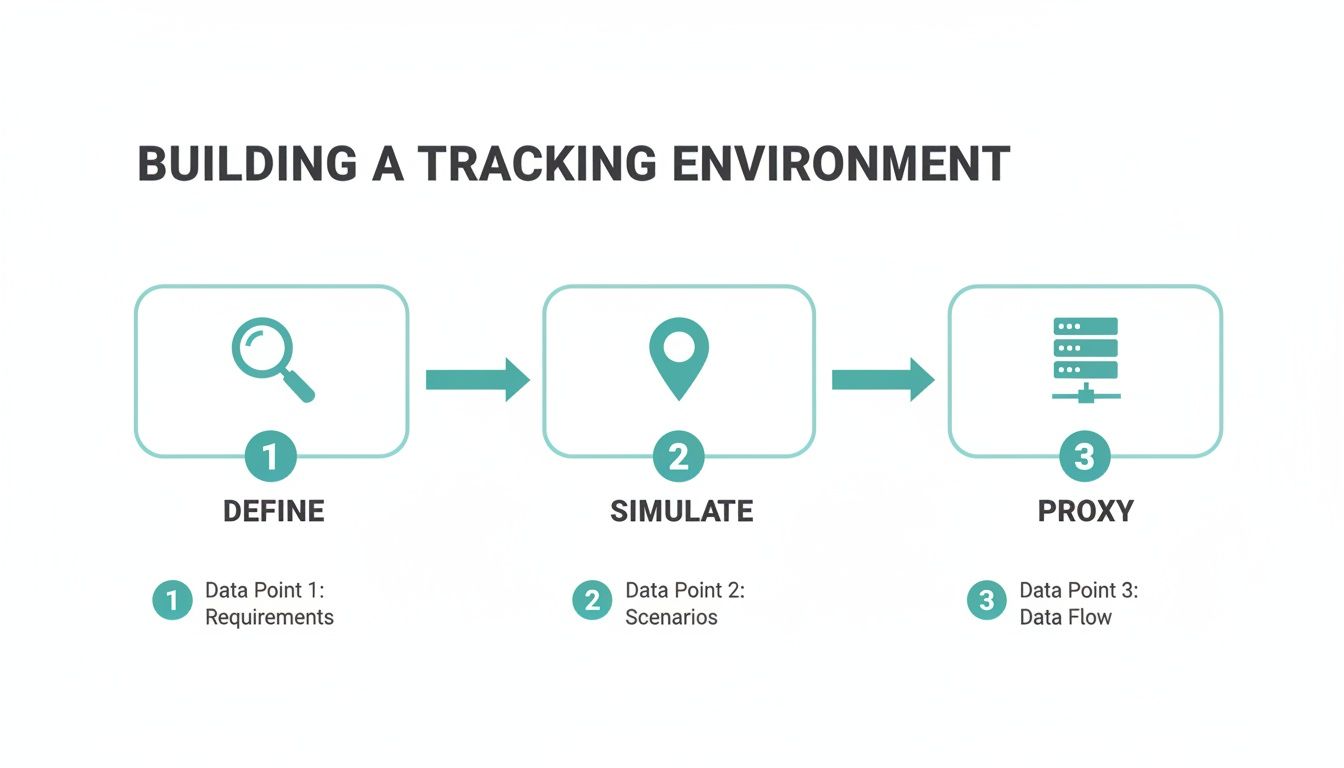
As you can see, defining your targets, simulating the user, and using proxies are the foundational steps. The screenshot then becomes your ultimate source of truth, giving you a visual record to back up the data your script is parsing.
Key Takeaway: By capturing a screenshot with every SERP check, you're building an undeniable historical archive. It gives you the visual proof to diagnose ranking drops, spot new competitor tactics, and explain SERP volatility to clients or bosses in a way raw numbers never could.
Configuring Your API Calls for Clean Screenshots
One of the biggest headaches with automated screenshots is all the junk that clutters up a page—cookie banners, newsletter pop-ups, and ads. A raw screenshot full of that noise is practically useless because it covers up the very results you're trying to analyze.
This is where a good screenshot API really earns its keep. Modern APIs are built to handle this stuff automatically. When you make your API call, you can usually pass along parameters to:
- Block Ads and Trackers: Automatically strip out most ad content before the image is snapped.
- Handle Cookie Banners: Dismiss or accept cookie consent pop-ups so they aren't in the way.
- Disable Pop-ups: Prevent random promotional modals from firing and blocking the view.
For example, a request to an API like ScreenshotEngine might include options like &block_ads=true and &hide_cookie_banners=true. This little tweak ensures the final image is a clean, unobstructed view of the SERP. If you want to get into the nitty-gritty, you can learn more about how a screenshot API works and the key features to look for.
Setting Up a Smart Scheduling Strategy
With your script ready to go, the last piece of the puzzle is deciding how often to run it. The right frequency really depends on how volatile your industry is and what you’re trying to achieve. Checking too often burns through resources, but checking too infrequently means you could miss a major shift.
I've found a tiered strategy works best for most situations:
- Daily Checks: Reserve these for your most valuable, high-intent "money" keywords. For these, a drop in the local pack could mean an immediate hit to revenue.
- Weekly Checks: This is perfect for important but less volatile keywords where you're monitoring broader trends over time.
- Event-Triggered Checks: Run your script on-demand right after you hear about a Google algorithm update or after you've pushed significant changes to a local landing page.
This approach gives you a nice balance between needing fresh data and managing the practical costs of APIs and server time. It ensures you have timely information where it counts most, letting you react quickly and keep your edge.
Making Sense of Your Local Search Data
So, you've got thousands of HTML files and screenshots piling up. That’s a good start, but raw data alone isn't going to move the needle. The real magic happens when you turn that mountain of information into something you can actually use—structured, queryable insights that tell a story. This is the part where we go beyond just tracking rank and start truly understanding the battlefield of local search.
Effective parsing is all about breaking down the SERP and pulling out the pieces that matter. You have to look beyond the classic blue links and deconstruct the entire ecosystem of features that now define a local search result. Think local packs, knowledge panels, ads, and those increasingly common AI-generated overviews.
This is also where your screenshot API captures become your visual source of truth. They let you double-check what your code is parsing, and more importantly, they capture layout changes and visual nuances that raw HTML will never show you.
Identifying and Extracting Key SERP Features
To build a tracking system that's worth a damn, you need a parser that can reliably spot the different content blocks within the SERP's HTML. This means training your script to hunt for specific CSS selectors or HTML structures that Google uses for its features. It’s a bit of a cat-and-mouse game, but some elements are fairly consistent.
A solid parsing strategy absolutely has to target:
- The Local Pack: This is the holy grail for most local businesses. Your script needs to grab the business name, address, phone number, star rating, and review count for each of the top three listings. No exceptions.
- Organic Results: Get the fundamentals right. That means capturing the rank, page title, URL, and meta description for every organic listing you see.
- Paid Ads: You have to know what you're up against. Note the presence and number of top-of-page ads, especially Local Services Ads (LSAs). Tracking this will show you exactly how much paid competition is pushing down the organic results.
- Knowledge Panels: Is a competitor's branded knowledge panel hogging the sidebar? Or is it a generic, informational panel? This context is crucial for understanding who owns the SERP.
The competitive landscape is shifting under our feet. For instance, recent analysis shows that the new AI-powered local packs feature only 32% as many businesses as the old 3-packs, which is a massive squeeze on visibility. At the same time, Local Services Ads have exploded, jumping from being on 11% of relevant SERPs to 31% in just a year. You can read the full analysis on the future of local search here.
How to Structure and Store Your Data for Analysis
Once you’ve got all this data extracted, you need a smart way to store it. A messy folder of files is just noise. The goal is to build a database that connects every piece of information, giving you a powerful historical record you can slice and dice later.
For this, a relational database like PostgreSQL or MySQL is your best friend. The key is designing a schema that connects everything, which will let you run some pretty sophisticated queries down the road.
Pro Tip: When you're designing your database, think like an analyst. What questions will you want to ask six months from now? Stuff like, "How has my local pack visibility in the 90210 zip code changed?" or "Which competitor keeps showing up in AI Overviews for my top keywords?" Plan for those questions now.
A good starting point is a structure with a few interconnected tables:
| Table Name | Key Columns | Purpose |
|---|---|---|
| Checks | check_id, timestamp, keyword_id, location_id |
This is your master log for every single SERP check. |
| Screenshots | screenshot_id, check_id, file_path |
Connects each check to its corresponding visual proof. |
| SERP_Features | feature_id, check_id, feature_type, data_json |
Holds the juicy parsed data for each feature, like the local pack. |
This kind of structured approach is what turns your raw data into an actual analytical tool. Suddenly, you can spot trends, see how layout changes affect your rankings, and build dashboards that give you a clear view of your local performance over time. This historical context is vital when you need to monitor webpage changes and understand their real impact. Honestly, this whole process is the foundation you need to seriously track local SERPs and stop guessing about what’s working.
7. Reporting Insights and Avoiding Common Pitfalls
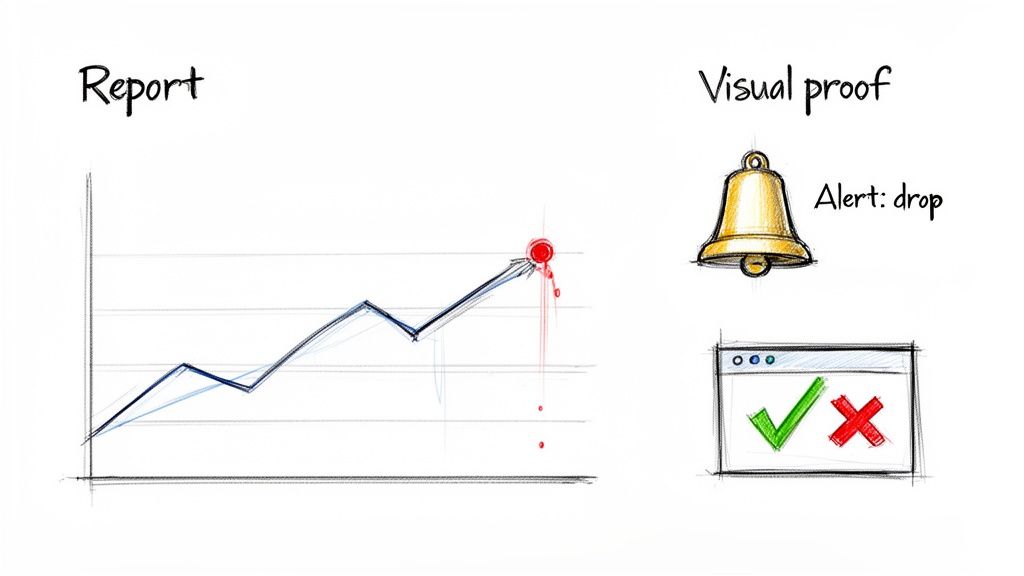
Collecting data is just the beginning. The real magic happens when you turn that raw information into intelligence that drives your strategy forward. Your automated system is now pulling in a ton of great data, but the next step is building a framework to make sense of it all—quickly and accurately.
The goal is to shift from just passively collecting data to actively monitoring what's happening on the ground. This means setting up smart alerts that flag big changes the moment they occur.
Think of it as your own early warning system. You'll want to know immediately if your business vanishes from a local pack, if a new competitor muscles their way onto page one, or if a huge SERP layout change (like a new AI Overview) shoves all the organic results down. The screenshots you're capturing provide the undeniable visual proof for these moments.
Building an Effective Alert System
A great alert system won't drown you in notifications about every minor rank fluctuation. It's smart enough to flag only the events that truly matter, giving you a chance to react before a small fire becomes a major problem. The key is setting clear, meaningful thresholds for your alerts.
I'd recommend setting up alerts for these kinds of critical events:
- Local Pack Disappearance: This is a code-red situation. Trigger an alert if your business is no longer in the top 3 map results for any high-value keywords. This demands an immediate look.
- Significant Rank Drops: Define what "significant" means to you. A good starting point is a drop of more than five positions for any of your core organic terms. This helps you spot real issues without getting distracted by normal, everyday ranking volatility.
- New Competitor Detection: If a new domain suddenly cracks the top five for a keyword you're targeting, you need to know about it. It could be a new player entering the market or an existing competitor getting serious about their local SEO.
- Major SERP Feature Changes: Keep an eye on the appearance or disappearance of big features like AI Overviews, video carousels, or "People Also Ask" boxes. These can have a massive impact on your click-through rates.
These alerts turn your system from a simple historical archive into a proactive, strategic tool. You can investigate a drop, pull up the corresponding SERP screenshot to see what changed, and start planning your response in hours, not weeks.
Crafting Reports That Actually Tell a Story
Let's be honest: raw data rarely impresses anyone, especially stakeholders. To make your findings stick, you have to combine your numbers with the visual evidence from your screenshots. A good report doesn't just present data; it tells a clear, compelling story about your local search performance.
For example, instead of just reporting that a keyword dropped from #4 to #9, show the "before" and "after" screenshots. You might discover that a huge image pack suddenly appeared above the organic listings, which immediately explains the drop. That visual context is infinitely more persuasive than a number in a spreadsheet.
When reporting, always lead with the "so what?" factor. Connect every data point to a business outcome. A rank drop isn't just a number; it's a potential loss of foot traffic, phone calls, and revenue.
Sidestepping Common Mistakes in Local SERP Tracking
Even the most sophisticated tracking system can produce junk data if you're not careful. To truly track local SERPs with confidence, you need to be vigilant about a few common but critical mistakes that can completely derail your efforts.
One of the biggest offenders is sloppy proxy management. If you aren't rotating your residential IPs often enough, or if your provider's IP pool is low-quality, you're going to start seeing CAPTCHAs. Even worse, you could be served personalized or generic results that have nothing to do with your target locale. This pollutes your entire dataset, making it impossible to trust.
Another all-too-common error is misinterpreting personalization. Even with good proxies, small leaks can happen. Make it a habit to spot-check your SERP screenshots. Do they look clean and un-personalized? If you see location-based suggestions that don't match your target coordinates, it’s a clear sign your simulation isn't as pure as you think.
Ultimately, the goal here is to build a robust system that you can rely on—one that delivers insightful and genuinely actionable local SERP intelligence, every single time.
Frequently Asked Questions About Local SERP Tracking
Diving into building your own local SERP tracker is exciting, but it's natural for a few tough questions to pop up along the way. Let's walk through some of the most common hurdles I've seen and get you clear, practical answers so the data you're pulling is always reliable.
How Do I Prevent Google Account Personalization in My Tracking?
This is probably the single most critical thing to get right. If Google personalizes your results, your data is compromised from the start. Your goal is to make every single request look like it's from a completely new, anonymous user in a very specific place.
The first step is to always run your headless browser in incognito or private mode. But that's not enough. You have to be explicit in your search URLs by adding parameters to force the language and country, like &hl=en for English and &gl=US for the United States.
The final piece of the puzzle is using high-quality, rotating residential proxies for every request. This trio—incognito mode, URL parameters, and fresh proxies—is what stops Google from tapping into any kind of search history to influence the SERP you get back.
What Is the Difference Between City-Level and Coordinate-Level Tracking?
Think of city-level tracking as a blurry, zoomed-out picture. It gives you a general idea but glosses over the hyperlocal details that truly define local search. It might show you're ranking somewhere in "Chicago," but it completely misses that you fall off the map pack just a few streets away from your physical location.
Coordinate-level tracking, on the other hand, is like a high-resolution photo. It simulates a search from an exact latitude and longitude, which is crucial because Google's algorithm shows different map packs and "near me" results based on where a user is physically standing within that city.
For any business that serves a specific area or has multiple physical locations, coordinate-level data is the only way to see what's actually happening on the ground. It’s the closest you can get to seeing what your real customers see.
Why Is a SERP Screenshot More Valuable Than Just HTML Data?
Raw HTML gives you the data, but a screenshot gives you the context. It’s the visual proof of what a user actually experiences, capturing the page layout, what’s "above the fold," and all the rich media elements that are nearly impossible to decipher from code alone.
Consider a few real-world examples I've run into:
- Layout Shifts: Your rank might slip from #2 to #5. The HTML won't explain that a giant new video carousel just took over the top of the page, pushing everything down.
- Ad Dominance: The raw data can't show you the real impact of four huge ads at the top of the page that shove every organic result below the fold on a mobile device.
- AI Overviews: A new AI-generated answer might be siphoning off clicks by summarizing the information so well that users no longer need to visit your page.
A screenshot is irrefutable evidence. It’s invaluable for diagnosing what's really going on and for explaining performance shifts to your team or clients. It just tells a much more complete and accurate story.
Visual proof is non-negotiable for accurate SERP analysis. With ScreenshotEngine, you can programmatically capture clean, reliable screenshots of any local SERP without worrying about cookie banners or ads. Integrate our powerful screenshot API into your tracking system today. Get started for free with ScreenshotEngine.