Keeping an eye on website changes is about so much more than just squashing bugs. It's a strategic move to safeguard your revenue, protect your hard-earned SEO rankings, and maintain your brand's integrity. When you track changes to a website, you're building a crucial safety net—one that catches everything from a minor CSS tweak that wrecks a checkout flow to an accidental metadata update that tanks your search visibility.
Why Tracking Website Changes Is a Strategy, Not a Chore

Too many teams treat change monitoring as a reactive, almost tedious task. It’s often an afterthought, only triggered when a customer complains that the "Add to Cart" button has vanished. But for any modern business, it’s critical to flip that script and view this as a proactive strategy. Unnoticed updates—whether from a third-party script, a CMS auto-update, or a quick developer patch—can quietly wreak havoc.
Think about these all-too-common scenarios I've seen play out:
- A seemingly innocent CSS change pushes a key button just off-screen on mobile, leading to a 15% nosedive in conversions before the team even realizes what happened.
- An accidental
noindextag gets pushed to a top-performing landing page during a content refresh, effectively making it invisible to Google for days. - The legal team updates the terms of service, but the outdated text lingers on the live site, opening up a serious compliance can of worms.
In every one of these cases, the culprit wasn't a catastrophic outage. It was a small, silent error with an outsized impact. This is precisely where having a formal strategy to track changes to a website proves its worth.
Getting Ahead of Problems
At its core, effective change monitoring is about gaining visibility and control. Instead of waiting for the support tickets to roll in, you're actively scanning for any deviation from how your site should look and function. The benefits of this proactive oversight are immediate, turning a defensive chore into a real competitive edge, as highlighted by the impact of real-time website monitoring. It's how you maintain quality, ensure brand consistency, and ultimately protect your bottom line.
The goal here isn't just to find bugs. It's to build a system where every meaningful change is caught, checked, and signed off on before it can ever hurt your users or your business metrics. You're building resilience right into your workflow.
The tech for this has come a long way. The website screenshot software market is on track to blow past $1.2 billion by 2033, a boom fueled by new AI algorithms that can spot visual changes automatically. This isn't just a trend; it's a fundamental shift away from tedious manual checks toward smart, automated systems. We’ll dive into the developer-focused solutions you need to build out this kind of strategy.
Building Your Website Monitoring Game Plan
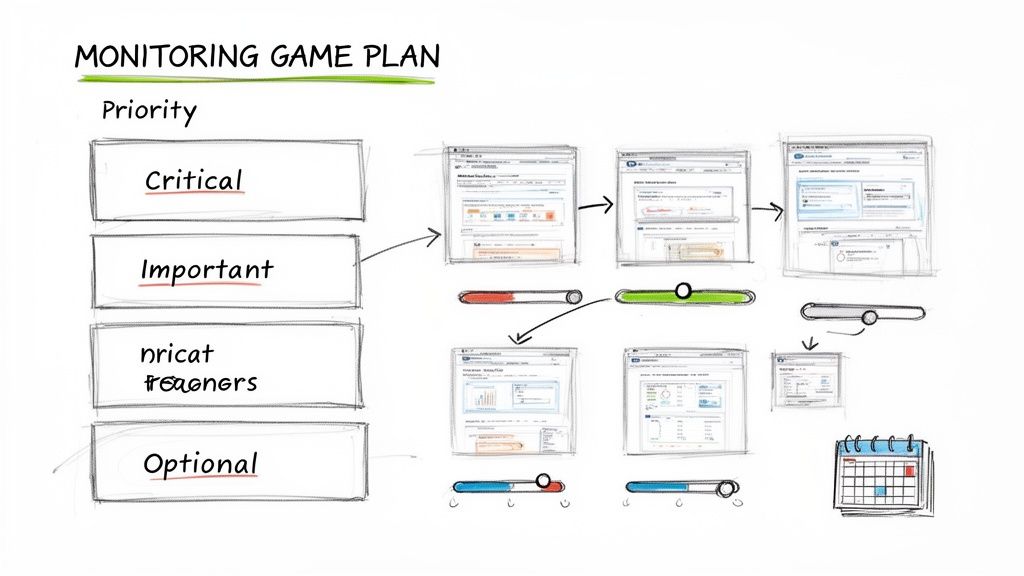
Jumping into website monitoring without a plan is a recipe for disaster. You'll quickly find yourself drowning in a firehose of alerts, making it just as useless as having no alerts at all. To track changes effectively, you need a smart, targeted strategy that separates critical updates from meaningless noise.
Without a clear game plan, you risk burning out from false positives. Even worse, you could miss a crucial change because it was buried in dozens of irrelevant notifications. The key is to shift from a reactive "monitor everything" mindset to a proactive, goal-driven approach where every single alert is actionable.
Your first move? Figure out what actually matters for your specific goals. A startup keeping an eye on a competitor’s new feature launch has entirely different priorities than an e-commerce store making sure its pricing is always accurate.
Prioritizing What to Watch
The best way to start is by sorting the types of changes you want to track into different buckets. This simple act of prioritization immediately brings clarity and helps you choose the right tools for the job.
You can break down most website changes into four main categories:
- Visual and UI Changes: This is anything that affects what a user sees—from a button color tweak to a complete layout overhaul. Monitoring these changes is absolutely essential for catching visual bugs, ensuring brand consistency, and validating that front-end deployments went smoothly.
- Content Changes: This covers the actual text and copy on your pages. It’s vital for tracking price updates on product pages, keeping an eye on legal disclaimers for compliance, or just making sure your marketing message is always on point.
- Structural HTML Changes: These are shifts in the underlying DOM structure. A subtle change here could accidentally break a web scraper, mess with your site's accessibility, or impact how search engines crawl and understand your content.
- SEO Metadata: This includes the heavy hitters in the
<head>section, like title tags, meta descriptions, and canonical links. An accidental change here can have an immediate—and often severe—impact on your search engine rankings.
Key Takeaway: Deciding what to track is all about tying your monitoring efforts back to business value. If a change to your competitor's pricing page directly impacts your sales strategy, that's a high-priority target. A minor CSS tweak on a forgotten blog post? That's just noise.
To help you get started, here's a simple framework for deciding what to monitor.
Choosing What to Monitor on Your Website
| Element to Track | Why It Matters | Primary Monitoring Method |
|---|---|---|
| Pricing Tables | Directly impacts revenue and customer trust. | Content Diffing, Visual Regression |
| Key Landing Pages | Changes can affect conversion rates and user experience. | Visual Regression, Screenshot Comparison |
| SEO Title & Meta Tags | Critical for organic search visibility. | HTML/Text Diffing (specifically <head>) |
| JavaScript Files | Updates can introduce bugs or security vulnerabilities. | File Hashing, Content Diffing |
| Main Navigation | Affects user journey and site accessibility. | HTML/Text Diffing, Visual Regression |
| Legal/Privacy Policies | Crucial for compliance and legal protection. | Content Diffing |
This table is just a starting point. Your own list will depend entirely on what drives your business forward.
Defining Monitoring Frequency and Scope
Once you know what to watch, you need to decide how often to check it.
High-stakes elements, like your checkout process or a competitor's pricing page, might demand checks every hour. On the other hand, a static "About Us" page might only need a snapshot once a day or even weekly. For tasks like content preservation, you might want to learn how to archive web pages on a set schedule.
This tailored approach ensures you get timely, relevant alerts without overwhelming your systems or your team. A clear monitoring game plan is what transforms website change tracking from a chaotic chore into a precise, strategic advantage.
Choosing Your Tools for Change Detection
Once you’ve figured out what to monitor and how often, it’s time to pick the right tools for the job. The technology you land on will make or break the accuracy, speed, and scalability of your entire website monitoring setup. Today’s options are impressive, ranging from pixel-perfect visual comparisons to deep dives into the source code.
The best choice really boils down to your priorities. Are you more worried about what the user actually sees, or do you need to know about the nitty-gritty changes happening in the code? Answering that question is the key to finding the right approach.
Visual Regression with Screenshot APIs
If protecting your brand’s look and feel is your top priority, visual regression testing is your best friend. The concept is simple: you take screenshots of a webpage at set intervals and then programmatically compare them against a "golden" or baseline image. Any difference, no matter how small, gets flagged.
This is where a tool like ScreenshotEngine shines. Forget about the soul-crushing, unscalable task of taking screenshots by hand. An API lets you automate the whole process. With a single API call, you can capture a full page, zero in on a specific element like a pricing table, or see exactly what a user sees on different devices.
This method catches the kind of subtle problems that code-based tools completely miss:
- CSS Bugs: Think weird font changes, off-brand colors, or broken layouts.
- Rendering Issues: Elements that suddenly start overlapping or just don't load right.
- Third-Party Script Impact: When an updated ad or analytics script unexpectedly breaks your design.
Here’s a great example of the clean output you can get from a screenshot API that's built for monitoring.
Notice how the image is free of cookie banners or other popups. That’s crucial for getting a stable, reliable baseline image you can actually use for comparisons.
For teams that need to monitor sites at a massive scale, API-based screenshotting isn't just a nice-to-have; it's a strategic necessity. We've seen competitive intelligence teams monitoring pricing pages across dozens of regions run about 50 captures an hour. That adds up to roughly 36,000 screenshots a month. These numbers make it pretty clear why doing this by hand is a non-starter. You can learn more about the power of screenshot APIs for handling these kinds of high-volume jobs.
Content and Structural Diffing
Visual testing is fantastic for what the user sees, but sometimes you need to get under the hood and see exactly what changed in the source code. That's the perfect job for HTML and text diffing tools. A "diff" is just a comparison that highlights the differences between two versions of a file—what was added, what was removed, and what was changed.
This approach is incredibly effective for:
- Monitoring SEO metadata like title tags and meta descriptions.
- Tracking specific text changes on sensitive pages like legal disclaimers or pricing lists.
- Detecting structural DOM changes that could break your web scrapers or affect accessibility.
Plenty of open-source libraries and dedicated services can fetch a page's HTML, compare it against a saved version, and ping you only when a specific line of code is touched. For a deeper look at the browser automation tech that drives many of these tools, check out our comparison of Playwright vs. Puppeteer.
Pro Tip: Don't choose one or the other—use both for total coverage. Use visual regression to protect the user experience and HTML diffing to watch over critical, non-visual code elements. This dual-pronged strategy ensures you catch everything from a busted layout to a sneakily added
noindextag.
When you're looking at tools, don't forget about specialized solutions. For example, there are dedicated guides to ecommerce price monitoring tools that are built specifically to automate tracking competitor prices and stock levels. Ultimately, your toolkit should be just as focused as your strategy.
Bringing Your Change Detection Workflow to Life with Automation
If you're still relying on manual spot-checks to catch website changes, you're fighting a losing battle. It's time-consuming, prone to human error, and frankly, a waste of your team's talent. The real leverage comes from building an automated system that keeps an eye on your site 24/7, so you don't have to. This shifts your team from a reactive, firefighting mode to a proactive one, catching issues before they ever reach a customer.
The Heartbeat of Your System: The Scheduler
The engine of any automated monitoring setup is a reliable scheduler. Think of it as the system's heartbeat, kicking off your checks at precise intervals. You've got great options here, depending on your infrastructure.
For those comfortable with server management, a classic cron job on a Linux server is a rock-solid choice. If you're in the cloud, serverless functions like AWS Lambda or Google Cloud Functions are incredibly efficient and scalable. You can set them to run every few minutes for critical pages or just once a day for less volatile content. The key is that it's completely hands-off once configured.
This scheduled task has one main job: trigger your change detection script, which usually starts by capturing the current state of a webpage.
Plugging in a Screenshot API for Visuals
This is where things get interesting. Instead of wrestling with your own fleet of headless browsers—which is a massive headache to maintain—you can simply plug into a dedicated screenshot API. A service like ScreenshotEngine is designed for exactly this. It handles all the complexity of rendering pages, so you can get a perfect, clean snapshot with a single API call.
Here’s what that looks like in practice:
- Your daily cron job or Lambda function runs.
- It fires off a simple HTTP request to the ScreenshotEngine API, telling it which URL to capture. You can even specify things like screen size or image format.
- The API does the heavy lifting and sends back a pristine, high-resolution screenshot. Crucially, good services will even handle blocking all those pesky cookie pop-ups and ads that often trigger false alarms.
This approach gives you a consistent, pixel-perfect record of your site over time. For a more detailed walkthrough on the technical side, this guide on creating an automated website screenshot system is a great resource.
The process below shows how visual, content, and structural checks all fit together into one cohesive strategy.
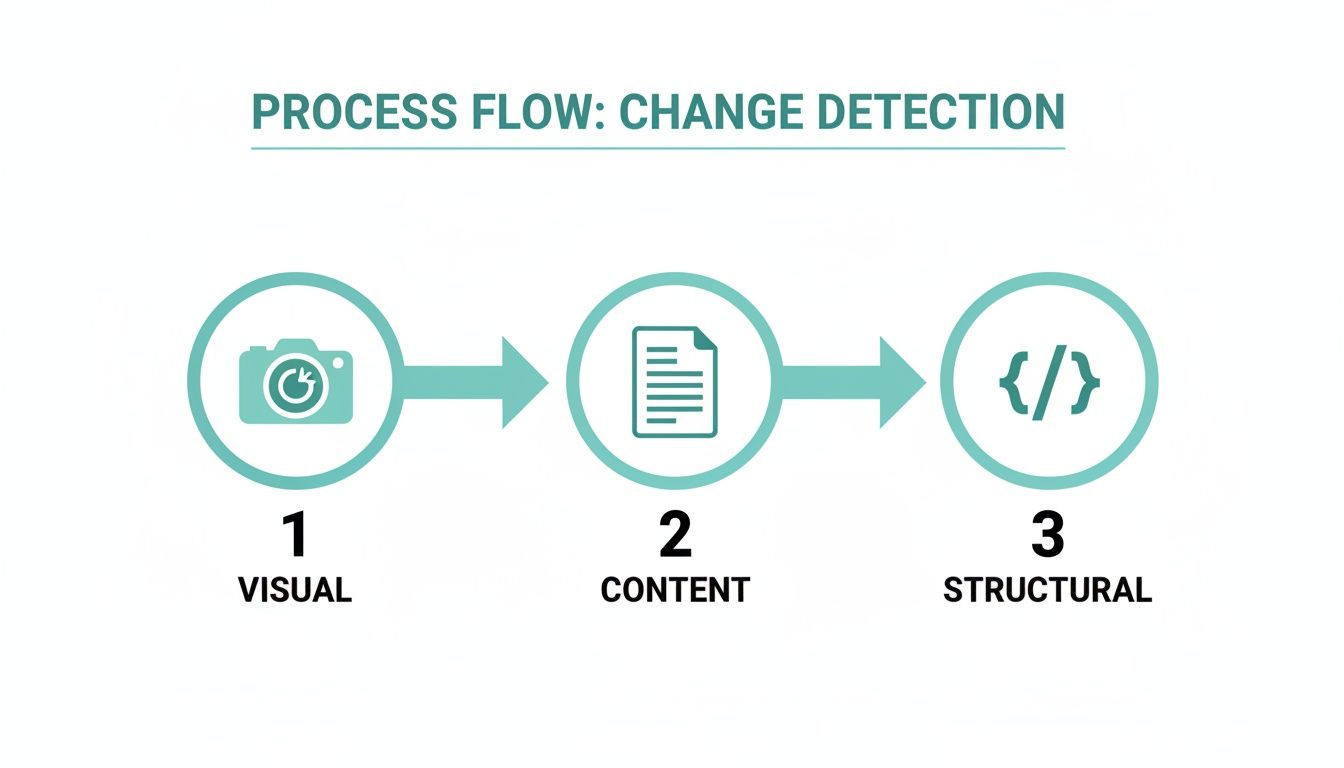
Each layer provides a different kind of safety net, protecting you from a whole range of potential bugs, defacements, or accidental edits.
Don't Just Log Changes—Alert on Them
Capturing a change is useless if nobody knows about it. The final piece of the puzzle is building an alerting system that gets the right information to the right people, right away. You need to route these notifications directly into your team's existing daily workflow.
Don't just dump changes into a log file that gathers digital dust. A successful alerting system turns raw data into immediate, actionable tasks for your team.
This is all about smart integrations. Using webhooks, you can push alerts to the tools your team already lives in.
- Slack: Imagine a message popping into a dedicated
#monitoringchannel showing the "before" and "after" screenshots. The context is immediate. - Email: For stakeholders or managers who aren't in Slack all day, a summarized email report can keep them in the loop without creating noise.
- Project Management Tools: This is where you can get really powerful. A significant visual deviation could automatically create a high-priority ticket in Jira or Asana and assign it directly to the front-end team lead.
By weaving together a scheduler, a robust screenshot API, and intelligent alerting, you build a powerful, "set it and forget it" monitoring pipeline. This system ensures you’re the first to know when something goes wrong, giving you the power to fix it before it ever impacts your users or your bottom line.
Advanced Tactics for Reliable and Scalable Monitoring
So you've got your automated monitoring system up and running. That's the easy part. The hard part starts when the alerts begin flooding in, and you realize just how noisy the web really is.
Real-world websites are messy. They're packed with dynamic content, shifting ads, cookie banners, and all sorts of third-party scripts that can trigger a constant stream of false positives. If you want to build a system that people actually trust and don't just mute, you need to get a lot smarter about how you monitor. The goal here is to cut through the noise so that when an alert does fire, it's for a change that actually matters.
Dealing with Dynamic Content and SPAs
Single Page Applications (SPAs) and dynamic content are, without a doubt, the biggest headache for automated monitoring. When you track changes to website pages, things like personalized greetings, rotating ad banners, or "last updated" timestamps can fool your system into thinking the whole page has been overhauled. It hasn't.
Here’s how to handle it:
- Target Specific Elements: Stop capturing the entire page. Instead, use a tool like ScreenshotEngine to zero in on a specific, stable
divor section. If you only care about the product description, for instance, just monitor that block and ignore everything else. - Use Ignore Regions: Most solid visual comparison tools let you mask out certain areas. You can literally draw a box around a dynamic ad container or a live chat widget, telling the diff tool to pretend that part of the page doesn't exist.
- Wait for the Page to Settle: With SPAs, the content often loads in waves. Taking a screenshot too early means you're capturing an incomplete page. You need to configure your capture tool to wait for network activity to die down, ensuring you’re grabbing the final, fully-rendered version.
Fine-Tuning Alert Sensitivity
A one-pixel shift is not the same as a 20% layout collapse, but a basic change detection script might treat them equally. This is a classic rookie mistake. Setting a single, rigid threshold for what counts as a "change" will drive your team crazy with pointless notifications.
A smart monitoring system doesn't just ask, "Did it change?" It asks, "Did it change enough to matter?" This shift in perspective is key to creating alerts that your team will actually pay attention to rather than ignore.
Look for tools or libraries that offer intelligent sensitivity controls. For example, you can often set a tolerance level to ignore visual changes that affect less than 1% of the total pixels. This one tweak can wipe out a massive number of false alarms caused by tiny anti-aliasing differences or other minor rendering quirks.
Managing Costs and Storage at Scale
Once you start monitoring dozens or hundreds of pages, you'll run into two very real-world problems: cost and storage. Taking hourly screenshots of 100 pages means you're generating 2,400 images a day. Storing all of them can get expensive and messy, fast.
You need a smarter archival strategy. Don't just save every single screenshot forever.
A much better approach is to only store the "before" and "after" images when an actual change is detected. If a page goes a week without changing, you only need to keep one baseline image for that entire period, not hundreds. This simple logic dramatically cuts down your storage needs.
Also, think critically about your check frequency. Does your "Terms of Service" page really need to be checked every hour? Probably not. A critical pricing page, on the other hand, might. Tailoring your check frequency to the importance of the page is a simple way to balance comprehensive coverage with practical costs.
Common Questions on Tracking Website Changes
Even with a solid plan, you're bound to run into a few tricky situations when you start monitoring websites in the wild. Things like dynamic content, picking the right tools, and setting the right frequency always seem to cause headaches. Let's walk through some of the most common questions I hear from developers.
How Can I Stop False Positives from Dynamic Content?
Ah, the classic challenge. This is probably the biggest source of noise in any monitoring setup. The best way to tackle this is with a few different techniques working together.
First off, use a service that can automatically block common ads and popups right out of the box. That alone will solve a huge percentage of your false alerts. Then, get specific with CSS selectors. Instead of capturing the whole page, you can tell your tool to screenshot just the important div with the main article and ignore the sidebar that’s always changing.
A pro-tip is to use "ignore regions." Most good visual comparison tools let you draw a box around areas you know will change, like a timestamp or an ad slot. This tells the tool to ignore pixel changes in that specific zone, making sure you only get alerted for modifications that actually matter.
What’s the Real Difference Between Visual and Content Tracking?
It's a great question because they solve very different problems. You'll likely end up using both for a truly solid monitoring strategy.
Visual regression testing is all about what the user sees. It's comparing screenshots pixel-by-pixel to catch things like UI bugs, broken layouts, or font rendering issues. This is your go-to for protecting brand consistency and making sure the user experience doesn't degrade.
Content diffing, on the other hand, looks at the source code—the HTML and text. This is perfect for tracking changes to specific copy, monitoring SEO metadata inside the <head> tag, or catching structural DOM changes that might not be obvious just by looking at the page.
How Often Should I Check a Website for Changes?
There's no magic number here. The answer really depends on your goal and how critical the page is. The main thing is to avoid checking too often, which just creates noise and costs you money.
Here are a few scenarios I've seen work well:
- High-Volatility Pages: If you're tracking a competitor's pricing on a hot e-commerce product, you might need to check hourly.
- Compliance & Legal Pages: For terms of service pages where changes are rare but incredibly important, a daily check is usually plenty.
- CI/CD Pipelines: In a development context, you'll want to run visual regression tests with every single code push to your staging environment to catch bugs before they hit production.
My advice? Start with a reasonable baseline, like daily checks for most pages. From there, you can adjust the frequency based on how often the site actually changes and how critical that information is. This way, you can be confident that when an alert does come through, it's something that truly needs your attention.
Ready to stop wrestling with headless browsers and start getting clean, reliable screenshots for your monitoring workflow? ScreenshotEngine provides a developer-first API that handles the complexity for you, delivering perfect captures without ads or popups. Start for free and see the difference.