When you're comparing automated testing tools, the fundamental divide is clear. Traditional frameworks like Selenium give technical teams ultimate flexibility, while modern tools like Cypress and Playwright are built for developer experience and raw speed. Then you have specialized APIs like ScreenshotEngine, which solve very specific problems—like visual regression testing—with incredible efficiency.
Navigating The Modern Automated Testing Landscape
Picking the right automated testing tool isn't just a technical choice anymore. It's a strategic move that directly affects how fast you can ship code and how good your product is. The push for quicker development cycles and rock-solid CI/CD pipelines has forced a major shift in testing solutions.
This evolution is reflected in the market's explosive growth, which is on track to hit USD 78.94 billion by 2031. This number tells a story: companies are moving past simple functional checks and embracing more complete, integrated testing strategies. You can dig into the numbers yourself in the full report from Mordor Intelligence.
The Evolution From Legacy To Modern Tools
For a long time, Selenium was the king of the hill. Its power comes from supporting a massive range of programming languages and browsers, which made it the go-to for big, complex tech stacks. The downside? Its architecture often leads to complicated setups and tests that fail for no good reason, creating a maintenance headache.
This created an opportunity for a new generation of developer-first tools. Cypress burst onto the scene with an all-in-one design that made setup a breeze, complete with a game-changing interactive test runner for debugging in real time. Not long after, Microsoft launched Playwright, which delivered outstanding cross-browser automation with a laser focus on speed and reliability, directly tackling many of Selenium's old frustrations.
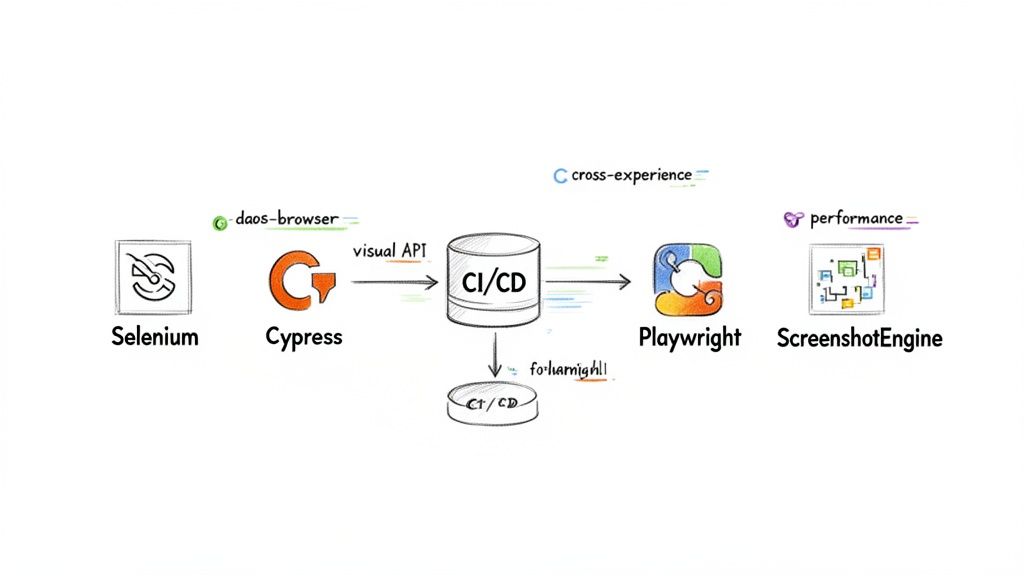
Selenium's legacy is undeniable. It established the need for browser automation and paved the way for the modern alternatives we have today.
The Rise Of Specialized APIs
While broad frameworks handle application logic, specialized tools like ScreenshotEngine have become essential for certain tasks. End-to-end frameworks are often overkill and inefficient for jobs that are purely visual. This is where a dedicated screenshot API shines—it does one thing exceptionally well: capture pixel-perfect, clean screenshots of websites at massive scale.
This focused approach is perfect for use cases like:
- Visual Regression Testing: Catching unexpected UI bugs before your users do.
- Large-Scale Monitoring: Keeping an eye on competitor websites or SERP layouts without managing a fleet of browsers.
- Compliance Archiving: Creating reliable, time-stamped visual records of web pages.
In this guide, we'll break down these different tools and approaches. The goal is to help you figure out which tool—or combination of them—is the right fit for your team's workflow and goals.
How To Choose The Right Automated Testing Tool
Diving into a tool comparison without a clear strategy is a recipe for disaster. You’ll get lost in a sea of features and marketing hype, only to end up with a tool that doesn't actually solve your team's real-world problems. The first step, before you even look at a single feature matrix, is to define your own evaluation criteria.
The "best" tool is entirely contextual. It depends on your project's specific needs, your team's skillset, and your long-term goals. What works wonders for a small startup building a React app will likely be a terrible fit for a large enterprise managing a complex, multi-language system.
Define Your Core Testing Needs
Start by getting to the root of what you're trying to achieve. Answering a few fundamental questions upfront will automatically filter out dozens of unsuitable options and bring the right ones into focus. Is your primary concern making sure every function works as expected, or is it about catching tiny visual glitches before they make it to production?
To build your decision-making framework, ask your team about these key areas:
- Scope of Testing: Do you need to run complex end-to-end (E2E) tests that simulate a complete user journey from login to logout? Or are you mainly focused on validating small, isolated UI components? Full-blown E2E frameworks are powerful, but they can be slow and brittle if all you need is simple component validation.
- Team Skillset: Is your team full of experienced developers who can jump between programming languages and complex test scripts? Or would a streamlined, JavaScript-native tool with excellent debugging features be a better fit to get everyone productive faster? The answer dictates whether you need a highly flexible tool or a more opinionated, developer-friendly one.
- Primary Goal: What’s the number one priority? Is it guaranteeing the application's business logic is flawless, or is it preventing visual regressions and UI inconsistencies from ever reaching your users? This is a critical distinction that separates functional testing tools from specialized visual validation services. Our automated testing for web applications guide can help you clarify exactly what you're aiming for.
A common mistake is just picking the most popular tool on the market. The best tool isn't the one with the most features; it's the one that integrates seamlessly into your team's existing workflow and doesn't create a maintenance nightmare down the road.
Evaluate Long-Term Viability And Integration
Beyond the immediate features, you have to think about how a tool will impact your entire development lifecycle a year from now. A tool's ability to fit into your ecosystem is just as important as what it can do on its own. After all, what good is a powerful testing framework if it can't integrate with your CI/CD pipeline?
Make sure to assess these critical long-term factors:
- CI/CD Integration: How easily does the tool plug into your current pipeline, whether it's Jenkins, GitHub Actions, or CircleCI? For true continuous testing, this integration needs to be frictionless.
- Ecosystem and Community: Is there a strong community behind the tool? Good documentation, active forums, and a healthy plugin ecosystem can save you hundreds of hours when you run into problems. A vibrant community is a sign of a healthy, well-supported tool.
- Maintenance Overhead: What’s the real cost of keeping your test suite running? Look for tools with built-in features like auto-waits and reliable selectors. These can dramatically reduce the time your team spends fixing flaky tests, which ultimately lowers your total cost of ownership.
By building this evaluation framework first, you can approach the detailed tool comparisons with a clear head. You'll be ready to cut through the noise and pinpoint the solution that truly aligns with your technical needs, budget, and strategic goals.
A Detailed Comparison Of Automated Testing Tools
Picking the right testing tool means looking past the marketing buzz and getting into a real, side-by-side analysis. Here, we’ll break down the practical strengths and weaknesses of the heavyweights—Selenium, Cypress, and Playwright—and see where a specialized API like ScreenshotEngine fits into the picture. This automated testing tools comparison is all about how these tools perform in the real world, not just on paper.
The software testing market is booming, projected to hit USD 5,188.97 million by 2033. That growth is fueled by one thing: the relentless pressure to ship quality software, fast. It makes your choice of tooling more critical than ever.
Selenium: The Enduring Standard
Selenium has been the king of the hill for a long time, and for good reason: its unmatched flexibility. It speaks just about any language you can throw at it—Java, Python, C#, JavaScript—and covers more browsers than any other tool. That’s why it's still the go-to for big companies with sprawling, diverse tech stacks.
But that flexibility has a downside. Selenium’s architecture can lead to flaky tests, those annoying failures that pop up randomly because of timing issues. The setup is also more hands-on, and it lacks the slick, built-in debugging tools you see in more modern frameworks. All this adds up to more maintenance for your team.
Cypress: A Developer-Centric Experience
Cypress was born from the frustrations developers had with tools like Selenium. It’s an all-in-one framework that’s a breeze to set up, and its interactive test runner is a game-changer for debugging. You can literally see your app’s state at every step of a test, which makes finding the root cause of a failure almost trivial.
Because it runs in the same loop as your application, tests are fast and reliable. The catch? Cypress is JavaScript-only, so it might not be a fit if your team works in other languages. Early versions also struggled with multi-tab and multi-domain testing, but a lot of that has been sorted out now.
Key Differentiator: The developer experience is where Cypress shines. Its real-time reloading and time-travel debugging make writing and fixing tests faster and more intuitive than anything else on the market.
Playwright: Performance And Modern Architecture
Coming from Microsoft, Playwright takes the cross-browser muscle of Selenium and pairs it with an architecture built for modern web apps. It supports Chromium, Firefox, and WebKit, so you can run true cross-browser tests from a single API. Its killer feature is its auto-wait mechanism, which intelligently waits for elements to be ready, dramatically cutting down on flaky tests.
Playwright also packs in some serious power-user features like network interception and device emulation. While you still need to code your tests, its smart design and excellent documentation make it a top contender for teams that need fast, reliable E2E testing in their CI/CD pipelines.
For another perspective, check out this in-depth automated testing tools comparison that covers a wide range of platforms.
ScreenshotEngine: The Specialized Visual API
Frameworks like Selenium and Cypress are great for checking functionality, but they’re overkill—and often inefficient—when all you need to do is verify what something looks like. This is where a dedicated API like ScreenshotEngine finds its sweet spot. It’s not a test runner; it’s a service that does one thing incredibly well: capturing clean, pixel-perfect screenshots at scale.
Trying to manage headless browsers, block ads, and handle cookie popups is a huge infrastructure headache. ScreenshotEngine handles all of that behind a simple API call. This makes it the perfect tool for:
- Automated Visual Regression Testing: Capture baseline images and compare them against new deployments right in your CI/CD pipeline.
- Large-Scale Website Monitoring: Keep an eye on competitor sites or track SERP changes without the cost of running your own browser farm.
- Compliance and Archiving: Generate high-fidelity visual records of web pages for legal or regulatory needs.
Our guide on automated website testing tools offers more detail on how these different approaches compare.
Feature Matrix For Automated Testing Tools
To give you a quick way to see how these tools stack up, here’s a feature matrix that cuts right to the chase.
A side-by-side comparison of key features across Selenium, Cypress, Playwright, and ScreenshotEngine, helping you quickly identify the best tool for your specific needs.
| Feature | Selenium | Cypress | Playwright | ScreenshotEngine (API) |
|---|---|---|---|---|
| Primary Use Case | Broad E2E & Cross-Browser Testing | Developer-Focused E2E Testing | High-Performance E2E Testing | Scalable Visual Testing & Monitoring |
| Setup Complexity | High | Low | Moderate | Very Low (API Integration) |
| Language Support | Java, Python, C#, JS, Ruby, etc. | JavaScript/TypeScript Only | JS/TS, Java, Python, .NET | Language Agnostic (HTTP API) |
| Cross-Browser | Excellent (All major browsers & drivers) | Good (Chromium, Firefox, WebKit) | Excellent (Chromium, Firefox, WebKit) | N/A (Handles rendering server-side) |
| Auto-Waits | No (Requires explicit waits) | Yes (Built-in) | Yes (Built-in, advanced) | N/A (Waits for full page load) |
| Debugging Experience | Basic (Requires external tools) | Excellent (Time-travel, interactive UI) | Good (Inspector, tracing) | N/A (Focus is on final output) |
| Visual Regression | Requires 3rd-party plugins | Requires 3rd-party plugins | Basic snapshot support, needs plugins | Core Feature (Built-in, high-fidelity) |
| Infrastructure Management | Self-managed (Selenium Grid) | Self-managed | Self-managed | None (Fully managed service) |
This table really clarifies the trade-offs: the big frameworks give you broad functional testing, while a specialized API provides unmatched efficiency for any visual task.
Situational Recommendations
There’s no "best" tool, only the right tool for the job. Your team's skills, project goals, and existing tech stack should guide your decision.
- Choose Selenium if: You work in a large organization with a mix of programming languages and need to support a vast range of browsers and operating systems. You have a dedicated QA team ready to build and maintain a custom framework.
- Choose Cypress if: Your team is focused on JavaScript and wants a fantastic developer experience with fast, interactive debugging. You’re building modern web apps (like SPAs) and prefer an all-in-one tool that’s easy to get started with.
- Choose Playwright if: Your top priorities are speed and reliability for E2E tests across all modern browsers. Your team is comfortable writing code and needs advanced features like network control and solid auto-waits for your CI/CD pipeline.
- Choose ScreenshotEngine if: Your main goal is scalable, fast, and hassle-free visual validation. You want to add visual regression testing or website monitoring to your workflow without the headache of managing browsers, ads, and popups. It's also the perfect addition to an existing test suite built with Cypress or Playwright.
Comparing Tools in Real-World Scenarios
Feature lists are a good start, but you don't really know a tool until you see it in action. So, let's move past the theory and put these tools to work in a few common situations that dev and QA teams face every day. This is where the real differences become clear.
We'll pit frameworks like Selenium and Playwright against a specialized API like ScreenshotEngine. Seeing them side-by-side in practical scenarios helps you understand not just what they do, but why you'd pick one over the other for a specific job.
Automating Visual Regression in CI/CD
Here’s a classic problem: a developer pushes a small CSS change. It seems harmless, but it completely breaks the layout of the checkout page. All the end-to-end tests pass—the buttons still work, the logic is sound—but visually, it's a disaster. This is exactly what automated visual regression testing is meant to catch.
You could absolutely handle this with Playwright. Its snapshot testing feature is built for this, but it comes with strings attached. You have to set up the environment, write a script to navigate to the page, and then manage the image comparison yourself. It’s powerful, for sure, but it adds another layer of complexity to your build pipeline.
Now, consider the alternative: a single API call to ScreenshotEngine.
// Example: Using ScreenshotEngine API in a CI/CD script const response = await fetch('https://api.screenshotengine.com/v1/screenshot', { method: 'POST', headers: { 'Content-Type': 'application/json' }, body: JSON.stringify({ url: 'https://your-staging-site.com/checkout', apiKey: 'YOUR_API_KEY', fullPage: true }) }); // Then, use an image comparison library to check for differences
This approach completely offloads the browser management headache. You don't have to install dependencies or fight with browser versions in your build environment. The API handles the rendering, blocks pesky ads and popups, and just hands you a clean image ready for comparison. Simple.
Scalable Web Scraping and Monitoring
Imagine you're on an SEO team tasked with tracking the visual layout of competitor landing pages or monitoring SERPs every single day. If you tried to build this with Selenium, you'd be signing up for a major infrastructure project. You'd need to configure a Selenium Grid, keep browser drivers updated, and write bulletproof scripts to deal with cookie banners, dynamic content, and bot detection.
This is a perfect example of using a sledgehammer to crack a nut. When a task is purely about capturing visuals at scale, a screenshot API is dramatically more efficient. The SEO team can just make API calls to grab the pages they need without ever having to think about a headless browser.
By abstracting away the infrastructure, a specialized API allows teams to focus on their primary goal—analyzing visual data—instead of becoming browser automation experts. This dramatically lowers the total cost of ownership for monitoring projects.
Validating Specific UI Components
Modern web apps are full of complex, data-driven components—think interactive charts, dynamic maps, or live dashboards. Testing these elements in isolation is critical. While a tool like Cypress is great for interacting with components inside its test runner, verifying their exact visual output across different states can get complicated.
This is where a screenshot API's ability to target specific elements really shines. Instead of capturing the whole page, you can pass a CSS selector to isolate just the component you care about. It’s an incredibly effective way to validate things that are tough to assert with code, like the precise rendering of a complex data visualization.
The rise of AI is also changing how we approach these tasks. Projections show that by 2025, 42% of enterprise-scale companies will have deployed AI in business, and that's reshaping automated testing. Visual regression is a prime example. Traditional browsers can stumble over dynamic elements, but ScreenshotEngine's API can capture specific sections like graphs, handle dark mode, and block ads—making it a natural fit for modern QAOps. You can learn more about these software testing statistics and their impact on the industry.
Comparing headless browser tools is a hot topic, and for good reason. For a deeper look at two of the most popular libraries, check out our detailed guide on Playwright vs Puppeteer.
Ultimately, in each of these real-world scenarios, the choice boils down to a simple trade-off: control versus convenience. Frameworks give you granular control for complex user interactions. A specialized API gives you unmatched speed and convenience for visual validation.
How to Choose the Right Tool for Your Team
Picking the right tool from this comparison isn't about finding a single "best" option. It's about finding the one that fits your team's reality—your tech stack, your project goals, and how you all work together. A good choice should feel like a natural extension of your workflow, not another chore to manage.
When you're deciding, think about how the tool will support your team collaboration best practices. The goal is to turn your testing suite into an asset that helps you ship better software, faster.
Putting It All Together: A Decision Framework
After digging into the details, the best choice becomes clearer when you focus on what you actually need to accomplish. Each tool we've looked at shines in a specific context. Knowing these sweet spots is what leads to a confident decision.
This flowchart can help you visualize where to start.
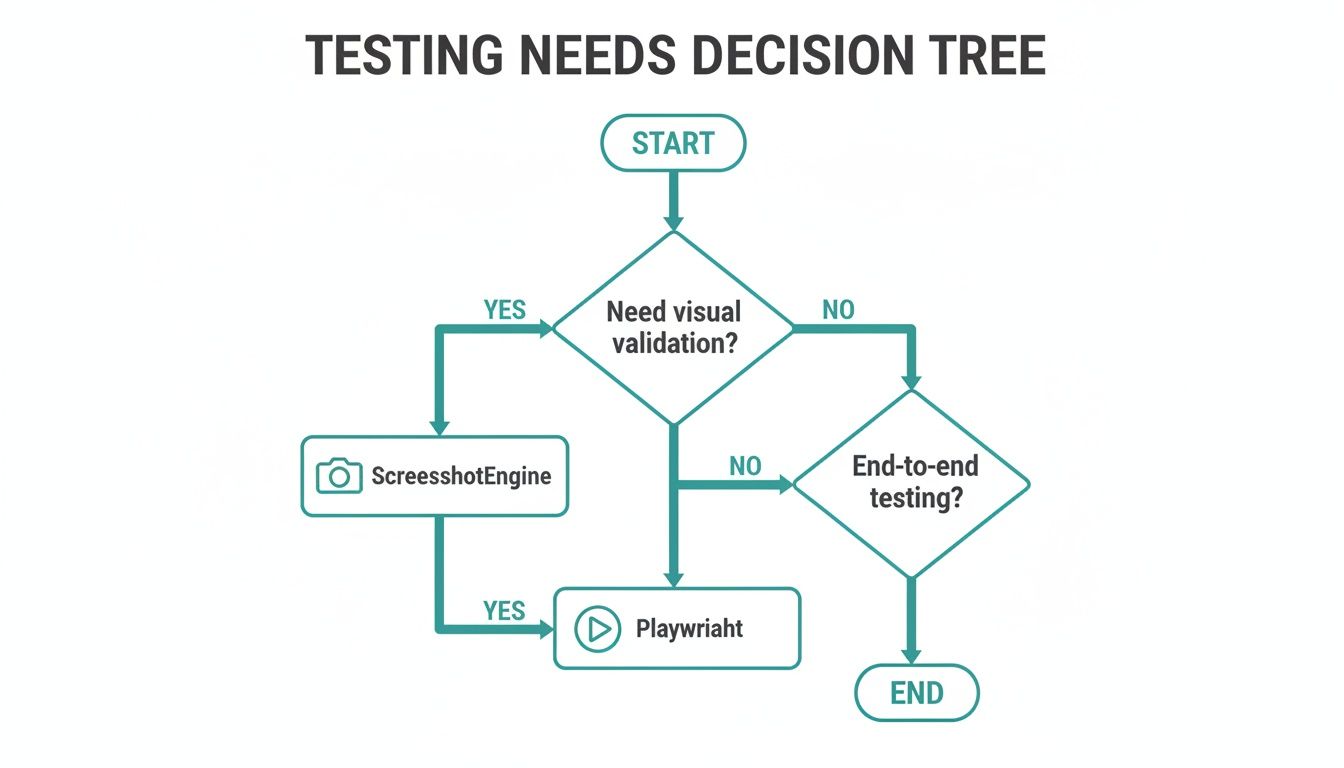
It’s a simple way to figure out if your priority is visual validation or if you need full-blown functional testing.
To make it even clearer, here are our core recommendations based on common scenarios:
- For Enterprise Flexibility, Go with Selenium: If your organization juggles multiple programming languages and needs to support a vast array of browsers, Selenium is the established choice. It’s ideal for large, complex environments where a dedicated QA team can handle its more demanding setup.
- For Developer-Focused Workflows, Pick Cypress: Cypress is built for JavaScript teams who want a smooth, fast, and interactive testing experience. Its all-in-one design and real-time test runner make writing and debugging a breeze.
- For Modern End-to-End Speed, Use Playwright: When speed, reliability, and powerful cross-browser testing in a CI/CD pipeline are non-negotiable, Playwright is the clear frontrunner. Its modern architecture and smart auto-waits drastically reduce the flaky tests that plague older tools.
When to Skip the Framework and Use an API
The most important lesson here is knowing when a heavy-duty testing framework is simply overkill. If your main goal is just to verify what a page looks like, a specialized API is a much smarter, more efficient route.
If you need fast, scalable, and hassle-free visual validation—for visual regression testing, monitoring competitors, or archiving for compliance—a dedicated service like ScreenshotEngine delivers better results with far less operational pain.
Think about it. Instead of wrestling with browser automation, ad-blocking, and cookie pop-ups yourself, you offload all of that to a specialized service. This lets your team concentrate on what truly matters: making sure your site looks perfect. It’s not about replacing end-to-end tools entirely; it’s about complementing them. Use the right tool for the right job, and you'll end up with a much more effective and low-maintenance testing strategy.
Common Questions About Testing Tools
Choosing the right automated testing tool often boils down to a few critical questions. Getting the right answers will help you align your testing strategy with what your team actually needs and can handle.
End-to-End vs. Visual Regression Testing
What’s the real difference between these two, and when do you need each one?
End-to-end (E2E) testing is all about validating user journeys. Think of it as a robot acting like a real person, clicking through a whole workflow—like signing up, adding an item to a cart, and checking out. It’s perfect for making sure the entire application logic hangs together correctly. Tools like Playwright and Cypress are the go-to choices for this kind of deep functional testing.
Visual regression testing, on the other hand, is laser-focused on the user interface—what things actually look like. Its job is to catch visual bugs by comparing "before" and "after" snapshots of your UI. This way, you can be sure that a seemingly innocent CSS change didn't just break the layout on half your pages.
How Much Coding Do You Really Need?
This is a big one, and the answer truly depends on the tool.
Traditional frameworks like Selenium and Playwright demand a solid grasp of programming. You'll be writing and maintaining test scripts, which gives you incredible power and flexibility but also presents a steep learning curve if you're not a developer.
Thankfully, newer tools are much more approachable. Low-code platforms are chipping away at the scripting requirements, and specialized services like a screenshot API only require you to know how to make a simple HTTP request. This opens up testing to a much wider group of people on your team.
The trend is clear: powerful testing capabilities are no longer limited to seasoned developers. The right tool can empower your entire team, from QA analysts to marketers, to contribute to quality assurance.
Can You Mix a Screenshot API with Other Tools?
Absolutely. In fact, combining a screenshot API with your existing E2E framework is one of the smartest ways to upgrade your testing stack.
Imagine this: you use Cypress or Playwright to handle the complex parts, like logging in a user and navigating to a specific dashboard. At the key moments in that flow, you simply make an API call to ScreenshotEngine to capture a perfect screenshot for visual validation.
This hybrid model gives you the best of both worlds. You get the robust workflow testing of a full E2E framework and the pixel-perfect, zero-hassle visual checks of a dedicated screenshot API—all without having to manage a single browser yourself.
Ready to add effortless visual testing to your workflow? ScreenshotEngine provides a developer-first screenshot API that captures any website cleanly and reliably. Get started for free at https://www.screenshotengine.com.