
Think of social media archiving as creating a permanent, verifiable scrapbook of everything your company says and does online. It's the process of capturing and storing content from social media platforms, turning fleeting digital interactions into solid, lasting records. For any business today, this isn't just a "nice-to-have"—it's an essential function for legal compliance, brand protection, and historical record-keeping.
Why Social Media Archiving Is a Critical Business Task
Imagine trying to prove what was said in a conversation that vanished moments after it happened. That's the daily reality on social media, where posts can be as temporary as words spoken in the wind. What started as a casual way to connect is now a primary channel for business communications, customer service, and public announcements. This shift places a new and urgent responsibility on developers to preserve this constantly changing data.
For any modern organization, archiving social media has become mission-critical. The reasons go far beyond simple record-keeping; we're talking about managing serious legal and financial risks. Simply put, letting this digital trail disappear is no longer an option.
The Problem of Disappearing Content
The biggest hurdle is that social media is designed to be ephemeral. Content is here one minute and gone the next. Research on the half-life of social media posts drives this point home. A study by Scott Graffius found that the average half-life of a post—the time it takes to get half its total engagement—is a staggering 86 minutes.
That means a critical piece of evidence or a key customer interaction can lose all visibility before the workday is even over. You can dig into the full lifespan analysis on the researcher's blog.
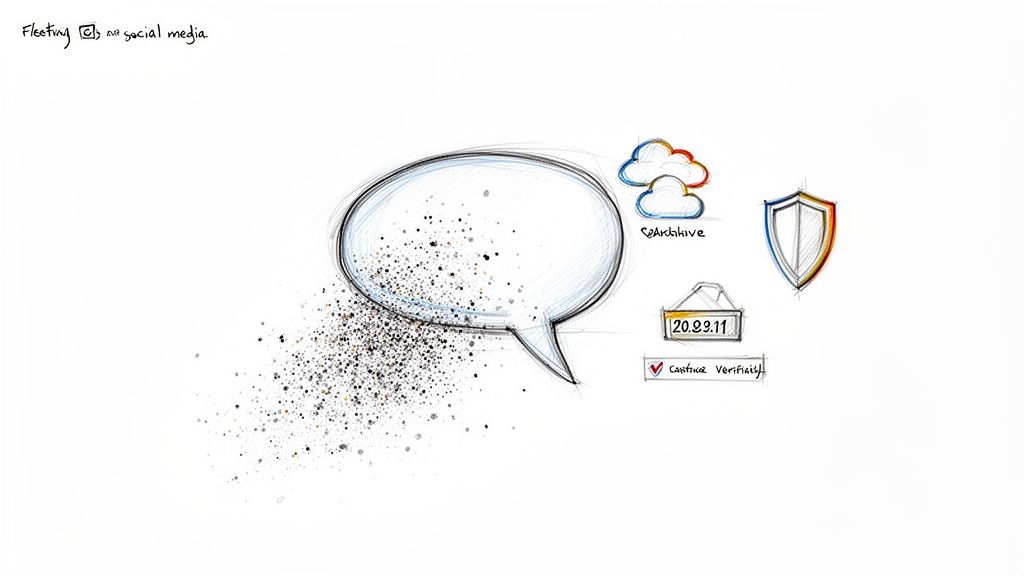
The data is clear: these platforms are built for what's happening right now. This makes an automated, immediate capture process the only reliable way to build a useful archive.
More Than Just Saving Posts
A truly effective archive doesn't just save the text from a post. It has to preserve the entire context to be defensible and useful. A complete record needs to capture the whole picture, which includes:
- Visual Fidelity: How the post looked on the screen, including images, layout, and even surrounding UI elements.
- Engagement Data: The full conversation, including all comments, likes, shares, and replies.
- Essential Metadata: Verifiable timestamps, source URLs, and other data that proves the record is authentic and hasn't been tampered with.
An archive without verifiable context and metadata is just a folder of screenshots. A proper social media archiving strategy turns those digital artifacts into legally admissible evidence and a reliable corporate memory.
Programmatic solutions are the only practical way to capture this fast-moving content at scale. They transform temporary data into permanent, verifiable assets that shield the business from legal trouble and reputational damage. And developers are the ones on the front lines, tasked with building the systems that make it all possible.
The Business Case for Archiving Digital Communications
While "archiving" might sound like a dusty, passive IT task, its true value is immediate and massive. Think of social media archiving not as simple storage, but as a critical business function that directly shields a company from huge financial risks, protects its hard-won reputation, and even fuels strategic decisions.
For developers building these systems, the work isn't just about code—it's about creating a defensive shield with a direct, measurable impact on the company’s health and bottom line.
Navigating Non-Negotiable Compliance Mandates
The most powerful motivation for social media archiving often comes from a place nobody loves to talk about: legal and regulatory compliance. For entire industries, keeping a perfect record of digital communications isn't a "nice-to-have"; it’s a strict, non-negotiable legal mandate. And ignoring these rules? It's simply not an option. The penalties can be crippling.
Imagine regulatory bodies as digital auditors who can show up at any time demanding a perfect paper trail. For businesses in finance, healthcare, and government, that trail now includes every single tweet, direct message, and Facebook post.
Key regulations you'll run into include:
- FINRA (Financial Industry Regulatory Authority): Rule 4511 is crystal clear. It requires financial firms to save every business-related communication, social media included, for specific timeframes. The fines for getting this wrong are staggering.
- SEC (Securities and Exchange Commission): Rules 17a-3 and 17a-4 are even stricter, forcing broker-dealers to preserve electronic messages in a format that's non-rewriteable and non-erasable (often called WORM storage).
- HIPAA (Health Insurance Portability and Accountability Act): This one is all about patient privacy. Healthcare organizations must protect patient information everywhere it appears, which turns public-facing social media into a minefield that demands meticulous archiving.
Failing to produce these records during an audit or legal eDiscovery isn't a small mistake. It can lead to millions of dollars in fines, business sanctions, and a public relations nightmare.
A single deleted comment or a lost direct message can become a million-dollar liability. For regulated industries, a comprehensive social media archiving solution is as essential as a lock on the front door—it’s a fundamental security measure.
This legal pressure completely reframes the developer's role. You're not just building a feature; you're building a fortress to protect the entire organization.
Beyond Compliance: Strategic Business Imperatives
While the law provides the urgency, the business case for archiving goes way beyond just dodging penalties. A proactive archiving strategy turns fleeting digital content into a permanent, valuable corporate asset you can use to defend and grow the business.
Think of a robust archive as your company’s real-time defense mechanism.
Let's say a disgruntled ex-employee posts false, defamatory claims about your product on LinkedIn. Hours later, they delete it. A simple screenshot might be dismissed in court as easily faked. But an archive—one with verifiable metadata and a clear chain of custody—is irrefutable proof. It gives your legal team the solid evidence they need to issue a cease-and-desist or take further action.
This strategic value pops up in other critical business areas, too:
- Intellectual Property Protection: If a competitor blatantly copies your new marketing campaign on Instagram, a proper archive gives you a timestamped, undeniable record of their infringement. It’s the ammunition you need to protect your IP.
- Brand and Reputation Management: Archives let you capture negative customer feedback, viral complaints, or misleading information before it's deleted or edited. This gives your PR and support teams the full context to respond accurately and effectively.
- Competitive Intelligence: By systematically archiving your competitors' social media, you can analyze their messaging, product launches, and customer interactions over time. This gives you a historical view they can't erase by simply deleting old posts.
At the end of the day, social media archiving is not a cost center. It’s an investment in risk management and strategic intelligence. It empowers developers to build systems that do more than just store data—they actively shield the company from threats and unlock the insights needed to win.
Choosing the Right Social Media Capture Method
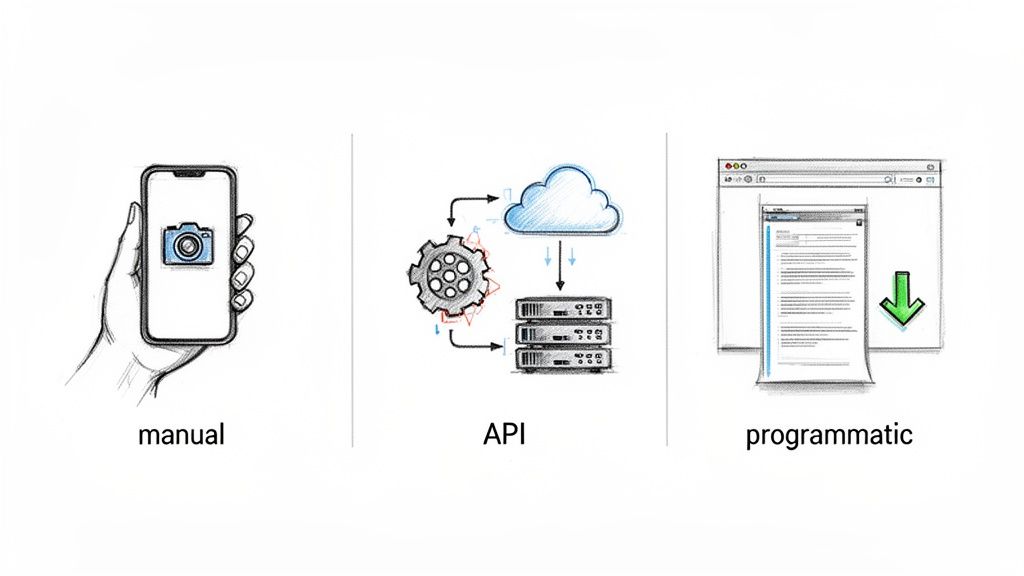
For any developer building an archiving system, the how of capturing social media content is just as important as the what. This isn't just a minor technical detail; your choice directly impacts the quality, completeness, and legal defensibility of every record you create.
Think of it like building a house. You could technically use a hammer for every single task, but you'll get a much stronger, more reliable result if you use the right tool for the job. When it comes to social media archiving, there are three common methods, and each comes with a very different set of trade-offs. Let's break them down.
Method 1: Manual Screenshots
The most straightforward approach is taking a manual screenshot. Someone sees a post, hits the PrtScn key, and saves the image to a folder. It’s fast, simple, and requires zero code.
But for any serious archiving effort, this method is a non-starter. It’s completely unscalable, riddled with potential for human error, and lacks the metadata needed to hold up in court. How can you prove when it was taken? Or that it wasn't edited? A manual screenshot is the digital equivalent of a sticky note—great for a quick reminder, but it’s not an official record.
Method 2: Platform APIs
A more sophisticated approach is to tap into the native APIs from platforms like Meta (for Facebook and Instagram) or X (formerly Twitter). APIs let you pull structured data—like post text, usernames, and likes—directly from the source, usually in a clean JSON format.
On the surface, this seems like a solid, automated solution. The problem is, it comes with some serious drawbacks that make it a poor choice for compliance-grade archiving.
- You Lose All Context: APIs give you the raw data, not the visual experience. They won't show you how a post actually looked on the screen, surrounded by comments, ads, or other UI elements that provide critical context.
- They're Unreliable: Platforms are notoriously strict with their APIs. They impose tight rate limits and have a history of changing or even revoking access with very little warning. You can't build a long-term compliance strategy on such a shaky foundation.
- There Are Gaps in the Data: You can only get what the platform decides to give you. Visual elements and other key contextual information are often completely missing from the API feed.
Relying on APIs alone is like trying to describe a crime scene by only listing the items found. You have some of the facts, but you've lost the entire picture.
Method 3: Programmatic Full-Page Captures
The gold standard for defensible archiving is using a service to programmatically capture a high-fidelity, full-page image of the content exactly as it appeared to a user. This is typically done with a dedicated screenshot API.
This method gives you the best of both worlds: the visual proof of a screenshot combined with the automation and scale of an API. It creates a pixel-perfect, timestamped record of the content in its full, original context. A robust screenshot API can render the entire page, including lazy-loaded comments and interactive elements, to give you an unassailable visual record.
A programmatic screenshot isn't just a picture; it's a piece of digital evidence. When you pair it with essential metadata—like the exact timestamp, the source URL, and the IP address—you create a complete, verifiable record that meets the demanding standards of legal eDiscovery and regulatory audits.
Comparison of Social Media Archiving Methods
To help you decide which approach fits your needs, this table breaks down how each method stacks up against the most important technical and compliance criteria.
| Method | Data Integrity | Scalability | Metadata Capture | Legal Admissibility | Ease of Use |
|---|---|---|---|---|---|
| Manual Screenshots | Low (Easily altered, no context) | Very Poor (Relies on humans) | None (No verifiable data) | Very Low | High |
| Platform APIs | Medium (Text is accurate, but context is lost) | Good (Automated but rate-limited) | Good (Structured data) | Low to Medium | Medium |
| Programmatic Captures | High (Complete visual record) | Excellent (Fully automated) | Excellent (Rich, verifiable data) | High | Medium |
The takeaway here is pretty clear. While platform APIs can be useful for certain types of data analysis, they just don't cut it for true social media archiving. For any organization that needs to build legally sound, context-rich archives, programmatic full-page captures are the only way to go. They provide a comprehensive and defensible record of your digital communications that will actually stand up to scrutiny.
Building a Legally Defensible Digital Record
A captured social media post is just a picture. But a legally defensible archive? That’s digital evidence. The real difference isn't the image itself, but the mountain of verifiable data that proves its authenticity. This is precisely where a simple screenshot falls flat in any serious legal or compliance situation.
Think of it like a police evidence locker. An officer doesn't just toss a piece of evidence into a box. They carefully bag it, tag it with the date, time, and location of collection, and log every single person who handles it. This strict process is the chain of custody, and it’s what makes that evidence hold up in court. Social media archiving demands that exact same level of discipline.
Without this digital paper trail, anyone can claim your captured content was altered or completely fabricated.
The Anatomy of an Authentic Record
To build a record that can withstand scrutiny, every single capture has to be bundled with a rich set of metadata. This isn’t a nice-to-have; it's the bedrock of a legally sound archive. This data acts as a digital fingerprint, proving when, where, and how the content was preserved for the record.
Here’s the metadata that truly matters:
- Precise Timestamps: An indisputable, machine-generated timestamp, usually in UTC, that locks in the exact moment of capture.
- Source URL: The full, direct URL of the social media post. This allows anyone to trace the content right back to its original source.
- Capture IP Address: The IP address of the server or service that took the snapshot, which helps verify the capture's origin.
- Checksum Hashes: A cryptographic hash (like SHA-256) of the captured file. Think of this as a unique digital signature that proves the file hasn't been touched since the moment it was created.
A screenshot you take on your phone or computer has none of this. That’s what makes it practically worthless for legal discovery or a regulatory audit.
An archive’s value isn't in the pixels; it's in the proof. A captured post without metadata is an assertion, but a post with metadata is evidence.
Securing the Chain of Custody
The chain of custody is simply the documented, unbroken trail of your digital evidence from the second it's created to the moment it's presented. On a technical level, this means guaranteeing the integrity of that record at every single step.
A secure, defensible chain of custody looks something like this:
- Automated Capture: An API call is made to a trusted third-party service like ScreenshotEngine to capture the content. This kicks off the chain with an impartial actor.
- Metadata Bundling: The service grabs the visual content and immediately bundles it with all that essential metadata—URL, timestamp, IP address, and hashes.
- Secure Transfer: The captured artifact and its metadata are sent securely (using protocols like HTTPS) over to your storage.
- Immutable Storage: The file is saved in a write-once, read-many (WORM) compliant system, like a properly configured Amazon S3 bucket. This makes it impossible for anyone to edit or delete it.
- Auditable Access Logs: Every single time the record is accessed, viewed, or exported, the action is logged. This gives you a complete history of who has interacted with the evidence and when.
This end-to-end process is what turns a simple capture into a powerful, defensible asset. Building this kind of system often requires robust strategies, much like those detailed in a Telegram chat backup guide, to ensure data is permanent and its integrity is maintained.
To dive deeper into the nuts and bolts, you can also explore our related article on how to archive web pages effectively. This systematic approach is non-negotiable for any organization that needs to rely on its social media archives during an audit or legal proceeding.
Designing a Practical Archiving Architecture
Alright, let's move from theory to practice and sketch out a blueprint for a real-world social media archiving system. A solid architecture doesn't have to be a convoluted mess. What it does need to be is reliable, scalable, and most importantly, automated. The end goal is a hands-off workflow that captures, enriches, and stores digital records without someone having to babysit it.
The heart of this architecture is a programmatic screenshot API. Think of it as the capture engine. It’s a specialized microservice that slots neatly into a modern tech stack and handles all the heavy lifting of rendering web pages with perfect accuracy. The rest of the system is built around triggering this engine and then securely handling what comes back.
With ephemeral content totally dominating the scene, programmatic capture isn't a "nice-to-have"—it's a necessity. Stories now pull in 1.1 billion daily viewers across the major platforms. And with over 5.2 billion social media users worldwide, the sheer volume is staggering. The real kicker is how quickly this content vanishes; some posts have a half-life of just 86 minutes. For a compliance team, any delay in capturing that content means it could be lost forever.
This simple flow shows what it takes to turn a fleeting social media post into a permanent, legally defensible record.
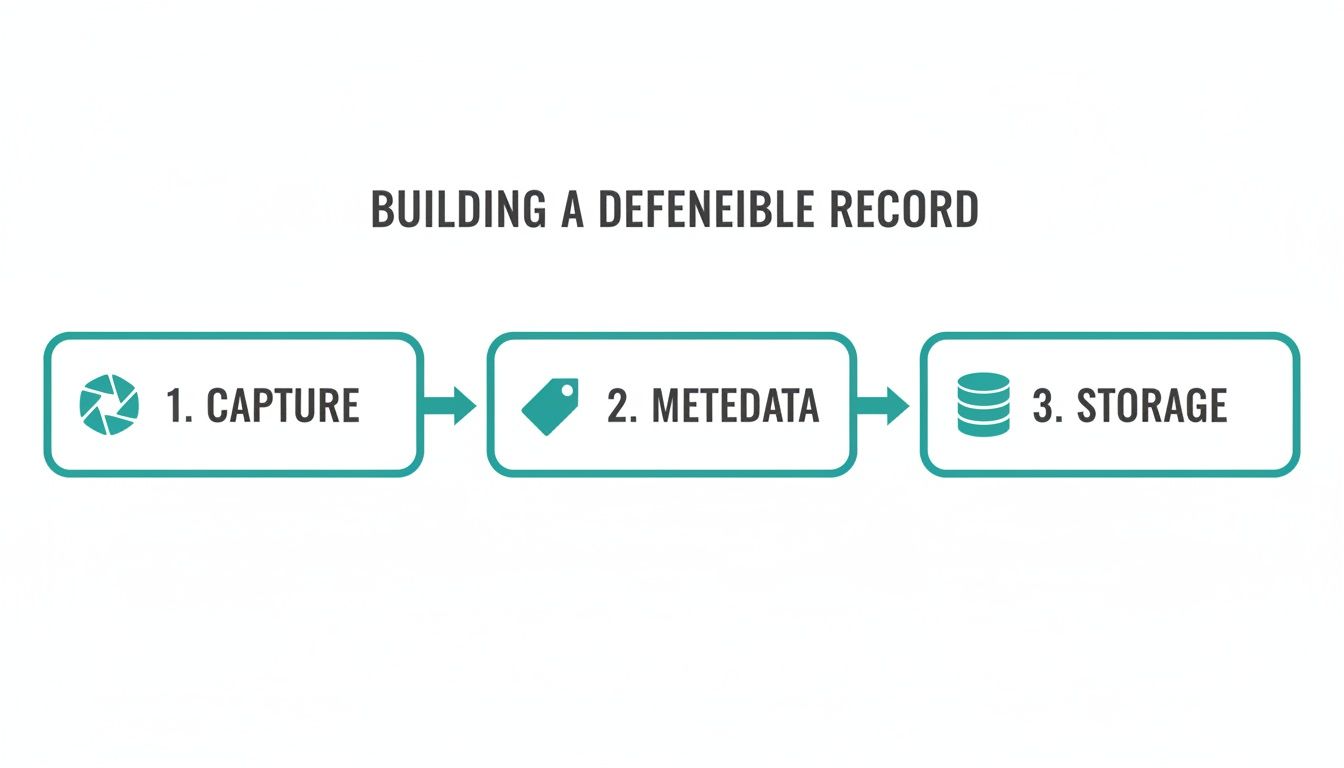
The key takeaway here is that the capture itself is just step one. It’s the combination of the capture, the verifiable metadata, and secure storage that makes the final record truly trustworthy.
Core Components of the Archiving System
You can break a robust archiving architecture down into four essential components. Each one has a specific job, and together, they create an automated, defensible workflow.
- The Trigger Mechanism: This is what kicks off the whole process. It could be a simple time-based scheduler, like a cron job, that runs routine checks. Or, it might be an event-driven system, like a webhook, that reacts instantly when a user flags a specific post for archiving.
- The Capture Engine: This is your specialized service—like ScreenshotEngine—that takes a URL and returns a high-fidelity image plus all the critical metadata.
- Secure Storage: You need a durable and scalable place to stash the captured files. Cloud object stores like Amazon S3 or Google Cloud Storage are perfect for this job. They offer high availability and killer features like versioning and immutability locks.
- The Metadata Database: This is a structured database (think PostgreSQL or MySQL) that stores all the metadata tied to each capture. It's what allows your team to quickly search and pull up records based on things like date, URL, or the user who requested the archive.
A Practical Implementation Workflow
So, how do all these pieces fit together? Let's walk through a typical, fully automated implementation.
First, a trigger fires. Let’s say a cron job runs every hour, querying your application's database for new social media links that need to be archived. This trigger then makes an API call to your capture service.
Next, the capture engine gets to work. It visits the URL you provided, renders the full page exactly as a user would see it, and takes a complete snapshot. At the same time, it gathers and bundles up that essential metadata—the timestamp, source URL, and a cryptographic hash of the image file.
Once the capture is done, your application gets the image file and its metadata back. The image is immediately uploaded to your secure object store (like an S3 bucket). Finally, all the metadata, along with a pointer to where the image is stored (the S3 object key), is written as a new record in your database.
By keeping these components separate, you build a much more resilient system. If the database is temporarily down, you can queue the metadata. If the capture service is busy, you can retry the request. This modular design is the secret to building a reliable archiving pipeline that doesn't fall over.
For anyone looking to dive deeper into scheduling, our guide on how to schedule a website screenshot offers more technical patterns and code examples.
This simple, scalable blueprint gives your development team a practical starting point. By combining simple triggers, a powerful capture API, and robust cloud storage, you can build an automated social media archiving feature that’s both effective and surprisingly easy to maintain.
Common Questions About Social Media Archiving
As teams dive into building a social media archiving system, the same set of practical questions always seems to pop up. Developers and compliance officers alike want to know how to create records that will actually hold up in court, what to do with tricky content like videos, and which tools are right for the job. Let's walk through some direct answers to clear up the confusion and reinforce what a truly defensible archive looks like.
First, let's appreciate the scale of the challenge. With 5.66 billion social media users spending an average of 2 hours and 21 minutes on these platforms daily, the sheer volume of content is staggering. Consider that 138.9 million Instagram Reels are watched every minute. As you can see from recent stats compiled by Gambit Partners, trying to keep up manually is a fool's errand. Programmatic, automated solutions are no longer a luxury—they're a necessity.
What Makes a Social Media Archive Legally Defensible?
For an archive to be considered legally sound, it has to be authentic, reliable, and complete. This goes far beyond just saving the text of a post. It means capturing the content exactly as a user saw it, complete with all the visual context and surrounding interface elements.
But the visual capture is only half the story. It must be paired with comprehensive metadata. Think of this data as the record's digital fingerprint, proving it hasn't been tampered with.
Key metadata includes:
- The exact URL where the content lived.
- A precise, machine-generated timestamp of the capture.
- The IP address of the service that took the snapshot.
- A cryptographic hash (like SHA-256) to prove the file is unchanged.
You also need a secure chain of custody—an unbroken, documented trail from the moment of capture to its final storage. This is precisely where simple screenshots fail. They lack verifiable metadata and a documented process, which is why a trusted, third-party API has become the gold standard for compliance.
Can I Just Use the Social Media Platform's Own API?
While it might seem like the most direct route, relying on a platform's native API is often a dead end for true, compliance-grade archiving. The biggest issue? APIs don't provide a complete visual record.
They’re great for pulling structured data—the text of a post, user info, likes, and shares—but they deliver it as raw text, usually in a JSON format. You completely lose the "how it looked" part of the equation. All the surrounding context, like comments in their original layout, nearby ads, and other crucial UI elements that could be vital in a legal dispute, is gone.
On top of that, API access can be notoriously fickle. Platforms are known for imposing strict rate limits, suddenly changing their API endpoints, or even revoking access with little notice. For creating a permanent, context-rich record, a high-fidelity visual snapshot is a far more robust and dependable approach.
Relying solely on a platform's native API is like getting a transcript of a conversation without seeing the speakers' body language or the room they were in. You get the words, but you lose the essential context that gives them meaning.
How Do I Handle Dynamic Content Like Videos and Stories?
Archiving dynamic content like videos and ephemeral "stories" presents a unique technical hurdle. Since a static image can't capture motion, the strategy shifts to preserving a verifiable record of the content's existence and appearance at a specific moment in time.
For short-form videos or animated GIFs, a common practice is to capture keyframes as a series of high-quality screenshots at set intervals. Another effective method is to grab a representative thumbnail the moment the content is discovered or flagged.
When it comes to ephemeral content like Instagram or Facebook Stories, the best practice is to trigger a capture the instant it's posted. While this doesn't save the video itself, it creates a legally admissible record proving what was shown, which is often all you need for compliance and eDiscovery. The principles for managing a Twitter Archive are much the same, emphasizing the need for timely, verifiable captures.
What Is the Best Way to Store Archived Social Media Content?
Your archived content and its metadata need a home that is secure, durable, and cost-effective. The undisputed industry standard here is cloud object storage.
Services like Amazon S3, Google Cloud Storage, or Azure Blob Storage are built for this. They come with features that are absolutely critical for a defensible archive:
- High Durability: These systems are designed to never lose data, often by replicating it across multiple physical locations.
- Versioning: This lets you keep multiple versions of a file, which is a lifesaver if something is accidentally deleted or changed.
- Access Controls: You get granular control over who can read or write data, keeping your archive secure.
For archives that are critical for compliance, you should go one step further and implement a write-once, read-many (WORM) policy. Most cloud providers offer "Object Lock" features that make data immutable for a set period, guaranteeing it cannot be altered or deleted. This is a non-negotiable requirement for regulations from bodies like the SEC. The visual files go into the object store, and the searchable metadata belongs in a structured database.
Ready to build a reliable, automated archiving system? ScreenshotEngine provides a developer-first API that captures pixel-perfect, legally defensible screenshots of any social media content. Block ads and cookie banners automatically and get the clean, verifiable records you need for compliance and brand protection.
Start building for free at https://www.screenshotengine.com.