
If you're still tracking your Google rankings by typing keywords into a search bar and squinting at the screen, it's time for an intervention. That method isn't just old-school; it's completely unreliable in today's world of hyper-personalized search. To get a real sense of your performance, you have to use automated tools that see what your customers see, factoring in things like their location, device, and the specific SERP features Google shows them.
Why Manual Rank Checks Just Don't Work Anymore
Relying on your own search results gives you a warped view of reality. The results you see are a custom-built SERP made just for you, heavily influenced by your past searches, where you're physically located, and whether you're on a phone or a laptop.
This means the #1 spot you see on your screen could easily be page two for a potential customer searching from the next state over. There's no such thing as one universal ranking anymore. Instead, you have countless context-dependent positions, and you need to track the ones that matter to your audience.
The SERP Is a Battlefield, Not a List
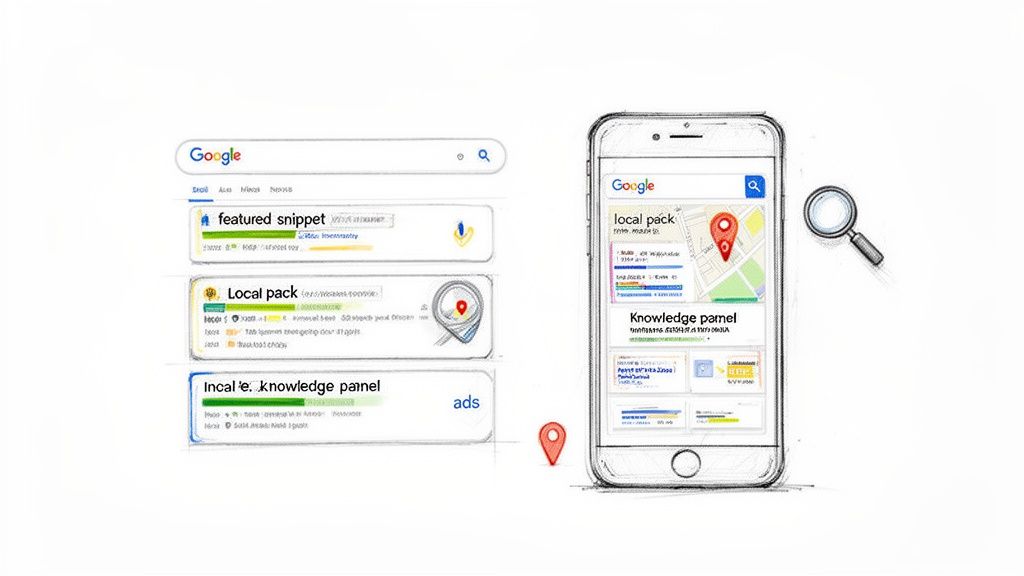
The search results page is no longer a simple list of ten blue links. It’s a dynamic, crowded space, filled with all sorts of interactive elements that are all fighting for your customer's attention.
Just think about all the things that can show up above the traditional organic results:
- Featured Snippets: These "position zero" answer boxes can solve a user's query instantly, meaning they never have to click a single link.
- Local Packs: A map and three business listings often dominate the top of the SERP for any "near me" or local search, pushing everything else way down the page.
- Image and Video Carousels: Visuals grab attention. These carousels often take up a huge chunk of screen real estate.
- "People Also Ask" Boxes: These dropdowns answer related questions, keeping users on the SERP and away from your website.
These features completely change the game. You could technically be the #1 organic result, but if you’re buried below a featured snippet, a local pack, and a video carousel, your actual visibility is next to nothing. This is one of the most important concepts to get your head around as you learn how to track Google rankings the right way.
To put this in perspective, think about the sheer scale we're dealing with. Back in 2012, Google’s index already had over 30 trillion unique URLs, and it was handling 100 billion searches every month. Those numbers are astronomically larger today, which means even tiny shifts in your rankings can have a massive impact on your traffic.
You Need a Systematic Approach
Manual spot-checking just can't keep up with this complexity. It ignores geographic variations, different device layouts, and all those click-stealing SERP features. If you're serious about SEO, a systematic, data-driven approach isn't optional—it's essential.
To get an accurate picture, you need a system that can programmatically check your rankings from different locations and on different devices. This is where automated tools and APIs come in. They strip away the personalization and give you the objective data you need to see your performance through your customers' eyes.
Building Your Rank Tracking Strategy
Jumping into a rank tracking tool without a clear strategy is like starting a road trip without a map. Sure, you'll get a firehose of data, but you won't have any idea where you're actually going or why it matters. A real strategy connects your SEO efforts directly to business outcomes, moving you far beyond simple vanity metrics.
Before you can even start, you have to nail the fundamentals. A deep understanding of what search engine ranking means and the mechanics behind getting pages to rank higher is non-negotiable. This groundwork is what allows you to set realistic goals and pick the right keywords to monitor in the first place.
Crafting Your Keyword Portfolio
First things first: you need to look beyond just your main "money" keywords. While those high-intent terms are obviously critical, a comprehensive approach is the only way to get a true picture of your overall search visibility and how users find you.
A well-rounded keyword portfolio isn't just a list; it's a strategic asset. It should include:
Transactional Keywords: These are your bread and butter—the phrases people type when they have their wallets out. Think "full-page screenshot API" or "SERP tracking software." They’re usually competitive, but they tie directly to revenue.
Informational Keywords: This is where you capture people in the research phase with queries like "how to track google rankings" or "what is visual regression testing." Ranking here builds authority and introduces your brand to potential customers long before they're ready to buy.
Long-Tail Keywords: These are the super-specific, lower-volume searches that often convert like crazy. A phrase like "automated SERP screenshots for local SEO" has much lower competition and reveals a very specific user need, sending highly qualified traffic your way.
Branded Keywords: You absolutely need to track searches for your own company name, like "ScreenshotEngine API." This helps you keep an eye on your brand reputation and ensures you own the conversation around your business.
Competitor Keywords: Watching the terms your rivals rank for is a goldmine. It uncovers gaps in your own strategy and shows you exactly where you can outmaneuver them for valuable traffic.
Identifying Metrics That Actually Matter
Once you have your keyword list, you have to decide what to measure. Just looking at raw position numbers is a rookie mistake. To really get what's going on, you need to track a blend of metrics that show you what’s happening with your visibility and engagement in the real world.
The goal isn't just to see a number go up; it's to understand how that number translates into tangible business results. A #1 ranking that gets zero clicks because it's buried under ads and a featured snippet isn't a win.
Choosing the right metrics is crucial for a complete view of your Google rankings. Below is a breakdown of the essentials I always recommend focusing on.
Essential Metrics for Google Rank Tracking
This table outlines the key metrics you should be monitoring, what they actually measure, and why they are so important for a complete performance picture.
| Metric | What It Measures | Why It's Important | Example Tools |
|---|---|---|---|
| Average Position | The average ranking of your URL for a specific keyword over time. | Provides a high-level view of performance and helps identify long-term trends, both positive and negative. | Ahrefs, Semrush |
| SERP Feature Ownership | Whether your site appears in special results like featured snippets, local packs, or video carousels. | These features often dominate the SERP, dramatically increasing visibility and click-through rates. | Moz Pro, SE Ranking |
| Click-Through Rate (CTR) | The percentage of impressions that result in a click, sourced from Google Search Console. | A low CTR for a high-ranking keyword is a red flag that your title tag or meta description isn't working. | Google Search Console |
| Share of Voice (SOV) | An estimate of your visibility across a set of keywords compared to your competitors. | Measures your market share in organic search, offering a competitive benchmark beyond simple rank tracking. | BrightEdge, STAT |
By tracking these together, you move from simply knowing your rank to understanding your actual performance in the search results.
Putting Strategy into Practice
Let's look at how this plays out for two very different businesses.
A SaaS company like ours, for example, would zero in on informational keywords like "how to build a screenshot script" to connect with developers. For us, winning featured snippets and "People Also Ask" boxes is huge because it establishes authority with a technical crowd. Our key metrics would be organic position and, just as importantly, SERP feature ownership.
Now, flip that around for a local bakery. Their entire business might depend on local search. They'd focus on transactional keywords like "best cupcakes near me" and obsessively track their position within the Google Local Pack. For them, a top-three spot in the map results is infinitely more valuable than a #1 organic listing that appears below it. Their primary metrics are Local Pack rank and customer reviews.
When you align your keywords and metrics with specific business goals, rank tracking stops being a passive reporting task. It becomes an active, strategic tool that you can use to drive real growth.
Take Control: Automating SERP Data Collection with an API
While off-the-shelf dashboards are convenient, there comes a time when you need more control. Building your own automated rank tracking system is the answer. By using a SERP API, you shift from just consuming data to actively shaping how it's collected and analyzed. This is the go-to method for technical SEOs and developers who need absolute precision.
Forget about trying to scrape Google yourself—it’s a losing battle against their terms of service, and it's notoriously unreliable. A good SERP API does all the heavy lifting for you. It navigates the messy world of proxies, browser fingerprints, and CAPTCHAs, handing you clean, structured search result data in a neat JSON package.
A successful automated workflow isn't just about writing code; it's about translating your SEO strategy into a repeatable, data-driven process. The core components are always the same: start with your keywords, define the metrics that matter, and tie it all back to your business goals.
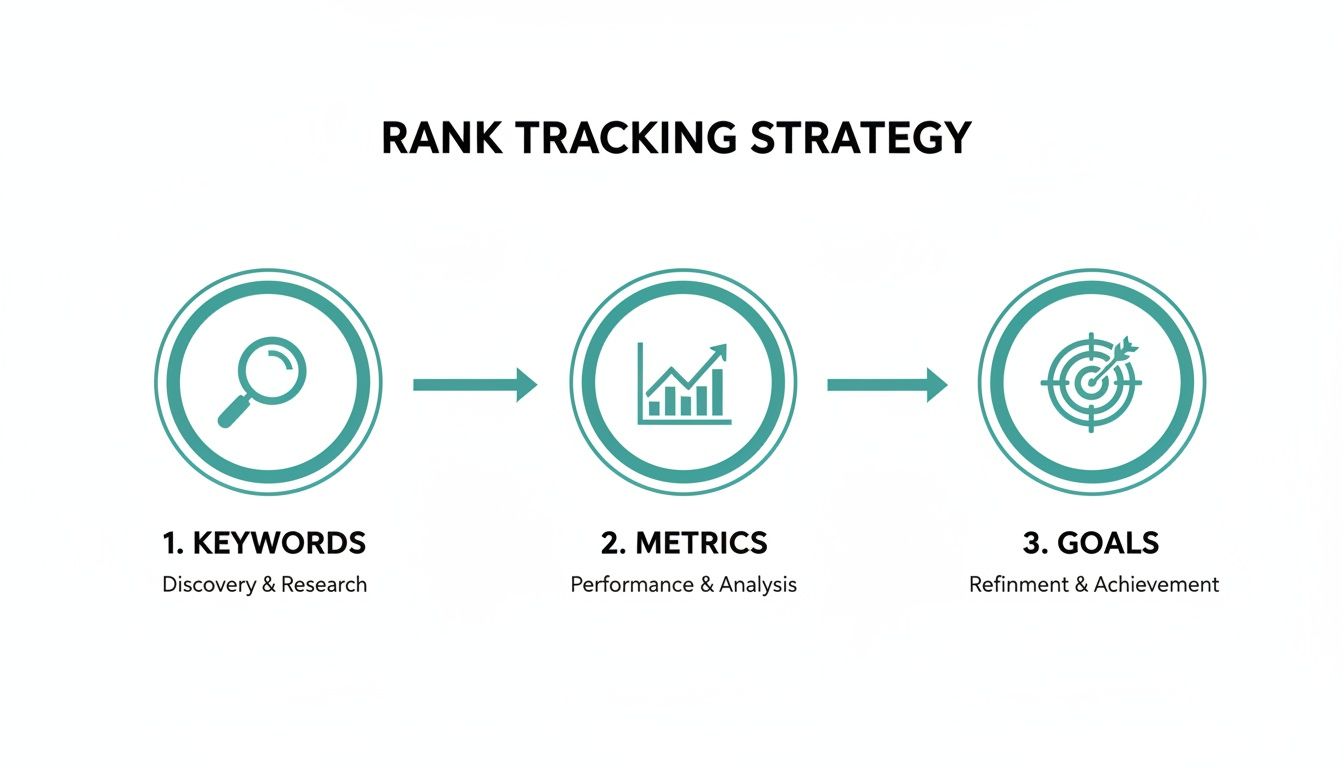
This strategic foundation ensures that your automation serves a purpose beyond just collecting numbers.
Finding a SERP API You Can Count On
Your first move is to pick the right API provider. This choice really comes down to a few critical factors. Reliability is non-negotiable; you need a service with rock-solid uptime that delivers accurate data every single time. You also need to think about scale—will the service grow with you as your keyword list expands from hundreds to thousands?
Look for an API that gives you fine-grained control over your queries. Key features include:
- Hyper-Local Targeting: The ability to pull results from a specific country, city, or even down to a zip code.
- Device Simulation: Easy toggles to see results as they appear on desktop, mobile, or tablet.
- Language & Domain Specificity: The option to query specific Google TLDs (like
google.co.uk) with distinct language settings.
Of course, cost is always a factor. Most APIs use a tiered pricing model based on monthly request volume. It's worth taking a look at some of the best SERP tracking tools and APIs to find one that aligns with your budget and technical needs.
Pulling the Data with API Calls
Once you've got your API key, it's time to start pulling data. It's usually as simple as making an HTTP GET request to the API's endpoint, passing your keyword and other parameters along in the URL. Pretty much every modern programming language has a library for this, like requests for Python or axios for Node.js.
Before you spend a dime on a third-party API, though, make sure you've covered the basics. If you haven't already, learn how to set up Google Search Console. It's a free goldmine of performance data straight from Google for the keywords you already have some visibility for.
Here’s a simple Python snippet to show you how it works:
import requests import json
Your API key and search parameters go here
API_KEY = 'YOUR_API_KEY' params = { 'api_key': API_KEY, 'q': 'how to track google rankings', 'location': 'United States', 'device': 'desktop' }
Hitting the SERP API endpoint
response = requests.get('https://api.serpprovider.com/search', params=params)
Making sure the request didn't fail
if response.status_code == 200: serp_data = response.json() # Pretty-print the JSON output print(json.dumps(serp_data, indent=2)) else: print(f"Error fetching data: {response.status_code}") This little script asks the API for the results for "how to track google rankings" as seen by a desktop user in the United States, then prints the JSON response.
A word of advice from experience: Build solid error handling into your code from day one. API calls fail. It might be a network glitch, a typo in a parameter, or you might just run out of credits for the month. Your script needs to handle these hiccups gracefully without crashing the whole operation.
Making Sense of the Data and Storing It for Later
The API will hand you back a JSON object packed with information. Your next job is to dig through it and pull out the pieces you actually care about. The exact structure will differ between providers, but you'll almost always find an array of organic search results.
Typically, you'll be looking for a structure something like this:
search_information: Metadata about the search query.organic_results: A list where each item is a unique result.position: The ranking number (1, 2, 3, etc.).title: The page title from the SERP.link: The URL of the page.snippet: The short description shown under the title.
You'll need to write a bit of code to loop through that organic_results list, find your domain, and log its position. Don't just look for your own site, though—grab the rankings for your top competitors while you're at it to get the full picture.
Once you’ve extracted the data, you need to put it somewhere. To start, a simple CSV file or a Google Sheet works just fine. But if you're serious about this, you'll want to set up a proper database like PostgreSQL or MySQL.
For every keyword you track, you should be storing the timestamp, the keyword, its rank, the ranking URL, and the location and device you checked it from. This historical data is what allows you to spot trends, diagnose ranking drops, and ultimately prove the value of your SEO work.
Capturing Visual Proof with a Screenshot API
Raw data from a SERP API tells you where you rank, but it misses a critical piece of the puzzle: what that ranking actually looks like to a user. Sure, your report says you’re number one, but is that a proud, top-of-the-page result? Or is it buried below a massive featured snippet, a local pack, and four shopping ads?
That's a question your JSON data simply can't answer. This is where visual SERP tracking becomes a complete game-changer. The search results page is a dynamic, visual battleground, and knowing your rank is no longer enough. You need to see what your users see.
Why Visuals Matter in Rank Tracking
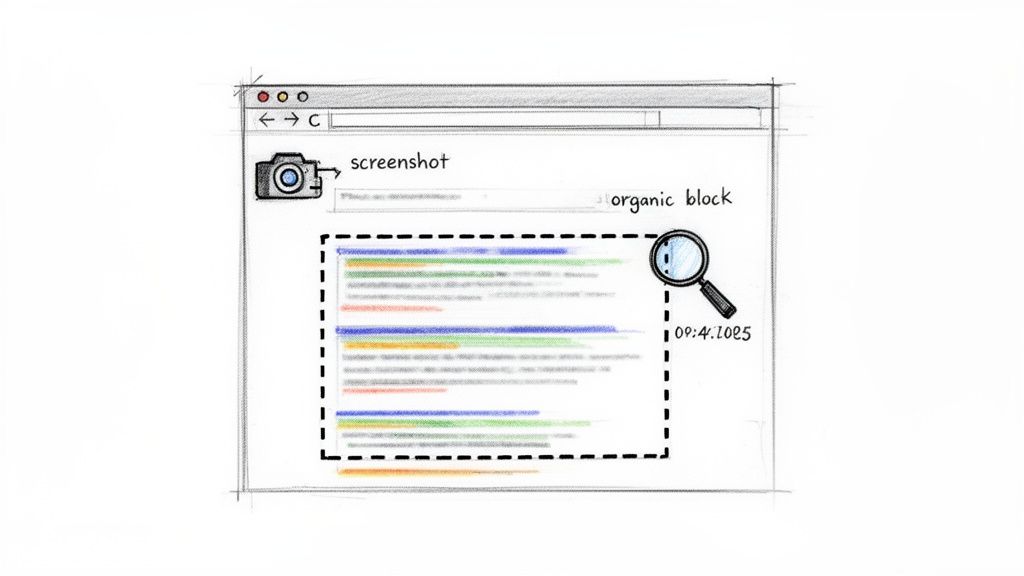
Traditional rank tracking gives you a number; screenshots give you intelligence. When you start archiving a visual snapshot of the SERP every time you check a keyword, you build a powerful historical record. It connects the dots between your data and the on-screen reality.
This visual archive lets you instantly diagnose problems that raw numbers would otherwise hide:
- SERP Feature Intrusion: See exactly how that new video carousel or a competitor's featured snippet is pushing your result down the page.
- Ad Density Changes: Spot when Google starts showing more ads for your money-making keywords, affecting your organic click-through rate.
- Layout Shifts: Keep an eye on Google's constant A/B testing of SERP layouts and understand how it impacts your visibility over time.
Relying only on position data is like navigating with just a compass. A screenshot API adds the map, showing you the terrain, the obstacles, and the real path to a user's attention.
Integrating a Screenshot API into Your Script
Adding screenshot capabilities to your automated tracking script is actually pretty straightforward. Most screenshot APIs, like ScreenshotEngine, work on a simple premise: you send a request to their endpoint with the URL you want to capture, and they send back an image. It slots perfectly into the workflow we've already built.
If you want to get into the weeds, our complete guide on how to use a screenshot API covers all the technical details.
Let's update our Python script to include a call to a screenshot API. We'll grab a full-page image of the Google search results for our keyword and save it with a timestamp.
import requests from datetime import datetime
--- Your SERP API Call (from previous section) ---
... assuming you have your 'serp_data' ...
--- NEW: Add Screenshot API Call ---
SCREENSHOT_API_KEY = 'YOUR_SCREENSHOTENGINE_API_KEY' search_url = serp_data.get('search_information', {}).get('google_url')
if search_url: # Set parameters for the screenshot API screenshot_params = { 'token': SCREENSHOT_API_KEY, 'url': search_url, 'full_page': 'true', # Capture the entire page 'block_ads': 'true' # Get a clean view without ads }
# Request the screenshot
screenshot_response = requests.get('https://api.screenshotengine.com/v1/screenshot', params=screenshot_params)

if screenshot_response.status_code == 200:
    # Create a unique filename
    timestamp = datetime.now().strftime("%Y%m%d_%H%M%S")
    filename = f"serp_snapshot_{timestamp}.png"

    # Save the image file
    with open(filename, 'wb') as f:
        f.write(screenshot_response.content)
    print(f"Successfully saved screenshot to {filename}")
else:
    print(f"Error capturing screenshot: {screenshot_response.status_code}")
This snippet simply takes the Google search URL from our SERP API response and passes it to the ScreenshotEngine API. It requests a clean, full-page image and saves it locally. Now, every time you check your rankings, you also get a pixel-perfect visual record of that SERP.
Advanced Visual Analysis and Regression Testing
Capturing the full page is a fantastic start, but we can get even more sophisticated with visual regression testing. This is where you programmatically compare screenshots over time to automatically flag changes.
You can take it a step further by zeroing in on specific page elements. Instead of capturing the entire SERP, a good screenshot API will let you capture just the organic results block or just the local pack.
By comparing these isolated snapshots day after day, your script can automatically alert you to things like:
- A competitor changing their title tag or meta description.
- The order of businesses shifting within the local pack.
- Your result getting pushed down by a new "People Also Ask" box.
This level of detailed, visual analysis is the difference between simple rank tracking and proactive SERP monitoring. It gives you the full context you need to truly understand performance and react quickly to whatever Google throws your way.
Turning Your Ranking Data into Action
Collecting ranking data and SERP screenshots is really just the starting point. The real magic happens when you turn that mountain of information into clear, decisive action. Raw numbers and pixel-perfect images are just noise until you learn how to read the story they're telling.
This is where a solid, automated system proves its worth. By analyzing your data over time, you can finally move past the day-to-day noise and start spotting the trends that actually matter to your bottom line.
Spotting the Trends in Your Ranking Data
A single rank check is a snapshot in time; a historical log is the whole movie. When you look at your data over weeks and months, you start to see narratives that are completely invisible in the short term. The goal is to separate the normal, everyday SERP churn from the genuine performance shifts that demand your attention.
Keep an eye out for these patterns:
- Sudden, Sharp Drops: This one’s the classic red flag. When a keyword falls off the first page overnight, it’s often a sign of a technical problem (like an accidental
noindextag), a manual penalty from Google, or a major algorithm update that didn't go your way. - Gradual Ranking Decay: This is a more subtle but equally dangerous trend. You might see a keyword slip from position 3 to 4, then to 6 over a few weeks. This slow erosion often means your content is getting stale or competitors are simply outworking you with better, fresher material.
- Competitor Gains: Your rank might be holding steady, but a key competitor could be creeping up the results. Tracking their movements right alongside your own helps you see threats coming before they overtake you, giving you a chance to react by beefing up your own page.
- SERP Feature Volatility: Ever notice you’re constantly gaining and then losing a featured snippet? That pattern suggests your content is good enough to be in the running, but maybe not perfectly structured to hold onto that coveted spot.
Looking at ranking history allows SEO pros to diagnose those slow-burn ranking drops that might otherwise go unnoticed, sometimes for three months or more before they become a real problem. By comparing where you are now to where you were, you can figure out if the dips are just normal market fluctuations or a sign of a real issue. This historical view is what turns raw data into actual intelligence. You can learn more about this on dataforseo.com.
Using Visuals to Diagnose Problems Instantly
This is precisely where your screenshot archive becomes your secret weapon. The moment you spot a drop in your data, your first move should be to pull up the "before" and "after" screenshots for that keyword. The visual evidence often gives you the answer in seconds.
For instance, you might compare last week's screenshot, where you ranked #2, to this week's, where you've slipped to #4. The new screenshot immediately shows a competitor has grabbed a featured snippet, pushing everyone else down the page. Without that visual proof, you'd be stuck guessing what happened.
This visual context is crucial for understanding the why behind the numbers. It lets you see exactly how new SERP elements—like image packs, "People Also Ask" boxes, or video carousels—are eating into your visibility, even if your organic position hasn't technically changed.
From Diagnosis to Action Plan
Once you've spotted a trend and diagnosed the likely cause, the final step is to do something about it. Every data point you collect should be tied to a potential next step. This is how you transform your tracking system from a passive report card into an active part of your SEO workflow.
Here’s a simple way to connect what you see to what you do:
| The Problem You Found | What the Screenshot Shows | Your Next Move |
|---|---|---|
| Gradual Rank Decay | Competitors' page titles and descriptions look more compelling than yours. | Refresh your on-page content, write a punchier title tag and meta description, and build some new internal links. |
| Sudden Rank Drop | The SERP looks the same, but your URL has simply vanished. | Time for a technical audit. Check Google Search Console for manual actions or crawl errors right away. |
| Lost Featured Snippet | A competitor now has the snippet with a clean, list-based answer. | Restructure your content to better answer the question head-on. Try adding a clear Q&A section or a bulleted list. |
| New Competitor Ranking | A brand-new URL appears above yours with a much more in-depth article. | Do a competitive analysis on that new page. Find the content gaps on your own page and get to work expanding it. |
By building this simple framework, you create a repeatable process for constantly improving your SEO performance. Your automated system won't just tell you how to track your Google rankings; it will give you the intelligence you need to actually improve them.
Got Questions About Rank Tracking? We've Got Answers
Once you start getting serious about tracking your Google rankings, a few common questions always seem to surface. Let's break down some of the most frequent ones I hear from people just getting into the weeds of rank tracking.
GSC vs. Rank Tracking Tools: What’s the Real Difference?
This one trips up a lot of folks, but the distinction is actually pretty simple.
Think of it like this: Google Search Console (GSC) is a fantastic tool for seeing how you perform for keywords you’re already showing up for. It’s based on real user data, but it gives you an average position over time. Rank tracking tools, on the other hand, let you check your spot for any keyword you’re targeting, whether you rank for it or not.
Google Search Console: Gives you an aggregated average position. It’s perfect for understanding broad performance trends and seeing how actual users are interacting with your site (like click-through rates).
Rank Tracking Tools: Simulate a precise search from a specific place, on a specific device, at a specific moment. This gives you a clean, objective snapshot of the SERP, which is crucial for competitive analysis and keeping an eye on new keyword targets.
You really need both. GSC gives you the big-picture overview from Google's perspective, while a good rank tracker provides the pinpoint accuracy you need for day-to-day SEO tactics.
How Often Should I Actually Check My Rankings?
It's easy to get obsessed, but checking too often can make you panic over normal, everyday fluctuations. On the flip side, checking too rarely means you might miss a huge drop until it's too late.
For most businesses, a weekly check is the sweet spot. It's frequent enough to spot major algorithm shifts or a competitor making a big move, but it keeps you from getting lost in the daily noise.
Of course, there are exceptions. If you're in the middle of a massive product launch or tracking hyper-competitive terms during a holiday push like Black Friday, switching to a daily check makes perfect sense. You need that immediate feedback to stay on top of things.
A great example comes from the wedding industry. According to The Knot's Real Wedding Survey, a whopping 73% of couples turn to Google to find their vendors. If you're a wedding photographer, does it matter if you bounce from position 4 to 5 overnight? Not really. What matters is the trend over the last month or quarter. Don't sweat the small stuff.
How Can I Track My Rankings in Other Countries Accurately?
This is a big one for anyone with an international audience. You can't just pop over to google.co.uk from your desk in New York and expect to see what a user in London sees. Your results will still be skewed by your own location.
To get the real picture, you need a system that can truly simulate a search from inside that country. This is where a SERP API becomes non-negotiable. It lets you control the specific parameters that Google uses to localize results.
When you make an API call, you can define things like:
location: Pinpoint the exact city or country, like "London, England, United Kingdom".google_domain: Set the Google top-level domain, such asgoogle.co.ukorgoogle.de.gl(Geographic Location): Use the two-letter country code (e.g.,uk).hl(Host Language): Specify the two-letter language code (e.g.,en).
Controlling these variables is the only way to get a genuine look at the SERP as a local user would experience it. Without this, your international SEO strategy is just guesswork.
Ready to see what your customers actually see? With ScreenshotEngine, you can stop guessing and start seeing. Our simple but powerful screenshot API lets you automatically capture pixel-perfect images of any SERP. Add visual proof to your rank tracking reports, spot SERP feature changes instantly, and get a true visual on the competition.